
#Cold email reply-to address: the routing setup that works
Copy page
TL;DR: Your reply-to address should almost never match your sending address in cold email. Route replies to a shared inbox or subdomain instead, so you can catch complaints, out-of-office noise, and real leads without burning your primary sending domain. The trade-off is a small hit to perceived personalization, and it is worth taking.
#Table of contents
- What a reply-to address actually does
- Why matching sender and reply-to backfires
- The routing patterns teams actually use
- The deliverability trade-off, mapped
- Google and Microsoft rules that touch reply-to
- Setting up reply-to without breaking authentication
- Reply-to patterns compared
- The mistakes that actually cost meetings
- How FirstSales routes replies
- What is overrated about reply-to
- FAQ
- Conclusion
Most cold email guides skip the reply-to header entirely.
They cover subject lines, opening lines, and send times, then leave the one setting that decides where a prospect's answer actually lands.
That gap costs teams real replies, because a reply-to address is not a cosmetic detail.
It is routing infrastructure, and it interacts directly with the domain reputation you spent weeks warming up.
#What a reply-to address actually does
Every email carries two separate addresses in its header: the "From" address and the "Reply-To" address.
The From address is what the recipient sees in their inbox list.
The Reply-To address is where their reply actually gets sent, and most inbox clients never surface it unless someone checks the raw headers.
That gap is the whole point.
You can send from [email protected] and route every reply to [email protected] without the recipient noticing anything unusual.
Mail servers have supported this since the original RFC 822 email spec, decades before cold email existed as a discipline.
Marketing tools use it constantly for one reason: it lets one team member send at volume while a completely different inbox, or no inbox at all, handles the responses.
#Why matching sender and reply-to backfires
The instinct is to keep it simple and reply to the same address you sent from.
That instinct is wrong for three separate reasons, and each one gets worse as your volume grows.
First, your sending mailbox becomes a single point of failure.
If a rep sends 150 emails a day from one inbox and also fields every reply there, that inbox becomes a chaotic mix of automated bounces, out-of-office replies, and the two or three real responses that actually matter.
Real leads get buried, and response time, the single biggest lever in outbound follow-up, quietly erodes.
Second, sending mailboxes need to stay clean for warmup and reputation purposes.
An inbox that receives hundreds of automated replies a day looks nothing like a normal human mailbox to Google or Microsoft's spam filters, and that mismatch feeds directly into the sender score those systems build over time.
Third, when a prospect hits reply, their mail client threads the conversation by the Message-ID and the From address, not by whichever mailbox physically receives it.
So the recipient experience does not change at all when you separate the two. You lose nothing on their end.
#The routing patterns teams actually use
Three patterns cover almost every serious cold email operation, and each one solves a different scale problem.
Pattern one: the shared team inbox.
Every sending mailbox has its reply-to set to a single shared address like [email protected], monitored by an SDR or a rotation of reps.
This works well under a few hundred sends a day, when a human can realistically triage every incoming thread.
Pattern two: the subdomain reply-to.
Larger operations route replies to a dedicated subdomain, something like replies.yourcompany.com, kept entirely separate from the sending subdomains.
This isolates reply traffic from send traffic at the DNS level, which matters once you are running multiple sending domains in parallel and need clean signal on which domain is actually generating engagement.
Pattern three: the tool-ingestion address.
The reply-to points at an address your sales engagement platform or CRM watches directly, so replies get auto-classified, threaded to the right rep, and logged against the right campaign without a human touching the inbox first.
This is the pattern most teams graduate to once volume passes a few hundred sends a day, because manual triage stops scaling long before send volume does.
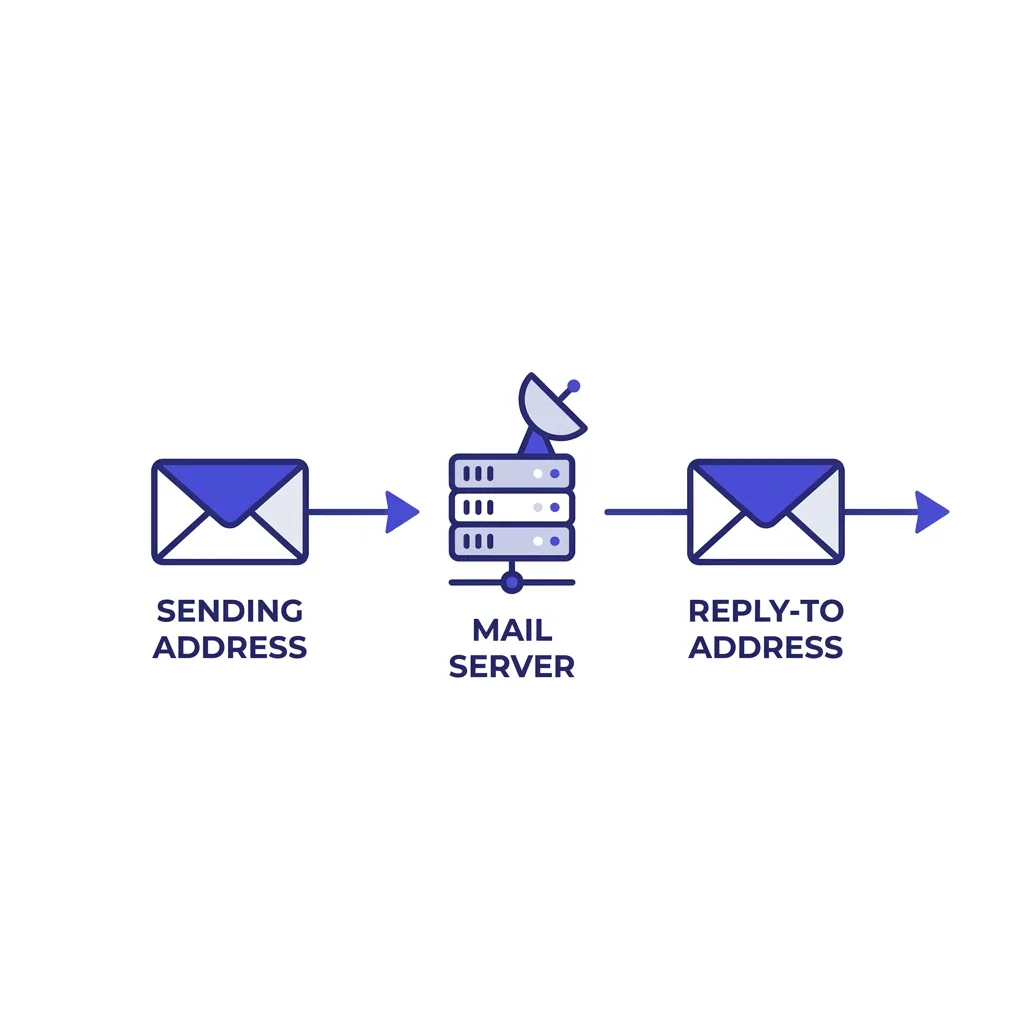 Diagram showing a cold email reply-to address routing separately from the sending domain
#The deliverability trade-off, mapped
Separating sender and reply-to is not free.
You give up a small amount of perceived intimacy, since a sharp prospect who checks headers can tell the reply goes somewhere other than the visible sender.
In practice, almost no one checks headers, and the ones who do are usually deliverability nerds, not buyers deciding whether to take a meeting.
What you get in exchange is real: a sending mailbox that stays quiet enough to keep warming correctly, and a reply channel built to absorb volume without collapsing into noise.
That trade almost always favors separation once you are sending more than a handful of emails a day per mailbox.
The dedicated-IP-versus-shared-IP debate follows a similar logic: separation costs a little setup effort now, and buys headroom later. Our dedicated vs shared IP piece walks through where that threshold sits for cold senders specifically.
#Google and Microsoft rules that touch reply-to
Google's bulk sender rules, in force since February 2024 and tightened further into 2026, require SPF, DKIM, and DMARC alignment, a spam complaint rate under 0.1%, and a bounce rate under 2% for anyone sending more than 5,000 messages a day to Gmail addresses.
None of these rules mention reply-to directly, but reply-to routing is one of the fastest ways to accidentally break them.
If your reply-to points at a domain with no SPF record, no DKIM key, and no DMARC policy, replies bounce or land in spam on the recipient's side of the conversation, and you never see it happen.
Microsoft's equivalent policy, its 5,000-recipient sender requirements for Outlook and Hotmail, follows the same authentication logic and applies the same scrutiny to any domain your mail touches, including reply routing.
Read our full breakdown of Google's bulk sender rules before you set a reply-to domain live, because the authentication requirements apply to that domain too, not just your primary sending domain.
#Setting up reply-to without breaking authentication
The reply-to domain needs its own valid DNS records, full stop.
That means SPF authorizing whatever mail server receives the replies, DKIM if that domain sends any automated confirmations back, and a DMARC policy that at minimum reports on activity.
Skipping this step is the single most common mistake in reply-to setup, because teams treat the reply-to domain as a passive mailbox rather than active mail infrastructure.
It is not passive. It receives mail, and receiving mail at scale without a DMARC record makes that domain a soft target for spoofing, which then becomes your problem to clean up.
Our SPF, DKIM, and DMARC setup guide covers the exact records to add, and the same checklist applies whether the domain sends, receives, or both.
Once the records are live, verify the reply-to domain does not share reputation history with a domain you have already burned.
A fresh subdomain under a clean root domain is the safest starting point, distinct from the domain doing your actual cold sending.
#A quick gut check before you launch
Before your next campaign goes live, open the reply-to field and ask where that address actually lives.
If the answer is "the same inbox I'm sending from," stop and fix it first.
Check that the receiving domain has SPF, DKIM, and a DMARC record, even a report-only one, before a single message goes out under it.
Then confirm someone, a person or a system, is actually watching that inbox on a schedule tighter than once a day.
None of this takes more than an hour, and skipping it is how teams end up debugging a "dead" campaign three weeks in, only to find the replies were arriving fine. Nobody was reading them.
#Reply-to patterns compared
| Pattern | Scales past 300/day | Isolates sending mailbox | Setup effort | Best fit |
|---|---|---|---|---|
| Reply-to matches sender | ✗ | ✗ | ✓ | Never, past a handful of sends |
| Shared team inbox | ✗ | ✓ | ✓ | Small teams under 300 sends a day |
| Dedicated reply subdomain | ✓ | ✓ | ✗ | Multi-domain operations at scale |
| Tool-ingestion address | ✓ | ✓ | ✗ | Any team using a CRM or sales platform |
The setup effort column is relative. A subdomain with proper DNS takes an afternoon once, and then it runs itself for years.
#The mistakes that actually cost meetings
The most common mistake is not a technical one. It is silence.
Teams route replies correctly, then nobody checks the shared inbox for two days, and a prospect who replied fast gets a fast response two days too late.
Speed to lead research consistently shows response time inside the first hour converts at multiples of anything slower, and a well-routed reply-to address that nobody monitors defeats its own purpose.
The second mistake is routing replies to a domain that was never included in your infrastructure audit.
Teams check SPF, DKIM, and DMARC on the sending domain obsessively, then forget the reply domain entirely, and it sits there unauthenticated for months.
The third mistake shows up in teams running multiple mailbox providers at once, where reply-to addresses get scattered across Google, Microsoft, and a private SMTP provider with no single view of what came back.
Fragmented reply data means nobody can say, with a straight face, which sending domain is actually producing conversations.
#How FirstSales routes replies
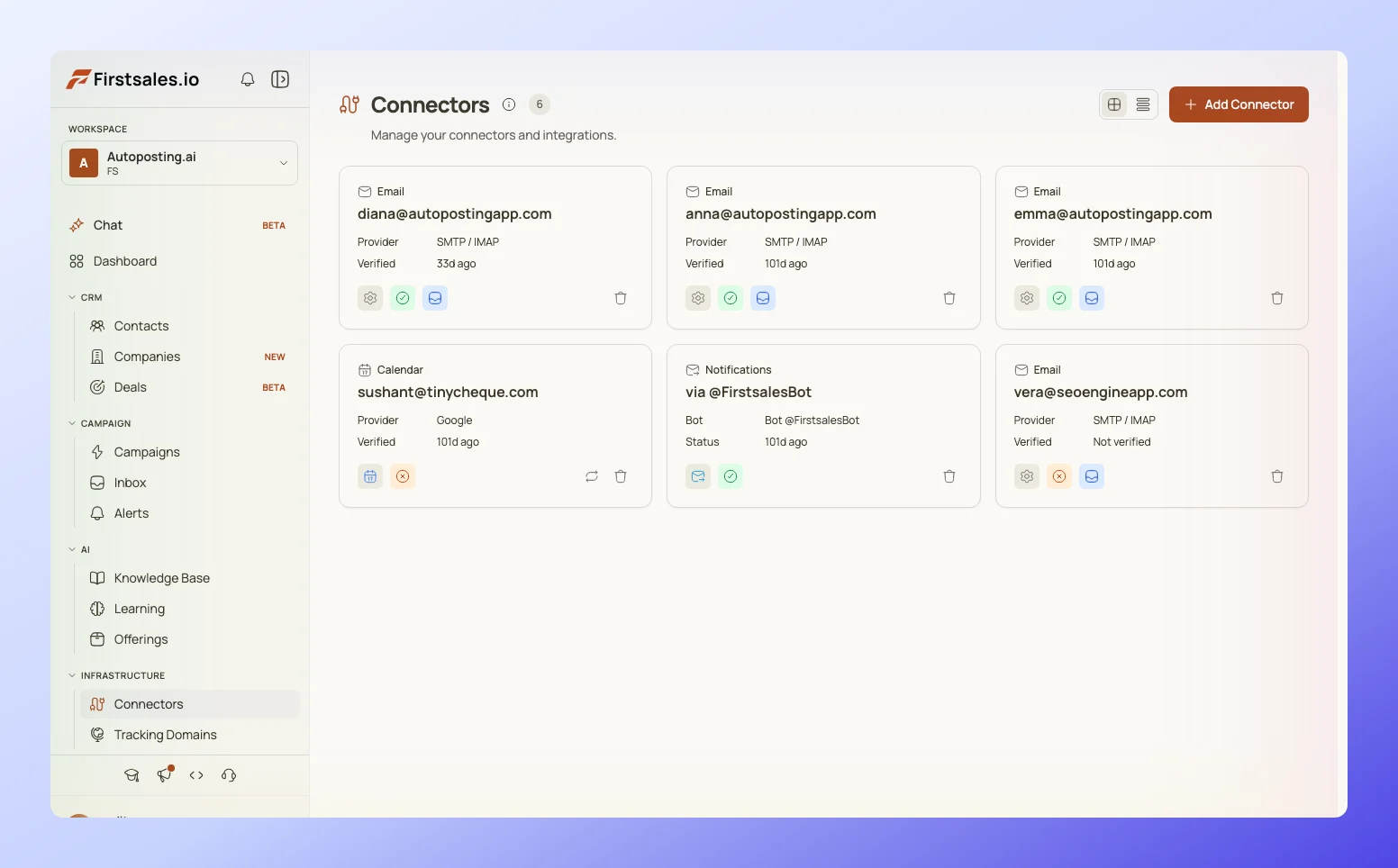
FirstSales separates sending mailboxes from reply ingestion by default, which removes the manual setup step most teams get wrong on their first attempt.
Every reply lands in a unified inbox view tied back to the exact campaign and mailbox that sent the original message, so a rep never has to cross-reference three different inboxes to find the thread a prospect just answered.
That single view is also where you catch the pattern that matters most: which domains and mailboxes are generating real replies versus which ones are quietly accumulating bounces.
 FirstSales deliverability monitor showing reply routing and mailbox health across a sending fleet
#Monitoring reply-to performance
A reply-to setup is not something you configure once and forget.
Reply rates by mailbox, bounce patterns on the reply domain, and time-to-first-response all need regular review, the same way you would monitor sending domain health.
Our guide on email deliverability monitoring covers the specific metrics worth tracking weekly, and most of them apply just as much to the receiving side of your infrastructure as the sending side.
If your reply-to domain starts bouncing legitimate replies, that failure is invisible from the sender's chair unless you are actually checking.
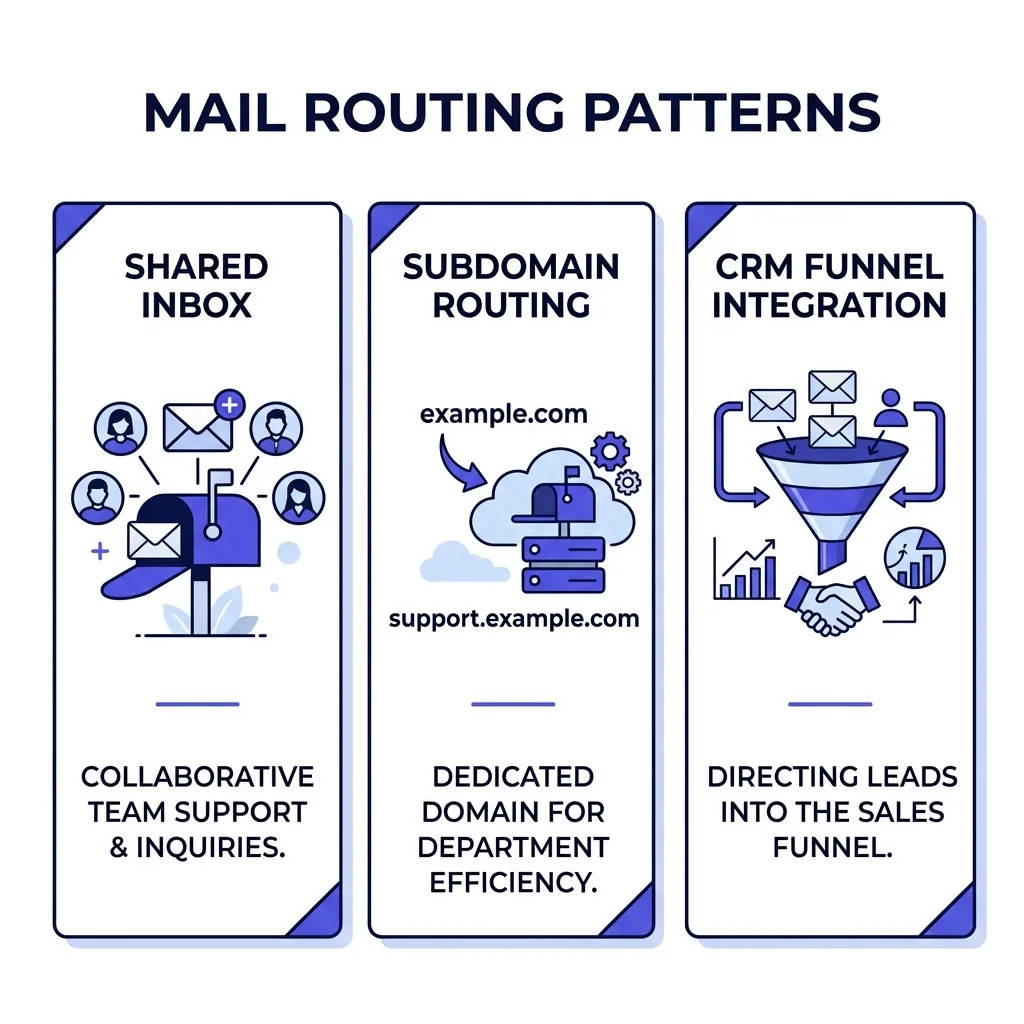 Diagram comparing a shared team inbox, a dedicated reply subdomain, and CRM-ingested reply routing
Once replies are landing reliably, the next problem is triage discipline, which is where a reply handling playbook earns its keep. Routing gets the message to the right place. A playbook gets a human to act on it inside the window that still converts.
#What is overrated about reply-to
The idea that a matching reply-to address makes cold email feel more "personal" is overrated.
Almost no prospect inspects headers before deciding whether to reply, and the ones who do are not your buying audience in the first place.
What actually drives a reply is the offer and the first two lines of the email, not whether the reply-to field technically matches the From field.
Teams that spend hours debating reply-to cosmetics while their cold email deliverability checklist sits half-finished have their priorities backward.
Fix the plumbing first. The plumbing is what determines whether the email arrives at all.
#FAQ
#Does reply-to affect whether an email lands in spam?
Not directly, but an unauthenticated reply-to domain can cause replies to bounce or land in spam on the way back, which looks like a dead lead when it was actually a DNS gap.
#Should reply-to match the display name shown to the recipient?
The display name and the From address are what the recipient sees. Reply-to is invisible in almost every mail client, so it does not need to match either one.
#Can I use a free Gmail or Outlook address as my reply-to?
You can, but it defeats the purpose of separating volume from a single mailbox, and free consumer accounts have stricter sending and receiving limits that were never built for business reply volume.
#Does a mismatched reply-to trigger spam filters on its own?
No single mismatch triggers a filter by itself. Filters weigh authentication, complaint rate, and engagement together, and a properly authenticated reply-to domain causes no penalty at all.
#How many reply-to addresses should one campaign use?
One is usually enough per campaign, tied to the mailbox or domain group sending it, so you can trace which domain is producing replies without cross-referencing multiple threads.
#Is a subdomain reply-to better than a completely separate root domain?
A subdomain under your existing root domain is usually simpler to manage and still isolates reply traffic at the DNS level. A fully separate root domain adds isolation but also adds a second domain's worth of DNS and reputation management.
#What happens to reply-to when a prospect hits "reply all"?
Reply-to only controls where a direct reply goes. If other recipients are on the thread and the prospect hits reply all, standard mail client behavior applies to the visible CC and To fields, not the hidden reply-to header.
#Does reply-to routing work the same way on LinkedIn or other channels?
No. Reply-to is an email-specific header. LinkedIn and other multichannel outreach steps need separate routing logic entirely, since LinkedIn has no equivalent header for its own messaging system.
#Can a reply-to address be different for every mailbox in a rotation?
Yes, and for larger fleets this is common. Each mailbox or small group of mailboxes gets its own reply-to, which makes it easier to isolate which specific mailbox is producing engagement or bounces.
#Will changing my reply-to address hurt an existing campaign mid-send?
Changing it mid-send is safe for future sends but does nothing for emails already delivered, since the header was fixed at send time. Plan the change before the next batch goes out, not in the middle of one.
#Does reply-to need its own warmup period like a sending domain does?
It needs valid authentication records before it goes live, but it does not need the same gradual warmup a sending domain does, because it is not building a sending reputation on outbound volume.
#What is the risk of using a no-reply address as reply-to in cold email?
Significant. Cold email exists to start a conversation, and a no-reply address signals the opposite intent. It also violates the spirit of most outbound compliance frameworks that require a legitimate reply path.
#Should sales reps see raw reply-to addresses in their day-to-day tools?
Usually not necessary. Most CRMs and sales platforms abstract this away so reps see a normal-looking thread, and only someone managing deliverability infrastructure needs to see the raw header.
#How does reply-to interact with DMARC alignment requirements?
DMARC alignment checks the From domain against the DKIM and SPF results, not the reply-to domain. Reply-to sits outside DMARC's alignment check, but the reply-to domain still needs its own separate authentication for the replies it receives.
#Can a bad reply-to setup cause a domain to get blacklisted?
An unauthenticated domain receiving spoofed or forwarded spam because it lacks SPF, DKIM, or DMARC can end up flagged, which is a real risk distinct from the sending domain's reputation.
#Is it worth using a dedicated tool just to manage reply-to routing?
For teams under a few hundred sends a day, DNS-level routing to a shared inbox is enough. Past that volume, a platform like FirstSales that ties reply-to routing directly into campaign tracking saves the manual reconciliation work.
#Does reply-to routing change if I use a cold email tool versus my own SMTP?
The header behaves the same either way. What changes is how much of the DNS and inbox setup the tool handles for you versus what you configure manually on your own SMTP infrastructure.
#How do I know if my current reply-to setup is actually working?
Check your reply rate by mailbox against your overall campaign reply rate. If a mailbox's replies rarely show up in your triage system, the reply-to routing or the monitoring on that end is broken.
#Should reply-to change when I retire a burned sending domain?
Yes. If the sending domain is retired because it is burned beyond recovery, any reply-to pointing back at it should move too, so replies from old threads still land somewhere monitored.
#Does reply-to matter for one-off outreach, not full campaigns?
Less so. A single manual email sent from a real inbox with a real person reading it does not need separated reply-to routing, since there is no volume problem to solve yet.
#Conclusion
A reply-to address is infrastructure, not a cosmetic setting buried in your sending tool.
Match it to your sending address and you turn your warmed-up mailbox into an unsorted pile of bounces, out-of-office replies, and the handful of real leads buried underneath.
Separate it, authenticate the receiving domain properly, and route it into a system a human or a CRM actually monitors, and you protect both your sender reputation and your response time on the leads that matter.
Start with the SPF, DKIM, and DMARC records on whatever domain receives your replies, check it against your infrastructure audit, and pick the routing pattern that matches your current volume rather than the one you might need in a year.
The setup takes an afternoon. The mailbox chaos it prevents would otherwise cost you months.