
TL;DR: A fleet of 40 Google Workspace inboxes is one policy change away from going dark all at once, because every mailbox shares the same reputation surface. Splitting sending volume across Google, Microsoft, and a privately hosted SMTP domain limits the blast radius of any single provider's enforcement wave. The working split for most teams in 2026 is roughly 40% Google, 30% Microsoft, 30% private SMTP, adjusted by how each channel is actually converting.
#Why one-provider fleets fail together
Most cold email teams build their sending fleet on one provider because it is the fastest path to launch.
Buy 20 Google Workspace seats, connect them to a sending tool, and start warming up.
The problem shows up later, usually during a Google policy tightening or a shared-IP reputation event that has nothing to do with your own sending behavior.
Every inbox on that fleet lives inside the same reputation system.
Google evaluates sender reputation at the domain level and increasingly at the sending-infrastructure level, so a spam spike from one inbox in your fleet can drag down inbox placement for every other inbox tied to the same domain or IP range.
Microsoft does something similar through its outbound spam protection, which routes messages a filter flags as risky through a separate high-risk delivery pool specifically to protect the reputation of its main outbound IPs, according to Microsoft's own Defender for Office 365 documentation.
That is a defensive mechanism for Microsoft, not for you.
If your fleet trips that filter, your messages get quarantined into that pool while Microsoft's own infrastructure stays clean.
Put fifty Microsoft inboxes on that same fleet and one bad sending pattern can affect all fifty at once, because the enforcement decision is not made per-mailbox.
It is made against the pattern your whole domain is producing.
This is the actual argument for splitting a fleet across mailbox providers: not variety for its own sake, but limiting how much of your pipeline dies in a single enforcement event.
We cover the domain side of the same problem in our guide to cold email domain burn rate, and the two decisions overlap more than most teams realize.
#What actually breaks when a provider tightens the screws
Google's bulk sender requirements, formalized in 2024 and tightened further through 2025 and 2026, require SPF, DKIM, and DMARC alignment, a spam complaint rate under 0.1%, and a bounce rate under 2% for anyone sending more than 5,000 messages a day to Gmail addresses.
Miss any of those thresholds and Gmail does not warn you first.
It quietly routes an increasing share of your mail to spam, then eventually rejects it outright.
Our breakdown of the 2026 Google bulk sender rules covers the exact thresholds if you have not audited against them recently.
Microsoft runs a parallel but different enforcement model through Outlook and its 5,000-recipient sender rules, and it reacts faster to detected sequences and templated language than Gmail does.
SmartScreen has gotten more aggressive at pattern-matching cold outreach specifically, which means a sequence that lands fine in Gmail can still get filtered hard in Outlook.
Apple Mail Privacy Protection adds a third complication that is not really about blocking.
It pre-fetches images on every message, which inflates open rates to the point where opens are close to a dead metric for judging deliverability health.
You can be losing placement in Apple Mail and never see it in your open-rate dashboard, because the dashboard is lying to you.
Platform-wide cold email reply rates fell from about 5.1% in 2024 to roughly 3.43% by 2026, and a meaningful share of that decline traces back to exactly this kind of enforcement tightening across the big two providers.
Teams running systemized, well-targeted campaigns are still landing 10-18% reply rates in the same environment.
The gap between those two numbers is mostly infrastructure discipline, and provider diversification is one of the largest single levers inside that discipline.
#The three-provider split that works right now
There is no single "correct" mailbox provider for cold outreach in 2026.
There is a correct allocation across providers, and it depends on your volume, your ICP's dominant mail platform, and how much control you want over deliverability variables Google and Microsoft do not expose to you.
Three buckets cover almost every serious outbound program: Google Workspace, Microsoft 365, and privately hosted SMTP on your own infrastructure.
Each behaves differently under load, each fails differently, and each recovers differently once it gets flagged.
#Google Workspace: still the default, not the whole plan
Google Workspace remains the easiest place to start, and for good reason.
Gmail and Google Workspace together edge out Outlook in raw business adoption, with close to 3.9 million companies on Google-hosted email versus roughly 3.6 million on Microsoft, and Gmail dominates among startups and mid-sized companies specifically.
That means a large share of your prospect list is reading mail in Gmail regardless of where you send from, which keeps Google inboxes relevant even as you diversify away from depending on them exclusively.
The tradeoff is that Google's enforcement is aggressive and largely automated, with limited appeal paths when something goes wrong.
A pre-warmed inbox and an ongoing warmup schedule both apply directly here, and skipping either step on a Google-hosted fleet is the fastest way to burn a domain inside two weeks.
Keep Google Workspace as a real allocation, not a legacy habit.
Treat it as one leg of the fleet, sized to a defined share of total volume, monitored on its own postmaster tools separately from the rest of the fleet.
#Microsoft 365: different rules, different failure mode
Microsoft 365 matters most when your ICP skews toward finance, legal, healthcare, or the public sector, where Outlook holds a disproportionate share of business inboxes even though Gmail wins on raw company count.
If you sell into those verticals and your fleet is 100% Google, you are optimizing for the wrong inbox.
Microsoft's outbound spam protection uses a tiered response.
Suspicious messages get routed to a high-risk delivery pool first, then heavier restrictions follow if the pattern continues, and a domain-reputation block can eventually apply across every Microsoft 365 tenant, not just the recipient's mailbox.
That last part matters for diversification specifically.
A reputation problem on Microsoft can be broader in blast radius than an equivalent problem on Google, because the block target is the sending domain's reputation record inside Microsoft's system, and that record follows the domain everywhere Microsoft hosts mail.
Run Microsoft 365 inboxes on a domain (or subdomain) that is not carrying your Google volume, so a Microsoft-side reputation event does not cross-contaminate the Google leg of the same fleet.
Our guide on subdomain vs separate domain strategy walks through exactly how to structure that separation.
#Private SMTP: the piece most teams skip
Private SMTP, meaning your own mail server or a dedicated sending service outside the big two consumer-and-business platforms, is the leg most cold email teams never build.
It takes more setup: your own IP warmup, your own DKIM keys, your own bounce handling, no built-in postmaster tooling from a platform vendor.
That extra setup is exactly why it is worth the effort.
Private SMTP removes you from Google's and Microsoft's shared reputation pools entirely.
A Google policy shift or a Microsoft high-risk pool routing decision has zero direct effect on mail you send through your own infrastructure, because you are not inside either company's enforcement graph.
The cost is that you now own every part of deliverability that Google and Microsoft used to abstract away for you: IP reputation, feedback loop registration, and your own bounce and complaint monitoring.
Our SPF, DKIM, and DMARC setup guide for 2026 is the minimum baseline before sending a single message from a self-hosted domain.
Skip that step and private SMTP performs worse than either big platform, because you lose all three authentication layers that both Google and Microsoft use as their primary trust signal.
Most teams that build this leg well use a dedicated IP once volume justifies it, alongside a mailbox pool tied to the same domain family.
Our dedicated vs shared IP for cold email piece covers exactly when that switch is worth making, and when a shared IP with clean sending history still outperforms a fresh dedicated one.
#How to size the split
The 40/30/30 split (Google, Microsoft, private SMTP) works as a starting default for a generalist B2B list with no strong platform skew.
It is not a rule.
If your ICP data shows a heavy Outlook concentration, such as an enterprise or regulated-industry list, shift the ratio toward 30/45/25 instead.
If you are already running high volume and want maximum control, a 25/25/50 split leaning on private SMTP reduces your exposure to either platform's policy changes at the cost of more infrastructure to maintain yourself.
Size each leg by mailbox count and by daily send volume, not just by domain count, because a leg with fewer domains but more mailboxes per domain behaves differently under Google's per-domain reputation model than a leg with many thin domains.
Our guide on how many sending domains cold email actually needs breaks down the domain-to-mailbox math in more detail, and it pairs directly with the provider split described here.
Review the split quarterly, not annually.
Provider enforcement policy moves faster than that, and a split that worked in January can be miscalibrated by August if one provider tightened rules in between.
#Provider comparison table
| Factor | Google Workspace | Microsoft 365 | Private SMTP |
|---|---|---|---|
| Setup speed | Fast, minutes per seat | Fast, minutes per seat | Slow, days to weeks |
| Reputation scope | Domain and IP-range level | Domain plus cross-tenant blocks | Fully self-owned |
| Enforcement style | Automated, few appeals | Tiered, high-risk pool routing | You set the policy |
| ICP fit: startups, SMB | ✓ Strong | ✗ Weak | ✓ Strong |
| ICP fit: enterprise, regulated | ✗ Weaker | ✓ Strong | ✓ Strong |
| Built-in postmaster tooling | ✓ Google Postmaster Tools | ✓ SNDS, limited | ✗ You build your own |
| Blast radius if flagged | Shared across fleet | Can cross tenants | Isolated to your infra |
| Ongoing maintenance | Low | Low | High |
#How a diversified fleet routes around a block
graph TD
    A[Campaign queue] --> B{Recipient domain type}
    B -->|Gmail-hosted| C[Google Workspace leg]
    B -->|Outlook-hosted| D[Microsoft 365 leg]
    B -->|Unknown or mixed| E[Private SMTP leg]
    C --> F{Google flags a spike?}
    D --> G{Microsoft high-risk pool trips?}
    E --> H[Continues sending, unaffected]
    F -->|Yes| I[Pause Google leg, shift volume to E]
    G -->|Yes| J[Pause Microsoft leg, shift volume to E]
    F -->|No| K[Google leg keeps sending]
    G -->|No| L[Microsoft leg keeps sending]
This is the actual mechanism behind diversification.
It is not that spreading sends across providers makes each provider like you more.
It is that when one provider's enforcement trips, you still have two functioning legs carrying pipeline while you fix the flagged one.
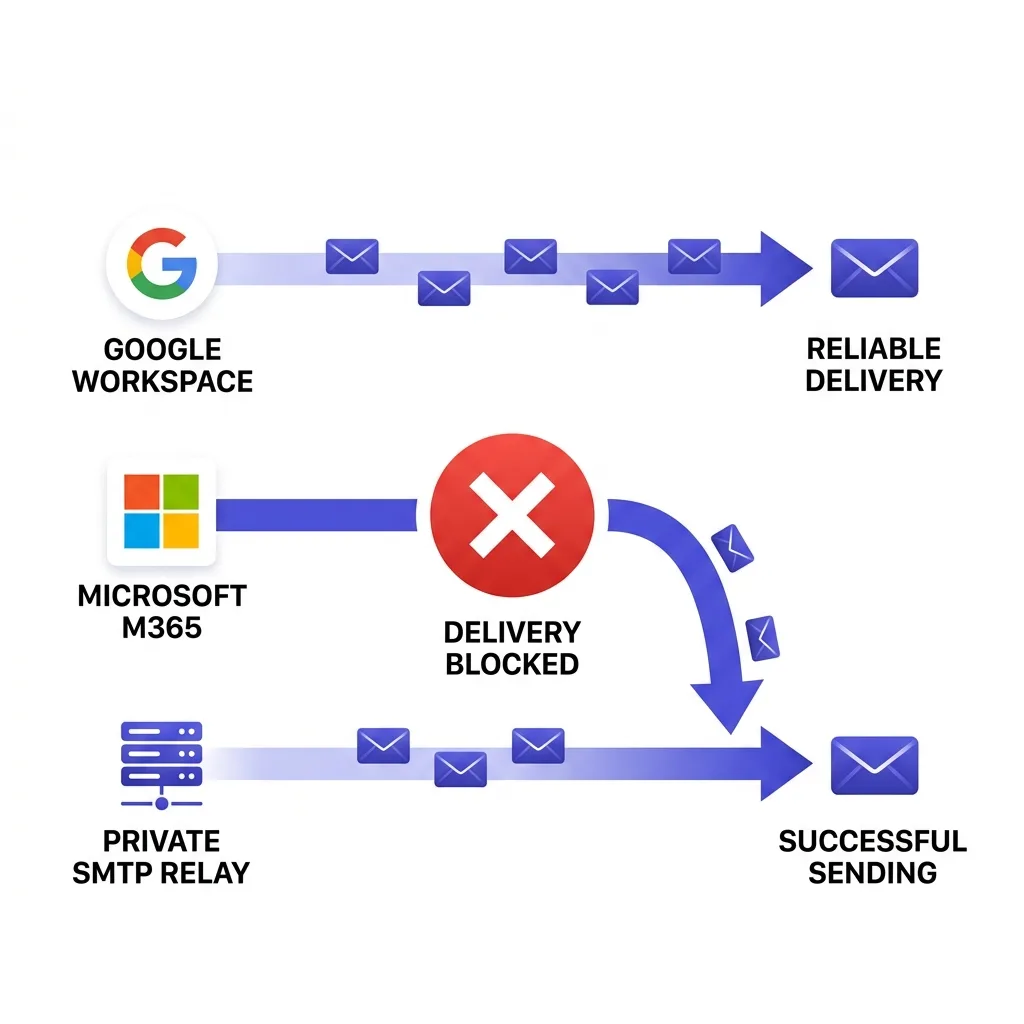 A three-lane infographic showing Google, Microsoft, and private SMTP mail routing with one lane blocked and traffic rerouting
#Setting up the split without breaking warmup
Do not launch all three legs on day one.
Stagger them, because each leg needs its own warmup curve and none of them should share a warmup schedule with another.
Start with Google, since it is the fastest to provision and the most forgiving for a brand-new sending pattern in the first two weeks.
Add Microsoft two to three weeks later, once the Google leg has a clean sending history to reference internally, even though the two providers do not share reputation data with each other.
Bring private SMTP online last, because it needs the longest warmup curve of the three and benefits from having real reply and engagement data from the other two legs to seed its own sending patterns.
Keep domains and subdomains separate per leg from the start.
Mixing a Google-hosted mailbox and a Microsoft-hosted mailbox on the exact same domain defeats part of the point, because a domain-level reputation hit on that domain touches both legs at once.
Our email domain rotation guide covers the mechanics of rotating domains within a leg once volume grows past what a handful of domains can safely carry.
#Monitoring three different postmaster tools
Diversification adds a real cost: you now need visibility into three separate reputation systems instead of one, and none of them report in the same format.
Google Postmaster Tools gives you domain reputation, IP reputation, spam rate, and authentication results, but only for domains sending enough volume to register.
Microsoft's Smart Network Data Services (SNDS) gives partial visibility into IP reputation and complaint rates, but it is thinner than Google's tooling and slower to update.
Private SMTP gives you nothing automatically.
You build or buy your own bounce processing, complaint feedback loop registration, and blocklist monitoring.
Checking three dashboards manually every morning does not scale past a handful of domains, which is where most teams either give up on the private SMTP leg or miss an early warning sign on one of the platform legs.
FirstSales rolls domain health, spam complaint trend, and bounce rate across all three provider types into one deliverability monitor, so a spike on the Microsoft leg shows up next to the Google and private SMTP numbers instead of living in a separate tab you forget to check.
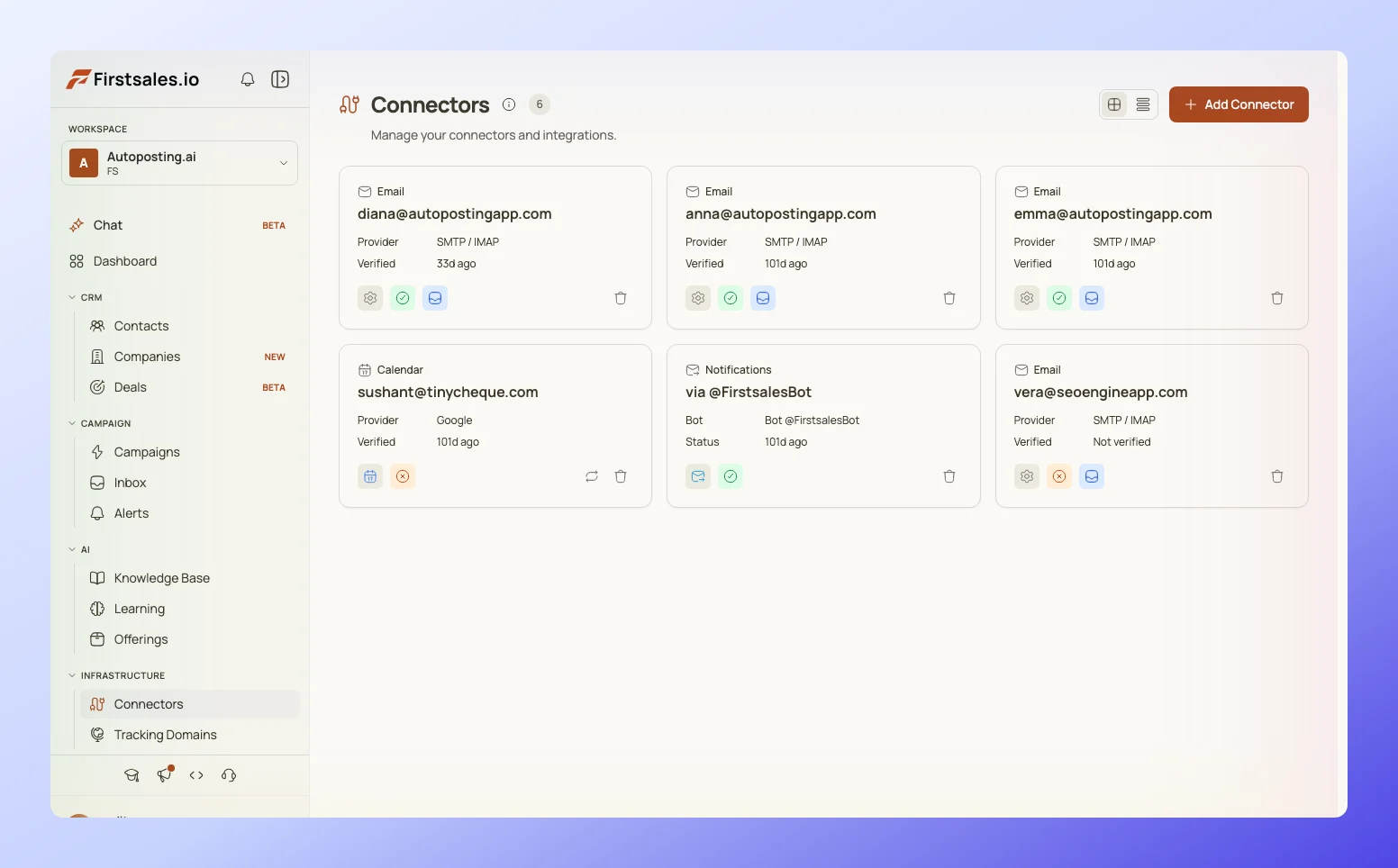 FirstSales deliverability monitor dashboard showing domain health across multiple mailbox providers
That consolidated view is the difference between catching a Microsoft high-risk pool routing event on day one versus noticing it three weeks later when reply rate on that leg has already gone to zero.
Watching daily bounce and complaint trend, not just weekly averages, is what catches a leg going bad before it costs you a domain.
#What is overrated about provider diversification
Diversification gets pitched sometimes as a guaranteed reply-rate booster, and that framing is wrong.
Splitting your fleet across three providers does not make your subject lines better or your targeting sharper.
A generic, unpersonalized send still gets 1-3% replies whether it comes from Google, Microsoft, or a private domain, because the ceiling on generic outreach is a copy and targeting problem, not an infrastructure one.
What diversification actually buys you is downside protection, not upside.
It reduces the chance that a single enforcement event takes your entire pipeline to zero for two or three weeks while you rebuild domain reputation from scratch.
That is a real and underrated benefit for anyone running outbound as a primary revenue channel, but it is a floor-raiser, not a ceiling-raiser.
Teams that expect diversification alone to fix a weak reply rate end up disappointed and often blame the wrong lever.
Fix the message and the targeting first.
Diversify the infrastructure so a good message actually has three independent paths to land instead of one fragile one.
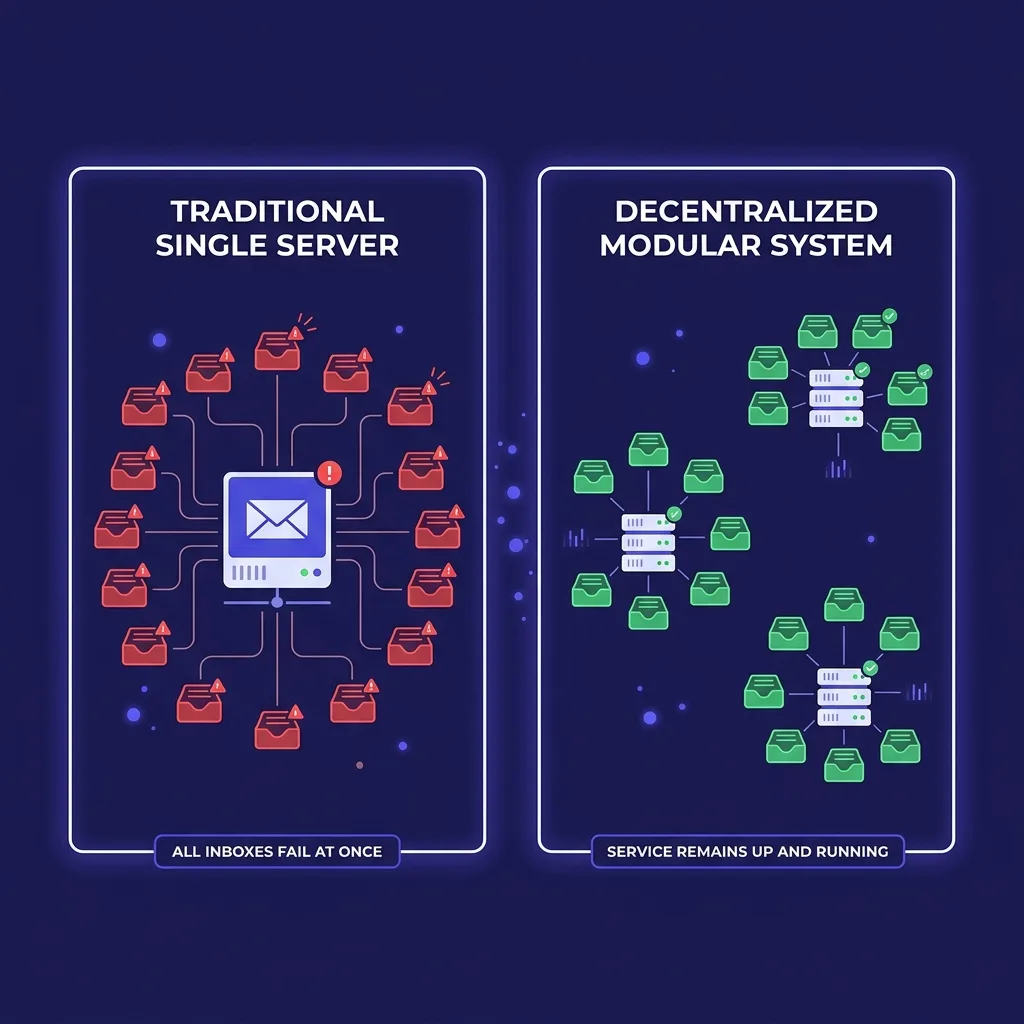 Split-funnel diagram comparing a single-provider mailbox fleet against a three-provider diversified fleet
#Common mistakes when splitting sends
The most common mistake is uneven load, where a team nominally runs three providers but 90% of volume still flows through Google out of habit.
That is not diversification.
That is one real leg and two decorative ones that will not carry meaningful volume when the Google leg gets flagged.
The second mistake is sharing a sending tool's default warmup settings across all three legs identically, ignoring that Google, Microsoft, and private SMTP each ramp differently and each tolerate different daily send caps in the early weeks.
The third is treating the private SMTP leg as "set it up once and forget it," when it is the one leg that requires ongoing manual attention: blocklist checks, feedback loop reviews, and IP reputation tracking that Google and Microsoft partially automate for you on their own platforms.
The fourth is forgetting that spam complaint rate thresholds differ by provider, and optimizing your whole fleet to Google's 0.1% ceiling while ignoring that Microsoft reacts to a different pattern of signals entirely.
The fifth, and most expensive, is waiting until after a domain gets burned to start the second and third legs, instead of building the split before you need it.
By the time you need a backup leg, you do not have three to five weeks to warm one up.
If you are already past that point, retiring the burned domain and rebuilding on a fresh one is usually faster than trying to nurse a flagged domain back to health.
#FAQ
#What is mailbox provider diversification in cold email?
It means splitting your sending mailboxes across more than one email platform, typically Google Workspace, Microsoft 365, and a privately hosted SMTP domain, so a reputation problem on one provider does not take down your whole outbound program.
#Why does sending from only Google Workspace create risk?
Google evaluates sender reputation at the domain and infrastructure level, so a spam spike or authentication failure from one inbox can affect inbox placement for every mailbox tied to the same domain or IP range.
#Is a 40/30/30 split (Google, Microsoft, private SMTP) always correct?
No. It is a reasonable default for a generalist B2B list. Shift the ratio toward Microsoft if your ICP skews enterprise, finance, legal, healthcare, or public sector, since Outlook holds a larger share of business inboxes in those verticals.
#How long does it take to warm up a new provider leg?
Most teams need two to four weeks of gradual volume increase per leg before sending at full daily capacity, and private SMTP typically needs the longest curve of the three because it starts with zero reputation history anywhere.
#Can I run Google and Microsoft mailboxes on the same domain?
You can, but a domain-level reputation hit then touches both legs at once, which defeats part of the purpose of diversifying. Keep each provider leg on its own domain or subdomain family.
#What is Microsoft's high-risk delivery pool?
It is a separate outbound routing path Microsoft uses for messages its filters flag as suspicious, designed to protect the reputation of Microsoft's main outbound IPs rather than to protect your sending reputation.
#Does Apple Mail Privacy Protection affect provider diversification decisions?
It affects how you measure results across all three legs, since Apple's image pre-fetching inflates open rates and makes opens an unreliable signal. Judge each leg by reply rate and bounce and complaint data instead.
#How many mailboxes do I need per provider leg to start?
There is no fixed number, but most teams start each new leg with 5-10 mailboxes across 2-3 domains before scaling further, once the leg's early sending pattern looks clean.
#Does private SMTP get better deliverability than Google or Microsoft?
Not automatically. It removes you from their enforcement systems, but you then own every part of deliverability yourself, including authentication, IP warmup, and complaint monitoring, and it performs worse than either platform if that ownership is done poorly.
#What tools show reputation data across all three provider types?
Google Postmaster Tools covers the Google leg, Microsoft's SNDS covers part of the Microsoft leg, and private SMTP requires your own bounce and blocklist monitoring, or a consolidated deliverability monitor that pulls all three into one view.
#Should a small team with under 1,000 sends a month bother diversifying?
Probably not yet. Diversification pays off once you depend on outbound as a primary pipeline source and cannot absorb a two to three week outage on a single provider. Below that volume, a single well-warmed domain with strong authentication is usually enough.
#What happens if I ignore Google's bulk sender rules on one leg?
Gmail will progressively route more of that leg's mail to spam before eventually rejecting it, and the enforcement applies at the sending domain and infrastructure level, not per individual mailbox.
#How does subdomain strategy interact with provider diversification?
Subdomains let you isolate each provider leg's reputation from your root domain and from each other, which limits how far a reputation problem on one leg spreads into the rest of your sending infrastructure.
#Is dedicated IP necessary for the private SMTP leg?
Only once volume justifies it. A shared IP with a clean sending history often outperforms a freshly provisioned dedicated IP that has no reputation built up yet.
#How often should the provider split ratio be reviewed?
Quarterly at minimum, since provider enforcement policy changes faster than an annual review cycle, and a split calibrated in January can be wrong by the following quarter.
#Does provider diversification improve reply rates directly?
No. It protects pipeline continuity when one provider's enforcement trips. Reply rate improvements come from targeting, personalization, and offer quality, not from which provider hosts the mailbox.
#What is the biggest mistake teams make when diversifying?
Running three providers on paper but routing 90% of real volume through one out of habit, which leaves two decorative legs that cannot absorb load if the primary leg gets flagged.
#Can AI-assisted sending tools manage a multi-provider split automatically?
Some platforms, including FirstSales, monitor domain health and complaint trends across provider types in one dashboard, which makes it practical to catch an early warning sign on any leg without checking three separate tools by hand.
#What should I do first if one leg gets flagged?
Pause sending on that leg immediately, shift volume to the remaining legs, and diagnose the specific trigger, whether it is a spam complaint spike, an authentication failure, or a sending pattern that tripped an automated filter, before resuming.
#Does this apply to teams using LinkedIn or other channels alongside email?
Yes, in principle. The same logic that says do not depend on one email provider also applies to depending entirely on one outbound channel, since inbox saturation and platform-level restrictions can hit a single channel just as hard as a single mailbox provider.
#Conclusion
A cold email program built on one mailbox provider is one enforcement decision away from losing its entire pipeline for weeks.
Google, Microsoft, and private SMTP each fail differently and recover on different timelines, which is exactly why running all three, sized to your actual ICP and volume, limits how much damage any single policy change can do.
Start with the leg you can stand up fastest, usually Google, then add Microsoft and private SMTP on staggered warmup schedules over the following month.
Review the ratio quarterly, monitor all three through one consolidated view instead of three separate tabs, and treat diversification as downside protection rather than a reply-rate hack.
Fix your targeting and your message first.
Then make sure a good message actually has more than one path to reach the inbox.