
TL;DR: Most teams need one sending domain for every 100 to 250 emails a day, built from 2 to 3 warmed mailboxes per domain sending 20 to 50 emails each. Buying domains past that ratio does not raise your ceiling. It just multiplies the DNS records you have to babysit.
Table of contents
- The math nobody runs before buying domains
- Why one mailbox per domain is not the answer either
- The domain-to-volume ratio, worked in full
- Where diminishing returns actually kick in
- What a domain buys you that a mailbox cannot
- The overrated case for buying dozens of domains
- A worked example at three volume tiers
- Subdomains versus new root domains
- What Google and Microsoft's rules do to this math
- Signs you have too many domains, not too few
- A simple decision rule
- FAQ
- Conclusion
#The math nobody runs before buying domains
Ask ten cold email operators how many domains they run and you get ten different numbers, none of them tied to a formula.
Most people copy whatever a course or a tool's onboarding flow told them, then add domains whenever a campaign stalls.
That is backwards. Domain count should follow from three inputs: your target send volume, how many mailboxes you are willing to run per domain, and how many emails each mailbox can safely send.
Get those three numbers and the domain count falls out on its own. Skip the math and you end up either underprovisioned and rate-limited, or sitting on forty domains with no idea which ones are pulling weight.
#Why one mailbox per domain is not the answer either
The instinct to buy a domain per mailbox comes from a real fear: shared infrastructure means shared risk.
If three mailboxes on one domain misbehave, the whole domain's reputation takes the hit, DKIM alignment and all.
That fear is not wrong. But one mailbox per domain wastes the domain's own reputation-building capacity, since a domain earns SPF, DKIM, and DMARC trust regardless of how many mailboxes sit behind it.
A domain with one mailbox sending 30 emails a day and a domain with three mailboxes sending 30 each cost roughly the same in setup and monitoring time. The second domain moves three times the volume for the same DNS overhead.
Most experienced senders land on 2 to 3 mailboxes per domain as the practical middle. Enough to spread volume, not so many that one bad mailbox drags the whole domain down with it.
#The domain-to-volume ratio, worked in full
Here is the chain, using figures that hold up across most B2B senders in 2026.
A single warmed mailbox sends 20 to 50 cold emails a day safely, once it has cleared the ramp period. New mailboxes start at 5 to 10 a day and climb over two to three weeks, never doubling volume day over day.
Put 2 to 3 mailboxes on one domain and that domain moves roughly 100 to 250 emails a day, assuming each mailbox sits mid-range at 30 to 40.
So if your target is 1,000 emails a day, you need somewhere between 4 and 10 domains, depending on how aggressively you run each mailbox and how many you stack per domain.
That is a wide range, and the width matters. A team running 3 mailboxes at 40 emails each per domain needs 8 domains for 1,000 a day. A team running 5 mailboxes at 40 each needs 5.
Neither number is wrong. Both follow the same formula: domains needed equals target volume divided by (mailboxes per domain times emails per mailbox).
#Where diminishing returns actually kick in
The curve is not linear once you push past 4 to 5 mailboxes on a single domain.
Concentrating too much volume behind one domain's DNS records means one deliverability incident, a spam trap hit, a shared IP block, hurts every mailbox behind it simultaneously.
That is the diminishing-returns mechanism in reverse: adding domains helps up to the point where each domain carries a manageable, monitorable slice of volume, then it flips into administrative drag with no reputation upside.
Past roughly 10 to 15 domains for a single sender identity, most teams report the same complaint: DNS records get harder to audit, warmup schedules get harder to track, and nobody notices when one domain quietly goes cold.
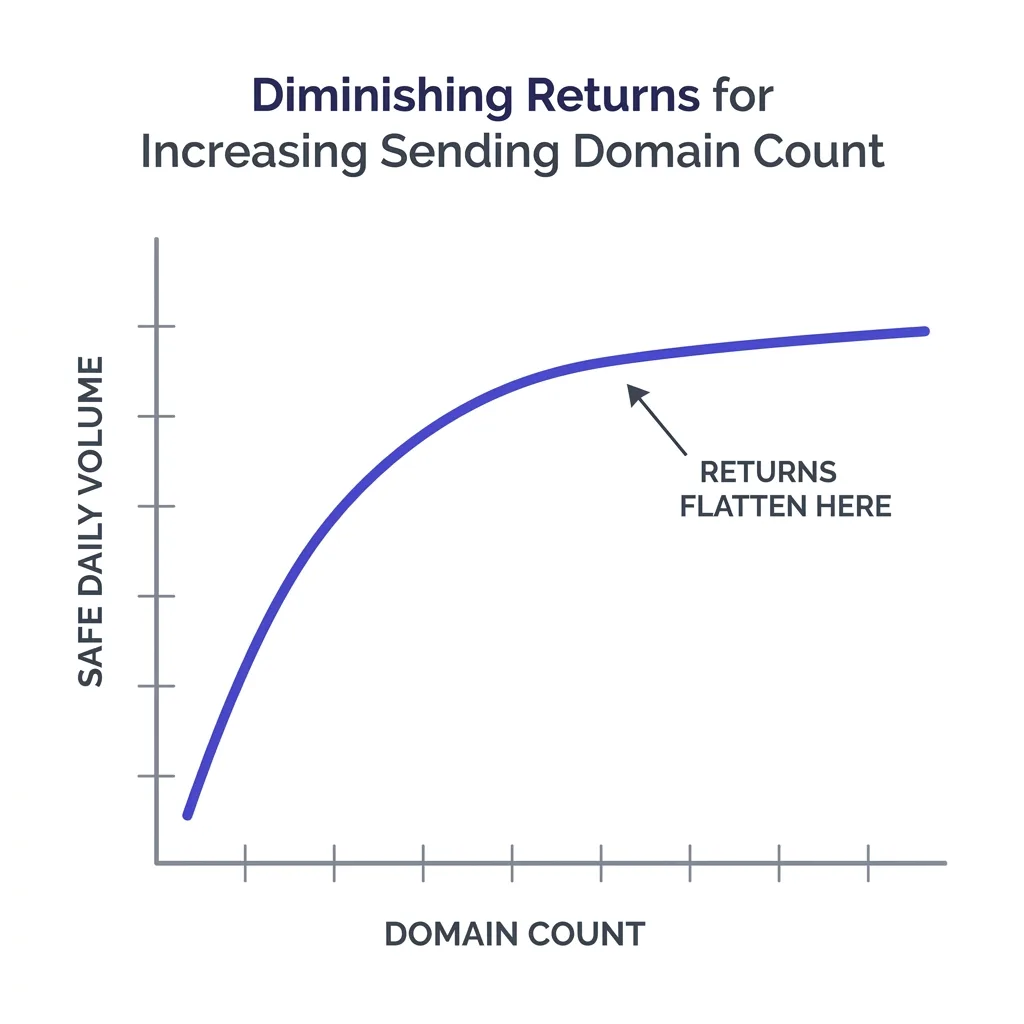 A chart showing diminishing returns as sending domain count increases
The fix is not fewer domains for the sake of it. It is matching domain count to actual monitoring capacity, since an unmonitored domain is worse than no domain at all.
#What a domain buys you that a mailbox cannot
A domain is the unit that carries SPF, DKIM, and DMARC alignment, the three records mailbox providers check before deciding whether your mail lands in the inbox or the spam folder.
Read our full walkthrough of SPF, DKIM, and DMARC setup if those three acronyms are still fuzzy, because the domain math in this article assumes each domain is correctly authenticated before you count it toward your volume.
A domain also carries its own sending reputation with each mailbox provider, tracked independently of the parent brand domain.
That isolation is the entire point of using separate sending domains instead of your primary company domain: a deliverability problem on a sending domain never touches your website's email, your customer support inbox, or your billing receipts.
#The overrated case for buying dozens of domains
Plenty of deliverability advice treats domain count as a brute-force lever: more domains, more volume, more safety.
That advice is overrated once you actually run the numbers. A pile of 30 domains sending 10 emails a day each moves the same 300 emails as 3 domains running 3 mailboxes at 33 each, but costs ten times the setup and monitoring effort.
Domain sprawl also creates its own risk. Registrars flag sudden bulk domain purchases, and a fleet of freshly registered lookalike domains pointed at the same landing page reads as a spam operation to any provider paying attention.
The honest reason people over-buy domains is that it feels like progress. Registering ten new domains produces a visible artifact. Actually ramping mailboxes correctly takes weeks and produces nothing to show for it in week one.
#A worked example at three volume tiers
Numbers land better with a table than a paragraph of ratios, so here is the same math applied at three common target volumes.
| Target daily volume | Mailboxes per domain | Emails per mailbox | Domains needed |
|---|---|---|---|
| 300/day | 2 | 40 | 4 |
| 1,000/day | 3 | 40 | 9 |
| 3,000/day | 5 | 40 | 15 |
The table understates the real range on purpose, since it assumes every mailbox performs at the same 40-email midpoint.
In practice, some mailboxes ramp faster and settle at 50, others plateau at 25 due to a stricter industry vertical or a stricter mailbox provider on the recipient side.
Build in a 20% buffer above whatever the table says, so a slow mailbox or a domain in mid-warmup does not force you to scramble for capacity mid-campaign.
#Subdomains versus new root domains
The domain math above assumes root domains, but subdomains change the calculation slightly.
A subdomain inherits some trust signal from its parent, which speeds up early warmup, but it also means a reputation hit on the subdomain can bleed into how providers view the parent domain relationship.
Our detailed comparison of subdomains versus separate root domains covers the tradeoff in full, but the short version for this math: subdomains let you run slightly more mailboxes per unit of setup effort, since DNS for the root stays untouched, but they concentrate more risk under one umbrella than fully separate domains do.
Teams running high volume, above 1,000 a day, generally mix both: a handful of separate root domains as the backbone, subdomains layered on top of each for additional mailbox capacity without new registrar purchases.
#What Google and Microsoft's rules do to this math
Google's bulk sender requirements, in force since 2024 and tightened further into 2026, cap spam complaints at 0.1% and bounce rates under 2% for any sender pushing meaningful volume into Gmail.
Read the full breakdown in our Google bulk sender rules piece, because a domain that violates those thresholds does not just lose deliverability on that domain. It can trigger provider-wide throttling that touches every domain sharing the same sending IP.
Microsoft's SmartScreen has gotten more aggressive at detecting sequences, meaning a domain sending obviously templated cold email at volume gets flagged faster than the same volume with real variation between messages.
Neither rule changes the domain-count formula directly, but both raise the cost of getting the ratio wrong. A domain pushed past its safe mailbox count that trips a spam complaint threshold does not just underperform. It can get suppressed across an entire provider.
#Signs you have too many domains, not too few
The instinct when a campaign underperforms is almost always to add a domain.
Check these signs first, because the actual problem is often the opposite.
- Several domains sending under 10 emails a day each, well below what a warmed mailbox can safely carry.
- No one on the team can name which domains are currently in active warmup versus fully ramped.
- DNS records for some domains have not been checked in over 60 days.
- Reply rates are flat or declining even as domain count climbs, a sign volume was never the bottleneck.
If two or more of those describe your setup, consolidate before you buy anything else.
Fewer, better-monitored domains running closer to their real capacity beat a sprawling fleet every time.
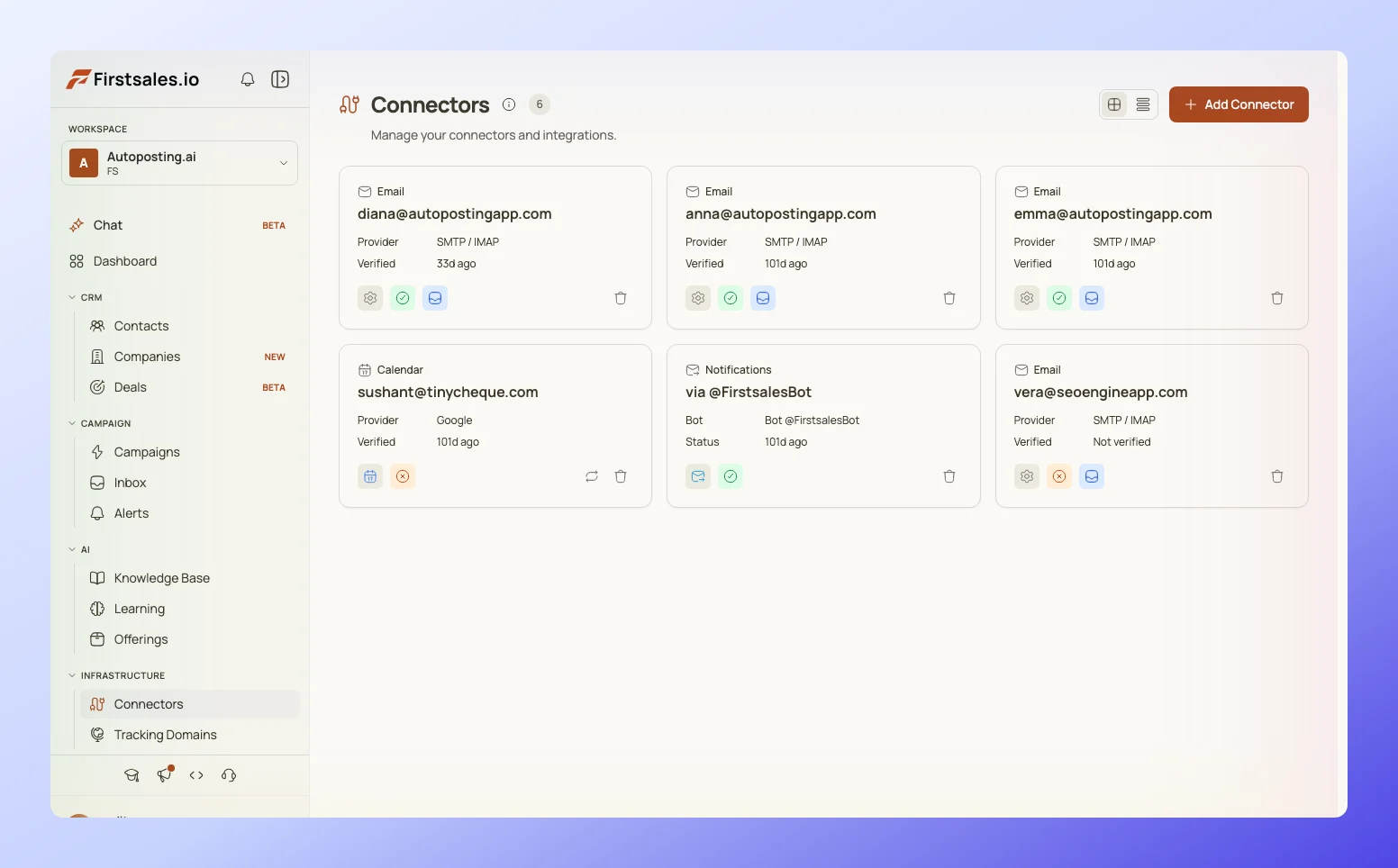 Screenshot of a deliverability monitoring dashboard tracking sending domains
Tools like FirstSales surface this exact gap: a live view of which domains are under capacity, which are in warmup, and which have gone quiet, instead of leaving that tracking to a spreadsheet nobody updates.
#A simple decision rule
Skip the spreadsheet modeling if you want a fast, honest starting point.
Take your target daily volume, divide by 100, and that is a reasonable domain count for most B2B senders running the standard 2 to 3 mailboxes per domain at a moderate pace.
graph TD
    A[Target daily send volume] --> B[Divide by 100]
    B --> C[Starting domain count]
    C --> D{Reply rate holding steady?}
    D -->|Yes, volume climbing| E[Add one domain, ramp slowly]
    D -->|No, or domains sitting idle| F[Consolidate before adding]
    E --> G[Re-check after 30 days]
    F --> G
That rule undercounts for teams running fewer, heavier mailboxes and overcounts for teams stretched thin across many light ones, but it beats guessing.
Adjust from there once you have two to three weeks of real send data telling you where your actual per-mailbox ceiling sits.
#Domain rotation inside the count you already have
Buying more domains is not the only lever once volume climbs.
Domain rotation, spreading sends across your existing pool on a schedule rather than hammering the same domains every day, extends the useful life of the domains you already own before you need to add new ones.
Rotation does not increase your safe daily ceiling. It protects the ceiling you already have by preventing any single domain from absorbing disproportionate volume during a busy week.
Combine rotation with the ratio math above and most teams find they need fewer new domains than they expected, because the existing fleet was underused rather than undersized.
#Warmup time is the real constraint, not domain purchase cost
Buying a domain takes minutes. Warming a mailbox to a safe 30 to 40 emails a day takes two to three weeks, done correctly.
That asymmetry is why domain count planning has to happen ahead of a volume push, not in response to one.
Our guide on how to warm up an email account walks through the ramp schedule in detail, but the summary that matters for this math: a domain you buy today does not contribute real send capacity for roughly three weeks.
Plan domain purchases against your volume target three to four weeks out, not against this week's shortfall.
#The mailbox provider mix matters as much as the count
Domain count answers one question. Mailbox provider mix answers a different one: what happens if one provider has a bad week.
A fleet concentrated entirely on Google Workspace or entirely on Microsoft 365 shares a single point of failure, since both providers periodically tighten enforcement without much warning.
Our piece on mailbox provider diversification covers the split in more depth, but it plugs directly into the domain math here: the same 9 domains for 1,000 emails a day are safer split across two providers than concentrated on one.
#Retiring domains changes the count too
Domain count is not a number you set once. Domains burn out, and a burned domain sitting in your active pool quietly drags down your effective capacity while still counting toward your total.
Our breakdown of when to retire a burned domain covers the specific signals, spam folder placement, complaint rate spikes, bounce rate creep, that mean a domain has stopped earning its slot in the fleet.
Recalculate your domain-to-volume ratio every quarter, not just when you launch a new campaign, since the honest number of productive domains tends to drift down from the number you originally purchased.
#FAQ
#How many sending domains do I need for cold email?
Roughly one domain for every 100 to 250 emails a day of target volume, assuming 2 to 3 mailboxes per domain sending 20 to 50 emails each.
#Is it better to run more mailboxes on fewer domains or fewer mailboxes on more domains?
Neither extreme wins. Two to three mailboxes per domain is the practical middle: enough to use the domain's reputation efficiently, not so many that one bad mailbox drags the whole domain down.
#Do more sending domains always mean more volume?
No. Past 4 to 5 mailboxes per domain, and past roughly 10 to 15 domains for most senders, the administrative overhead outweighs any reputation gain.
#How many mailboxes should I put on one domain?
Most experienced senders settle on 2 to 3. That spreads volume without concentrating so much send activity that one flagged mailbox threatens the whole domain.
#What is the safe daily send limit per mailbox?
20 to 50 emails per day for a fully warmed mailbox, with most experienced senders settling around 30 to 40. New mailboxes start at 5 to 10 and ramp over two to three weeks.
#Should I use subdomains or buy new root domains?
Both have a place. Subdomains ramp faster since they inherit some parent trust, but they concentrate risk. Separate root domains isolate risk fully but take longer to build reputation from zero. See our subdomain versus separate domain comparison for the full tradeoff.
#How long does a new sending domain take before it can send real volume?
About two to three weeks of proper warmup before a mailbox on that domain should carry full cold email volume, following the standard ramp schedule.
#Can I buy ten domains today and start sending tomorrow?
No. Buying is instant, but each domain still needs DNS setup, SPF, DKIM, DMARC, and a full warmup period before it contributes real, safe send capacity.
#What happens if I put too many mailboxes on one domain?
You concentrate risk. A spam complaint, a bounce spike, or a provider enforcement action hits every mailbox on that domain at once, instead of being contained to one mailbox.
#How do Google's bulk sender rules affect domain count?
They do not change the ratio directly, but they raise the cost of getting it wrong. A domain that crosses the 0.1% spam complaint ceiling or the 2% bounce ceiling risks throttling that can spread to domains sharing the same sending infrastructure.
#Should every sending domain look different from my main company domain?
Yes, in most cases. Separate sending domains protect your primary company domain's reputation and keep deliverability incidents from touching your website email or billing communications.
#How often should I recalculate how many domains I need?
Quarterly, at minimum. Domains burn out, mailbox performance drifts, and the ratio you set at launch is rarely the ratio you need six months later.
#Is domain rotation a substitute for buying more domains?
No, but it delays the need. Rotating volume across your existing pool prevents any single domain from carrying disproportionate load and extends the useful life of domains you already own.
#What is the biggest mistake teams make with domain count?
Adding domains as a reflex when a campaign underperforms, instead of checking whether existing domains are actually running near their safe capacity first.
#Do all mailboxes on a domain need to send the same volume?
No. Uneven volume across mailboxes on one domain is normal and often intentional, since newer mailboxes on the same domain should still be mid-ramp while older ones run at full capacity.
#How many domains does a solo founder doing outbound actually need?
Usually just one or two, running 2 to 3 mailboxes each, unless daily volume target exceeds roughly 200 to 300 emails.
#Does mailbox provider mix affect how many domains I need?
Not the raw count, but it affects how you should split that count. Spreading domains across Google Workspace, Microsoft 365, and private SMTP protects against a single provider's enforcement sweep hitting your entire fleet at once.
#What is a reasonable buffer above the calculated domain count?
About 20%, to absorb the mailboxes that ramp slower than the midpoint assumption or a domain that needs to sit out a warmup reset after an incident.
#Can I skip separate sending domains entirely and just use my company domain?
Not for cold outreach at any real volume. A deliverability issue on your main domain risks your website email, support inbox, and billing communications alongside your outbound campaign.
#Conclusion
Domain count is a math problem, not an instinct.
Take your target daily volume, divide it by roughly 100 to 250 depending on how many mailboxes you run per domain, and that is your starting domain count.
Add a 20% buffer, split the fleet across at least two mailbox providers, and recalculate every quarter as domains age and mailbox performance drifts.
Buying more domains than that ratio calls for does not raise your ceiling. It just gives you more DNS records to forget about and more idle capacity nobody notices until reply rates stall.
Get the ratio right once, monitor it consistently, and the domain question stops being a recurring anxiety and becomes a number you check on a calendar instead.