Copying replies by hand
A prospect says yes, and someone has to copy the name, the company and the thread into a separate CRM. It gets done late, or not at all.
CRM
Contacts, companies, deals and pipelines, inside FirstSales. When someone replies, the person, their company and the deal are already there. Move the deal along a pipeline you design, and see what may close this month, without copying anything into another tool.
$1 for 3 days · Cancel anytime · No contract
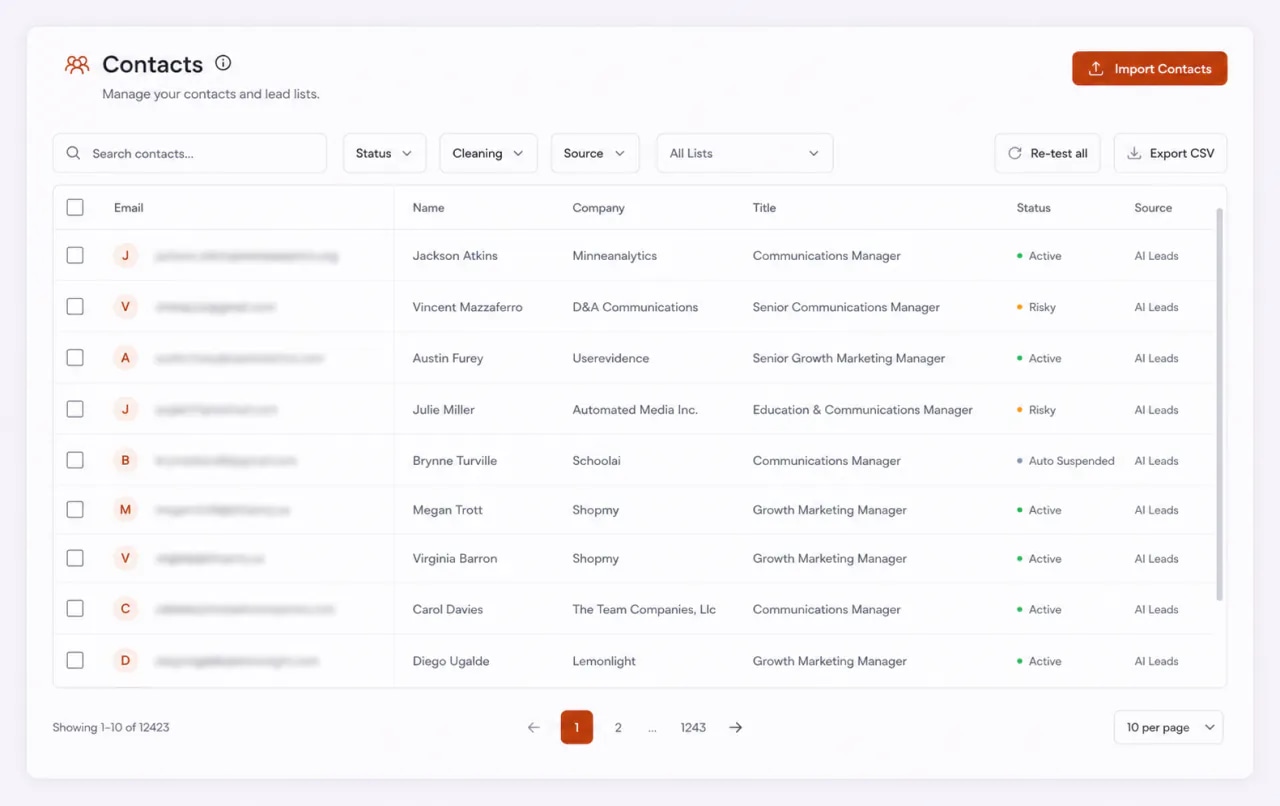
Contacts, companies and deals in one place
Pipelines with your own stages
Board, List and Forecast views
Right next to your campaigns and inbox
Cold email finds the conversation. Then the deal moves to a different tool, and the context stays behind. That gap is where good replies go cold.
A prospect says yes, and someone has to copy the name, the company and the thread into a separate CRM. It gets done late, or not at all.
The email tool knows who replied. The CRM knows who is buying. Neither knows both, so every review starts with matching names.
A deal waiting on a follow-up looks the same as one that is moving. By the time someone checks, the buyer has moved on.
Your campaigns fill the CRM. You move the deals. Nothing is copied from one tool to another, and every deal keeps the emails that led to it.
Import a CSV, add people to lists or find leads in FirstSales. Each person becomes a contact, linked to their company.
When someone shows interest, create a deal from their record, or take the one FirstSales suggests from the reply. It lands in the first stage of your pipeline.
Drag the deal through your stages, log calls, meetings and notes, and mark it won or lost with a reason when it ends.
The CRM in FirstSales keeps the people you email, the companies they work for, the deals you are working on and the pipelines those deals move through. Open one and you see the others.
Contacts
Everyone you import, find or email lands here, with their history in one place.
Companies
One record per company, with the people and deals that belong to it.
Deals
A deal is a chance to sell. It has a value, a stage, an owner and a date you expect it to close.
Pipelines
Your own stages, in your own order. Run more than one pipeline if you sell in more than one way.
The CRM is built for teams that sell with email first. It keeps the parts you use every day and skips the rest.
Every email, reply, note and deal for a contact sits on their record. No more searching three tools to answer one question.
See every person and every deal at an account in one place. Merge duplicates when the same company shows up twice.
Name your own stages and set their order. Add a second pipeline when you sell a second way.
Deal value, expected close and win probability, grouped by date. You see what may land this month without building a sheet.
Deals can be suggested from replies, so interest in your inbox does not wait for someone to copy it across.
Import contacts from a CSV and export them back out whenever you need. Your list stays yours.
What each part does, in plain words.
Contacts are the people you email. Group them into lists, tag them in bulk and set a lifecycle status, so you always know who is new, who is talking and who is a customer.
A company record holds the domain, industry and size, plus every contact and deal linked to it. When two people from one company reply, you see them side by side.
A deal has a value, a stage, an owner and an expected close date. Add a win probability and labels, and keep the people involved on the deal so nothing depends on memory.
A pipeline is the list of stages a deal goes through. Create it, add or rename stages, and drag deals from one to the next. Open deals that have not been touched for a while are flagged, so nothing sits forgotten.
Switch views without leaving the Deals page. The board shows where deals are, the list shows the details, and the forecast shows what may close and when.
Each stage is a column and each deal is a card. Drag a card to the next column when the deal moves.
Best for: A quick daily look at what moved and what is stuck
One row per deal, with value, stage, owner and expected close. Filter by owner or stage to find what you need.
Best for: Reviewing a long pipeline or one person's deals
Deals grouped by expected close date, with their value and win probability, so you can see what is coming.
Best for: Planning the month ahead and spotting gaps early
“User Interface, Ease of Use, Able to hit the inbox in the first attempt.”
 Sadashiv B.Founder, small business · G2
What changes when deals live next to the emails that started them.
Email in one place, deals in another.
Campaigns, inbox and deals together.
A separate CRM can do a lot. The built-in one does what email-first teams use, where they already work.
| What you get | Separate CRM | FirstSales CRM |
|---|---|---|
| Where replies land | In a different tool | Next to the contact and deal |
| Deals from replies | Copied by hand or synced | Suggested from the reply |
| Contacts for campaigns | Exported and imported | The same records |
| Pipelines | Varies | Your own stages, more than one pipeline |
| Views | Varies | Board, List and Forecast |
| Quiet deals | Varies | Flagged on the board |
| Logins to manage | Two or more | One |
| CSV import and export | Varies | Yes |
| Start your $1 trial | ||
A CRM only helps if the team keeps it current. These habits keep it simple enough that they do.
Every stage should mean one thing everyone agrees on, like “meeting booked” or “proposal sent”. If two people would put the same deal in different stages, merge or rename them. Four to six stages is enough for most teams that sell with email first.
Not every reply is a deal. Create one when the buyer agrees to a next step, such as a call or a demo. That keeps your pipeline honest and your forecast close to what will really close.
A deal without an owner belongs to no one, and a deal without an expected close date never feels urgent. Set both when you create it. Change them when they change, and the board will tell the truth.
After a call, log what was said and what happens next. One line is enough. The next person who opens the deal, or you next week, will know where it stands without asking.
Leaving dead deals open makes the pipeline look bigger than it is. Mark them lost and pick a reason. Over time, the reasons show you what to fix in your offer, your timing or your list.
When several people at one company are involved, link them to the company record. You will see the whole conversation at the account and avoid two teammates emailing the same team with different messages.
Pick a time each week to look at the board together. Move deals that moved, follow up on the ones flagged as quiet and close the ones that are over. Ten minutes a week keeps the forecast worth reading.
The people you email and the people you track should be the same records. Build campaign lists from your contacts, and let new contacts from campaigns land in the CRM. When a buyer replies, you will not have to wonder which copy of their record is right, and your team will not email someone who is already in a deal with you.
Run through these once when you set up, then again each quarter. Each one takes a minute, and together they keep the board and the forecast honest.
Real words from real users. No paid reviews.
“If you are looking to fix your sales pipeline, you should definitely try [it]. My open rate has increased drastically. The UI and UX are easy to understand, even for a beginner like me.”

Pooja Dhole
@ThisIsPoojaD
“One of the best email outreach tools I have ever seen in my 9 years of business experience. It has solved the problem of email outreach for my cold emails.”

Santhosh K.
Founder and CEO, small business
“I've been using FirstSales.io for several months now, and I can confidently say it has revolutionized how I approach lead generation and customer acquisition.”

Paweł Stelmach
Small business owner
Can’t find yours? Write to us.
Yes. FirstSales includes contacts, companies, deals and pipelines, right next to your campaigns and inbox. You do not need a separate CRM to track deals that start from cold email.
Contacts with lists, tags, lifecycle status and custom fields. Companies with their domain, industry, size and linked people. Deals with value, stage, owner, expected close date, win probability and labels.
Yes. Create a pipeline, then add, rename, reorder or delete its stages. You can run more than one pipeline if you sell in more than one way.
Open the Forecast view on the Deals page. It groups deals by expected close date and shows their value and win probability.
Create a deal from any contact's record, or use a deal suggested from a reply. The deal links to the contact, their company and the emails behind it.
Yes. Import contacts from a CSV, mapping your columns as you go, and export them to a CSV whenever you need.
The CRM is part of FirstSales. Plans start at $29/mo, and you can try FirstSales for $1 for 3 days. See the pricing page for what each plan includes.
Teams that find most of their deals through email and want them in the same place. If you need a CRM for a large sales team with many channels, you may still use a separate one.
Connect unlimited mailboxes and let AI agents find leads, write each email and follow up. Or send your own templates in manual mode. From $29/mo.
$1 for 3 days · Cancel anytime · No contract