
#Deliverability SLA for sending vendors: what to demand
Copy page
TL;DR: Most sending vendor contracts promise uptime and support response time, and say nothing about the metric that actually decides whether your emails get read: inbox placement. Demand a written spam complaint ceiling, a bounce rate cap, DNS authentication support, and a defined incident response window before you sign, or you are paying for a tool that can quietly wreck your domain with no recourse.
- Why the standard SLA misses the point
- The metrics that belong in the contract
- Spam complaint rate: the number that should scare you
- Bounce rate ceilings and what triggers them
- Authentication support: SPF, DKIM, DMARC
- Incident response: what happens when placement drops
- Data and domain portability
- What a real SLA clause looks like
- Red flags in a vendor's standard contract
- How to negotiate an SLA when you have no bargaining power
- Where FirstSales fits into this
- FAQ
- Conclusion
Ask ten sending vendors for their SLA and nine will hand you an uptime number.
99.9% availability, guaranteed API response time, a support ticket window.
None of that protects the thing you actually paid for: your emails landing in the inbox instead of spam.
Google's bulk sender rules now enforce a spam complaint ceiling of 0.1% and a bounce rate under 2% for anyone sending more than 5,000 messages a day to Gmail addresses.
Your vendor's infrastructure choices, shared IP pools, and warmup practices directly affect whether you can hold those thresholds.
Yet almost no contract mentions them.
This piece is about closing that gap: what to ask for, what a real SLA clause reads like, and where to walk away.
#Why the standard SLA misses the point
A vendor SLA usually covers three things: platform uptime, support ticket response time, and data processing terms.
Those matter, but they protect the vendor's operational promise, not your sending reputation.
You can have 100% platform uptime while your domain gets throttled by Microsoft because the vendor put you on a shared IP with three other tenants running spam campaigns.
The vendor's dashboard will show green the whole time.
Deliverability is the one metric a sending vendor controls more than you do, through IP reputation, mailbox provider relationships, and warmup infrastructure, and it is the one metric almost never named in a contract.
That is not an accident.
Committing to a deliverability number means the vendor accepts liability for something partly outside their control, since your list quality and copy also affect placement.
A fair SLA splits that responsibility instead of avoiding it entirely.
#The metrics that belong in the contract
Four numbers should appear in any sending vendor agreement, each with a defined measurement method and a remedy if the vendor misses it.
Spam complaint rate, bounce rate, authentication pass rate, and incident response time.
| Metric | Standard SLA has it? | Should be in contract | Typical threshold |
|---|---|---|---|
| Platform uptime | ✓ Almost always | ✓ Keep it | 99.5%+ |
| Support response time | ✓ Almost always | ✓ Keep it | 4-24 hours |
| Spam complaint rate | ✗ Rarely | ✓ Mandatory | Under 0.1% |
| Bounce rate cap | ✗ Rarely | ✓ Mandatory | Under 2% |
| DNS authentication support | ✗ Rarely | ✓ Mandatory | SPF, DKIM, DMARC alignment |
| Deliverability incident response | ✗ Almost never | ✓ Mandatory | Under 4 hours to acknowledge |
| Domain and data portability | ✗ Rarely | ✓ Mandatory | Full export, no lock-in period |
The first two rows are what vendors already give you.
The rest is what you have to ask for, in writing, before the invoice.
#Spam complaint rate: the number that should scare you
Gmail and Yahoo both enforce a 0.1% spam complaint threshold for bulk senders, a rule that took effect across the industry through 2024 and has only gotten stricter since.
At 0.1%, one complaint per 1,000 emails sent is already at the ceiling.
Cross it consistently and Gmail starts routing your mail to spam regardless of content, sender history, or how carefully you wrote the subject line.
Your vendor's SLA should state the maximum spam complaint rate they will tolerate on your account before triggering a review, and separately, what they guarantee about the shared infrastructure you are placed on.
If you are on a shared IP pool, ask what the complaint rate ceiling is for the entire pool, not just your slice of it.
One reckless tenant on a shared pool can tank inbox placement for every other client using that IP.
You need language that either isolates you from other tenants' behavior or gives you the right to move to dedicated infrastructure at a defined price if pool-wide complaints spike.
Our cold email infrastructure audit covers how to check your own complaint rate before you even get to the vendor conversation, since half the time the number is your list, not their pipes.
#Bounce rate ceilings and what triggers them
A 2% bounce rate cap is now table stakes for Google and Microsoft's bulk sender rules.
Above that, both providers start filtering mail from that domain more aggressively, and the effect compounds over rolling windows rather than resetting daily.
Your SLA should specify what happens when your bounce rate crosses 2%: does the vendor pause sending automatically, alert you, or do nothing until you notice open rates cratering three weeks later.
Ask specifically whether the platform validates emails before send, and whether that validation is included or a paid add-on.
A vendor that charges extra for basic email verification while your bounce rate determines your entire domain's fate is not pricing fairly.
Read our breakdown on the cold email bounce rate threshold for the exact math behind why 2% is the line, not an arbitrary number someone picked.
#Authentication support: SPF, DKIM, DMARC
DNS authentication is not optional anymore, and it has not been optional since Google and Yahoo tightened bulk sender requirements.
SPF, DKIM, and DMARC alignment are all required for any domain sending meaningful volume, and DMARC quarantine or reject policies are increasingly expected rather than merely recommended.
A vendor SLA should commit to three things here.
First, active support for setting up and verifying all three records, not a help article and a shrug.
Second, ongoing monitoring that flags authentication failures before they cause a placement drop, since a broken DKIM signature can silently tank deliverability for days before anyone notices.
Third, guidance on DMARC quarantine policy as your sending volume grows, since a p=none policy protects nothing and a jump straight to p=reject without testing can silently kill legitimate mail.
If a vendor cannot explain their DMARC alignment recommendation in one sentence, that is a signal to keep looking.
For the full setup sequence, see our guide on SPF, DKIM, and DMARC setup for 2026.
#Incident response: what happens when placement drops
Every deliverability incident starts the same way: something breaks, and you find out from a customer, a lead, or a stalled reply rate before your vendor tells you.
That lag is the actual cost of a bad SLA.
A useful contract defines three response windows: time to detect, time to notify you, and time to propose a fix.
For a vendor actively monitoring inbox placement, detection should happen within hours, not days, and notification should be automatic, not something you have to ask for during a support call.
Ask what monitoring tooling the vendor actually uses.
Google Postmaster Tools and seed list panels are the industry standard, and a vendor with neither is guessing at your placement the same way you would be without them.
Our deliverability incident response plan lays out the triage sequence you should expect a competent vendor to already have, kill switches included.
If the vendor's answer to "what happens when placement drops" is "we'll look into it," that answer belongs in the contract as a joke, not a plan.
#Data and domain portability
The clause nobody reads until they need it: what happens to your sending domains, warmup history, and reputation data if you leave.
Some vendors tie your domain's warmup progress to their platform in a way that makes switching painfully expensive, effectively locking you in through sunk reputation cost rather than contract terms.
Your SLA or terms of service should guarantee full export of your sending history, bounce logs, and complaint data on request, with no waiting period and no extra fee.
If a vendor's contract is silent on data export, assume the worst and ask directly before signing.
This matters more than it looks, because the moment you need to leave a vendor is usually the moment something has already gone wrong, and that is the worst time to discover you are locked in.
#What a real SLA clause looks like
Vague language costs you bargaining power later.
Here is roughly what a defensible deliverability clause states, adapted to your volume and vertical:
"Vendor will maintain spam complaint rates below 0.1% and bounce rates below 2% across client's dedicated sending infrastructure, measured on a rolling 7-day window. Vendor will monitor inbox placement via seed list testing no less than weekly and will notify client within 4 business hours of any placement drop below 85% across major providers. In the event of a vendor-caused deliverability incident, vendor will provide a remediation plan within 24 hours and prorated service credit for the affected period."
Notice what this does: it names the metric, the measurement window, the notification time, and the remedy.
Compare that to "vendor will use commercially reasonable efforts to maintain good deliverability," which is the sentence most contracts actually contain and which protects nobody.
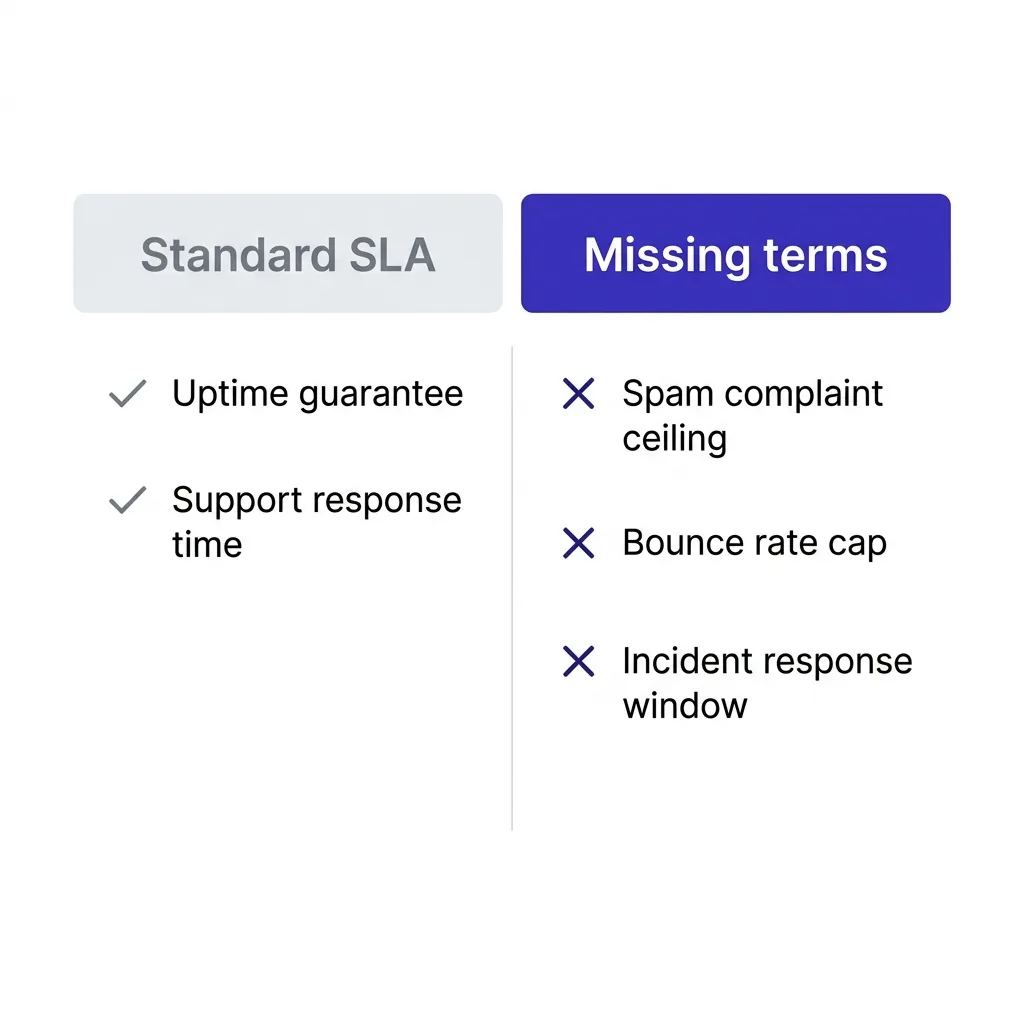 Comparison chart of vendor SLA terms with uptime covered and deliverability metrics missing
#Red flags in a vendor's standard contract
Some patterns in a sending vendor's default terms should stop you before you sign anything.
A vendor that refuses to name a spam complaint or bounce rate threshold at all, even when you ask directly, is telling you they either do not track it or do not want to be held to it.
A vendor that only offers shared IP infrastructure with no path to isolation, regardless of your volume, has built a business model around pooling risk across clients rather than protecting each one.
A vendor whose support response time SLA is generous (4 hours) while their deliverability incident language is silent has prioritized the metric that is easy to measure over the one that actually matters to your pipeline.
And a vendor that will not let you export your domain warmup history or bounce data on request is betting on lock-in, not on being good enough that you would want to stay anyway.
None of these are automatic dealbreakers on their own.
Two or more together, on a vendor handling meaningful send volume, is a reason to renegotiate or walk.
#How to negotiate an SLA when you have no bargaining power
Small teams rarely have the volume to demand custom contract terms from a large sending platform, and that is a fair objection.
You still have more pull than you think, because most vendors would rather add a clause than lose a signed deal during procurement review.
Start by asking for the numbers in writing over email, even if they will not amend the master contract.
A written statement of "our platform maintains sub-0.1% complaint rates across shared pools" from a sales rep is not legally the same as a contract clause, but it is evidence if things go wrong, and most vendors know that.
Second, ask specifically about your tier.
Enterprise contracts almost always include custom SLA language, so ask what changes if you commit to a higher volume or annual term, since the answer tells you how seriously the vendor treats deliverability internally.
Third, if the vendor genuinely will not budge and you have no volume to bargain with, build your own monitoring instead of relying on theirs.
An inbox placement seed list you control gives you independent evidence the moment something breaks, regardless of what the vendor's dashboard says.
#Where FirstSales fits into this
We built FirstSales around the assumption that deliverability data should be visible to you, not locked behind a vendor's internal dashboard.
The platform tracks bounce rate, spam complaint signals, and authentication status per domain in real time, so you are not waiting on a vendor's incident response clock to notice a problem.
That does not replace the contract conversation with your infrastructure providers.
It does mean you catch a placement drop yourself, often before a support ticket would even get answered, which is the entire point of asking for these SLA terms in the first place.
If you run ongoing email warmup through a separate tool from your sending platform, apply the same SLA scrutiny to that vendor too, since a warmup provider with no complaint rate ceiling can just as easily wreck a domain before you send a single real campaign email.
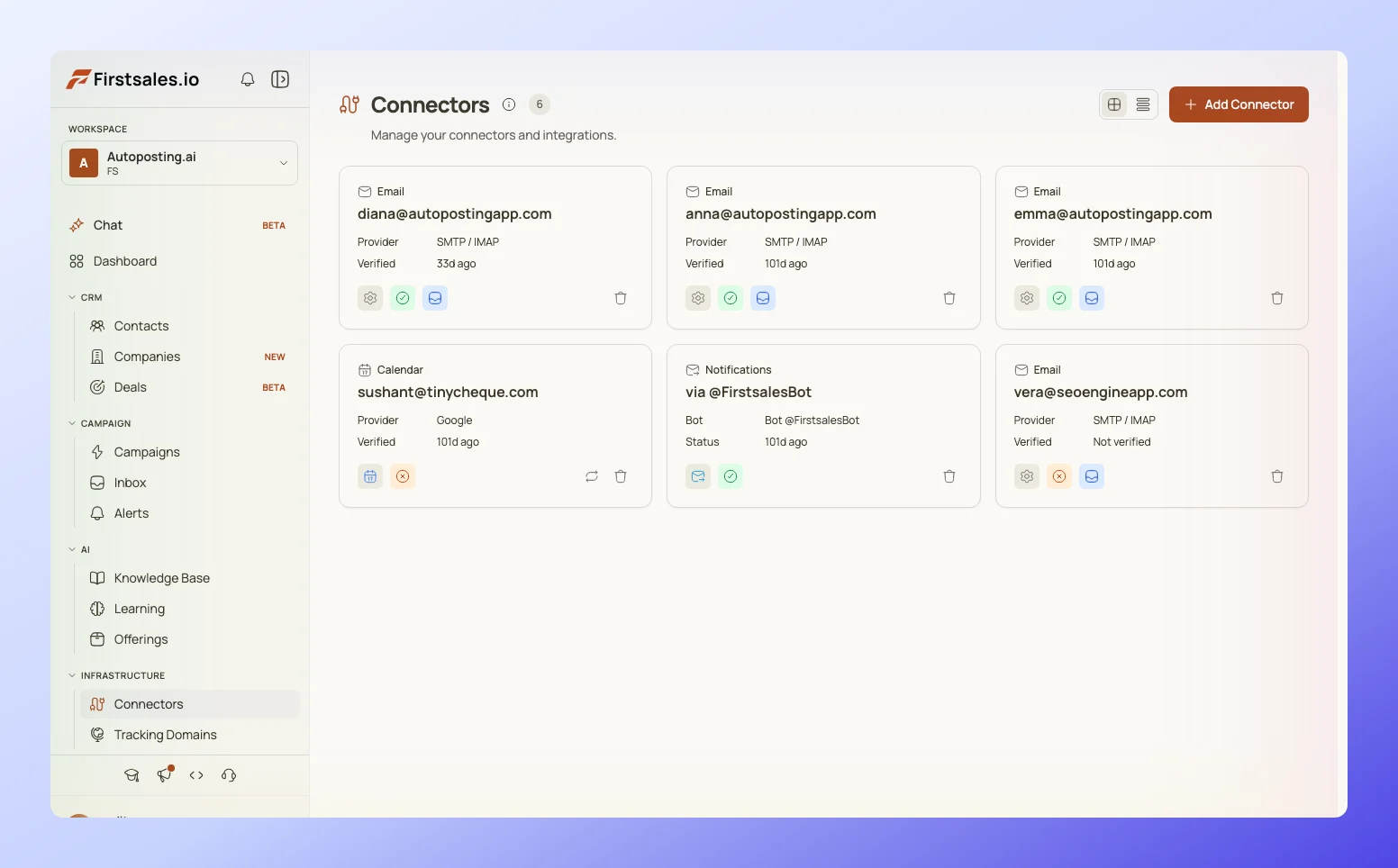 Deliverability monitoring dashboard showing bounce rate and spam complaint tracking per domain
#Structuring the ask across multiple vendors
Most teams run more than one vendor in their sending stack: a warmup tool, a sending platform, sometimes a separate verification service.
Each one touches a metric that affects the same domain reputation, which means an SLA gap in any single vendor can undo the other two.
Treat the stack as one system when you write your requirements list, not three separate procurement conversations.
Ask each vendor the same four questions: what is your complaint ceiling, what is your bounce cap, how fast do you notify me of an incident, and can I export my data.
If two vendors give clear answers and one gives a shrug, that third vendor is your weakest link regardless of how good the other two are.
This is also where mailbox provider diversification matters at the contract level, not just the technical level.
A vendor concentrating your entire fleet on one provider's infrastructure is making a single point of failure decision on your behalf, and your SLA should say what happens if that provider changes its rules overnight, which Google and Microsoft have both done with little warning in the past two years.
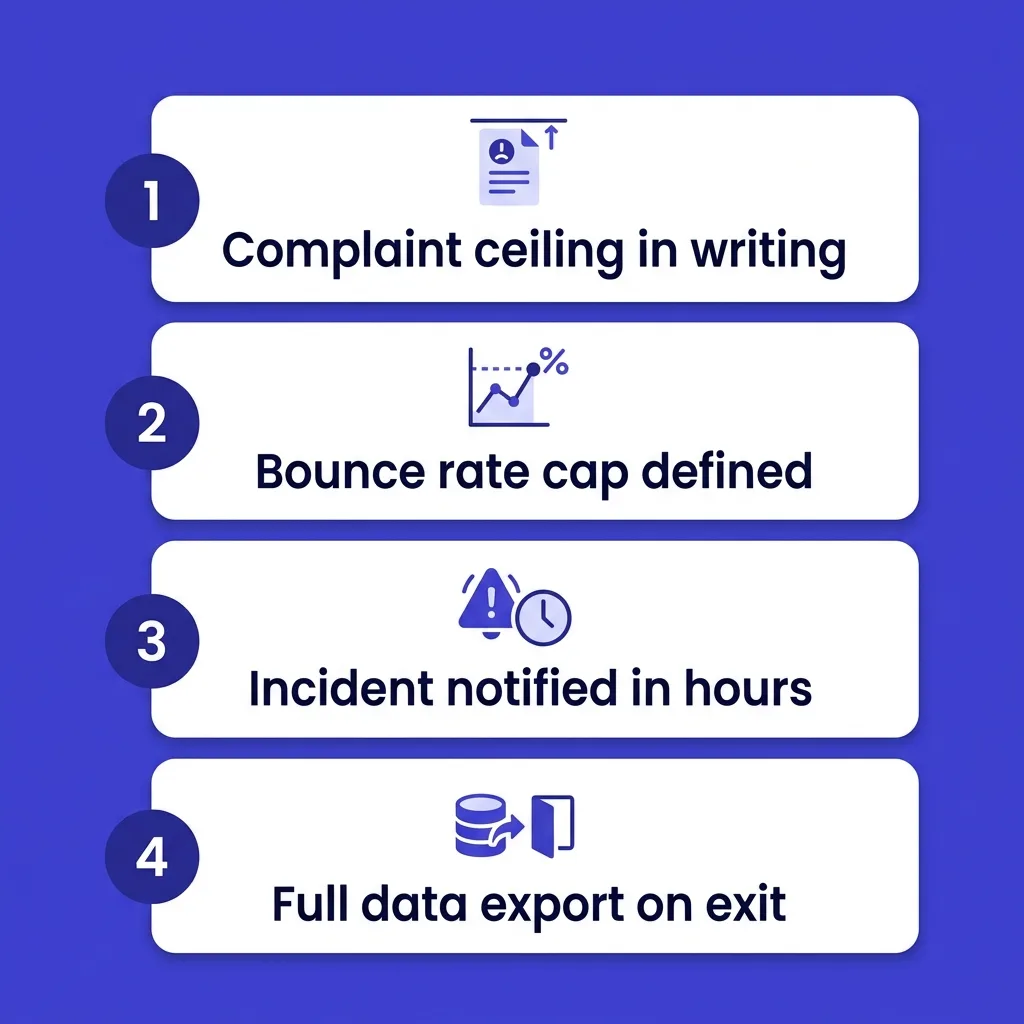 Four-question SLA checklist covering complaint ceiling, bounce cap, incident response, and data export
#What happens if you never ask
Most teams find out their vendor had no deliverability commitment the day their placement collapses and support says "we don't guarantee inbox placement, only platform uptime."
That sentence is technically true and contractually airtight, because nobody put anything else in writing.
By that point you are choosing between a slow domain repair with dedicated vs shared IP migration or retiring a burned domain entirely and starting over.
Both options cost weeks of pipeline and real money in lost replies, and both were avoidable with one clause added before the contract was signed.
The asymmetry is stark: an SLA negotiation costs you an email thread and maybe a slightly higher price tier.
A deliverability collapse with no vendor accountability costs you a domain, a quarter of pipeline, and the trust of whoever signs off on your outbound budget.
#FAQ
#What is a deliverability SLA?
A deliverability SLA is a contract clause where a sending vendor commits to specific, measurable inbox placement metrics, such as spam complaint rate and bounce rate ceilings, rather than only platform uptime.
#Do most cold email vendors offer a deliverability SLA?
No. Most standard vendor contracts cover uptime and support response time only, and leave deliverability as an unstated "best effort" with no defined metric or remedy.
#What spam complaint rate should be in the contract?
Under 0.1%, matching Google and Yahoo's bulk sender enforcement threshold. Anything the vendor commits to above that number is already too high to keep you compliant.
#What bounce rate ceiling should I ask for?
Under 2%, again matching the current Google and Microsoft bulk sender rules. Ask what happens automatically when the vendor detects your account crossing that line.
#Should the SLA cover shared IP pools differently than dedicated IPs?
Yes. On shared infrastructure, ask for the pool-wide complaint rate ceiling and your right to move to dedicated IPs if pool-wide numbers spike from another tenant's behavior.
#What if my vendor refuses to name any deliverability numbers?
Treat that as a signal, not a dealbreaker on its own. Ask why, in writing, and weigh the answer against your volume and how much lock-in cost you would face switching later.
#How fast should a vendor notify me of a placement drop?
Within a few business hours for an active monitoring vendor. Anything measured in days means the vendor is not actually watching your inbox placement in real time.
#Does DMARC alignment need to be in the SLA?
Yes, at minimum as a commitment to help configure and monitor SPF, DKIM, and DMARC records, since misaligned authentication is one of the fastest ways to lose placement without warning.
#What is data portability and why does it matter here?
It is your right to export sending history, bounce logs, and complaint data if you leave the vendor. Without it, switching vendors after a bad experience becomes far more costly than it should be.
#Can a small team actually negotiate SLA terms with a big vendor?
Sometimes, especially in writing over email even if the master contract will not change. Ask about enterprise-tier SLA language even at a lower volume, since the answer reveals how seriously deliverability is treated internally.
#Should I build my own deliverability monitoring even with a vendor SLA?
Yes. A seed list panel you control gives you independent, vendor-agnostic evidence the moment something breaks, and that evidence matters if you ever need to invoke the SLA's remedy clause.
#What is inbox placement rate and how is it different from delivery?
Delivery just means the mail server accepted the message. Inbox placement means it actually landed in the primary inbox instead of spam or promotions, which is the number that predicts replies.
#How often should placement be tested under an SLA?
Weekly at minimum for active sending accounts, more frequently during a new domain's warmup period or after any authentication change.
#What triggers a vendor SLA breach in practice?
Crossing the agreed complaint or bounce ceiling for the defined measurement window, or failing to notify you within the agreed incident response time, both of which should carry a defined remedy like service credit.
#Is uptime SLA language still worth keeping?
Yes, keep it. Platform uptime and support response time are legitimate and easy to measure. The point is adding deliverability terms alongside them, not replacing them.
#What is the difference between a warmup vendor SLA and a sending platform SLA?
A warmup vendor's SLA should focus on warmup pacing and account safety signals, while a sending platform's SLA should focus on live campaign complaint and bounce rates. Both touch the same domain reputation and both need scrutiny.
#Should the SLA specify which mailbox providers it covers?
Yes. Google and Microsoft enforce different bulk sender rules, so ask whether the vendor's committed numbers apply across both or only one, especially if your list skews heavily toward one provider.
#What happens if the vendor blames my list quality for a placement drop?
That is sometimes legitimate, which is why the SLA should separate vendor-caused incidents (infrastructure, shared pool behavior) from client-caused ones (list hygiene, copy). A fair contract only owes remedy for the former.
#Do enterprise contracts typically include deliverability SLAs by default?
More often than smaller-tier contracts, yes, because enterprise procurement teams routinely ask for them. That is exactly why it is worth asking for the same terms even at a lower tier.
#Where should I start if I am reviewing a vendor contract today?
Pull up the current agreement, search it for "spam," "bounce," and "complaint." If none of those words appear, you have your answer about what is missing, and the next email you send should ask for all three.
#Conclusion
A sending vendor's uptime number tells you almost nothing about whether your cold email lands in the inbox.
The metrics that matter, spam complaint rate, bounce rate, authentication support, and incident response time, are the ones vendors leave out of their standard contracts by default, not by oversight.
Ask for all four in writing before you sign, and treat a vendor's refusal to name a number as data about how they will handle the day something actually breaks.
The contract conversation costs you one email thread.
Skipping it costs you a domain, weeks of pipeline, and a much harder conversation with whoever owns the outbound budget.