
TL;DR: A seed list is a small panel of mailboxes across Gmail, Outlook, and a few smaller providers that you bcc or send to, then check by hand for inbox versus spam placement. Twenty to forty accounts, rotated every few months, tells you more about real placement than most paid placement tools, because you are reading actual folders instead of a vendor's inference. It fails when the panel is too small, too static, or read once and forgotten.
- What a seed list actually is
- Why paid placement tools fall short
- How big your panel needs to be
- Building the panel, provider by provider
- Rotation: the part everyone skips
- How to actually run a placement check
- Reading results without fooling yourself
- What good and bad placement looks like
- Where a seed list fits next to real monitoring
- Common mistakes
- FAQ
- Conclusion
#What a seed list actually is
A seed list is a set of mailboxes you control, spread across Gmail, Outlook, Yahoo, and a couple of smaller providers.
You send or bcc your campaign to that panel, then log into each account and check whether the message landed in the inbox, the spam folder, or the promotions tab.
That is the whole mechanism.
No AI, no inference, no modeled score standing between you and the actual folder a message landed in.
Deliverability vendors sell a fancier version of the same idea, usually with a dashboard and a single aggregate score.
The dashboard is convenient. It is also one layer removed from the thing you actually care about, which is whether a real prospect's inbox saw your email today.
This piece is about running the DIY version well enough that the dashboard becomes optional rather than mandatory.
#Why paid placement tools fall short
Placement tools are not fake. They genuinely check real mailboxes and report real folder placement, and for teams sending at real volume they are worth the subscription.
The problem is what they cannot tell you.
Most placement tools use their own generic mailbox network, not accounts that resemble your actual prospect list.
A generic Gmail seed account with no history and no sender relationship to you behaves differently than the personal Gmail account of a VP you have been trying to reach for three weeks.
Google's spam filter is heavily personalized. It weighs your specific sending history with that specific recipient, not just your domain's global reputation.
A seed panel score of 92% inbox placement can sit next to a real reply rate that has been falling for a month, because the seed accounts never developed the negative signals your actual list quietly built up.
That gap is the single biggest reason a cold email deliverability checklist built only on a vendor dashboard misses real problems.
The fix is not to drop the paid tool. It is to run your own panel alongside it and treat disagreements between the two as the interesting signal.
#How big your panel needs to be
Twenty accounts is a workable floor. Forty is comfortable for most teams sending under 5,000 emails a day.
Below twenty, a single account behaving oddly swings your read of the whole panel too much to trust.
Above sixty, most teams stop checking consistently, and an unchecked panel is worse than no panel because it creates false confidence.
The provider split matters more than the total count.
| Provider | Share of panel | Why it matters |
|---|---|---|
| Gmail / Google Workspace | 40-50% | Largest share of B2B inboxes, most aggressive personalization |
| Outlook / Microsoft 365 | 30-35% | Second-largest B2B share, different filtering logic entirely |
| Yahoo / AOL | 5-10% | Still present in some SMB and older-demographic lists |
| Smaller providers (Zoho, Fastmail, ProtonMail) | 5-10% | Catches filtering behavior the big two do not represent |
Match this split to your actual prospect list, not to some universal ratio.
If you sell into a market where Microsoft 365 dominates, over-index your panel toward Outlook rather than following the table above blindly.
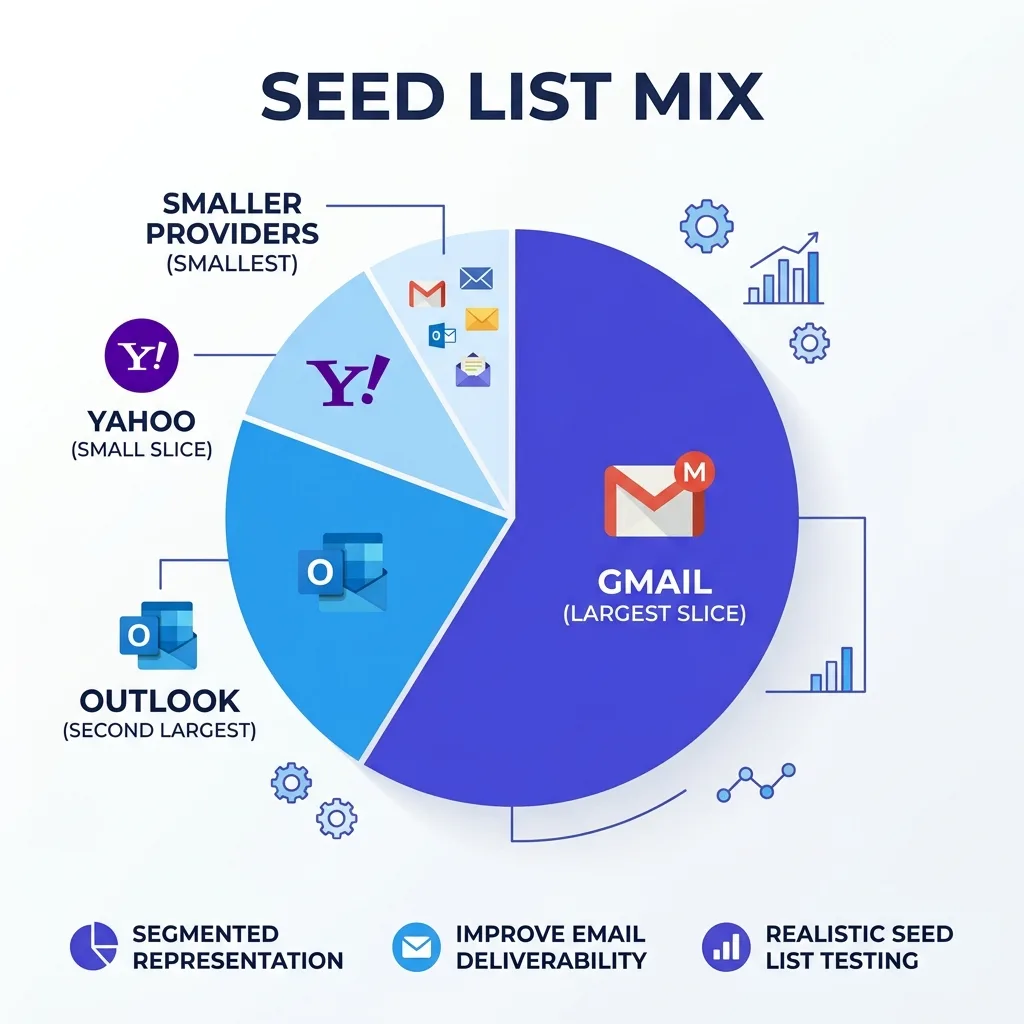 Seed list panel mix showing Gmail, Outlook, Yahoo, and smaller provider allocation
#Building the panel, provider by provider
Gmail and Google Workspace. Create a mix of free Gmail accounts and, if you have access, a couple of Workspace mailboxes on domains you control.
Warm each account for at least two weeks before trusting its readings: log in daily, read a few newsletters, mark nothing as spam, and let normal mail accumulate.
A brand-new Gmail account with zero history filters more aggressively than an aged one, so a cold seed account will understate your real placement.
Outlook and Microsoft 365. Microsoft's filtering runs on different logic than Google's, and it has gotten more aggressive on detected sequences.
Set up at least a few accounts on Outlook.com and, ideally, one or two on an actual Microsoft 365 tenant, since the filtering differs slightly between the consumer and business products.
Yahoo, AOL, and smaller providers. These get a smaller allocation, but do not skip them entirely if any meaningful share of your prospect list uses them.
Zoho and Fastmail accounts are worth adding if you sell into industries where privacy-conscious buyers cluster, since ProtonMail-adjacent behavior can reveal filtering patterns the mainstream providers hide.
Naming and organizing the panel. Keep a simple spreadsheet: provider, account email, date created, last warmed, last checked.
This sounds like overkill for twenty rows. It is not, because six months from now you will not remember which three accounts you never actually finished warming up.
If you already run an SPF, DKIM, and DMARC setup, treat the seed panel as the verification layer that checks whether that authentication work is actually translating into placement, rather than assuming a green checkmark in a DNS tool means anything about the inbox.
#Rotation: the part everyone skips
Most teams build a seed panel once, use it for a year, and never touch it again.
That is the single biggest reason DIY seed lists stop being useful.
Filters adapt to a panel the same way they adapt to anything else. An account that has received the same sender's test emails every week for a year develops a relationship with that sender that a real cold prospect never will.
Rotate 20-25% of your panel every quarter: retire the oldest accounts, add fresh ones, and re-warm them before trusting their reads.
Keep the provider mix constant while you rotate individual accounts, so you are not accidentally shifting your panel's composition every time you refresh it.
Mark the rotation date in the same spreadsheet you use to track the panel. A rotation you cannot prove happened is a rotation that probably did not happen.
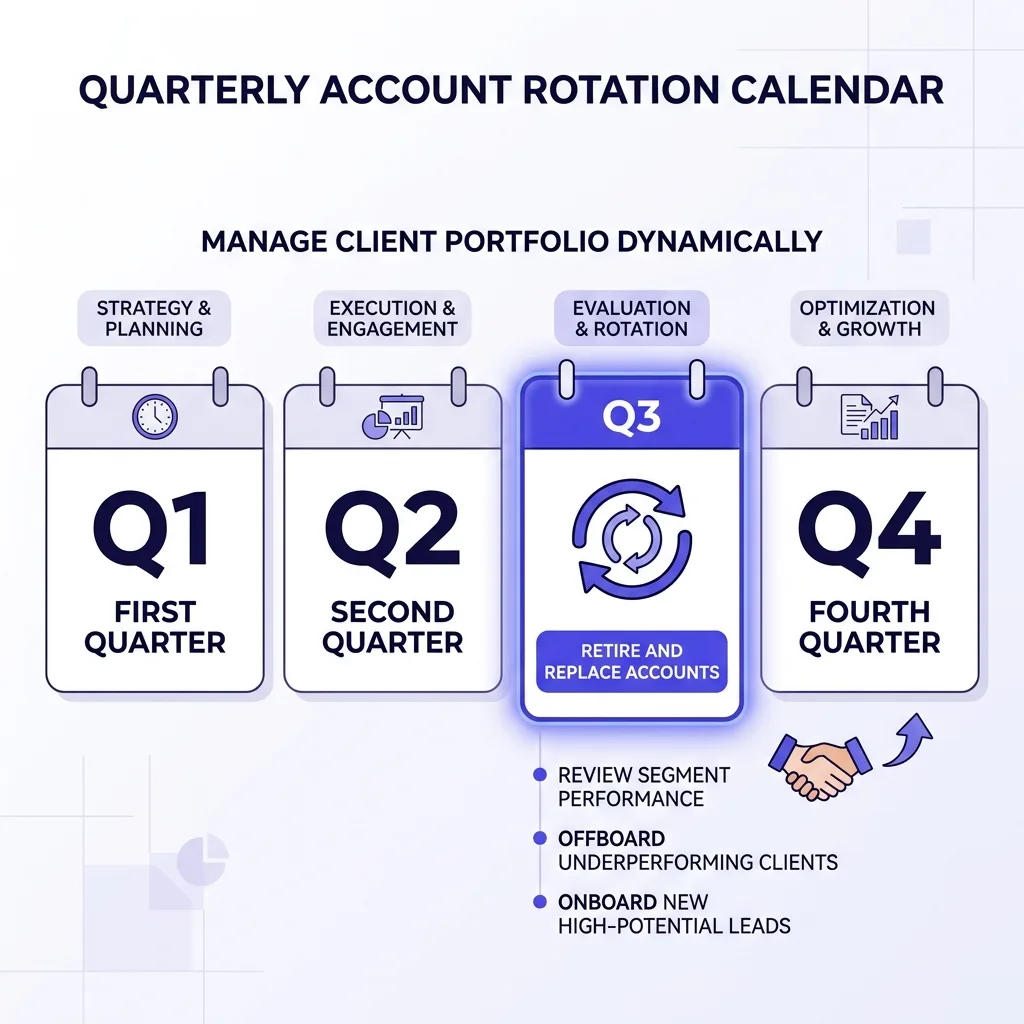 Quarterly rotation calendar for a deliverability seed account panel
graph TD
    A[Build panel: 20-40 accounts] --> B[Warm each account 2+ weeks]
    B --> C[Send/bcc real campaigns to panel]
    C --> D[Check folder placement by hand]
    D --> E{Placement dropping?}
    E -->|Yes| F[Cross-check against real reply rate]
    E -->|No| G[Log result, continue sending]
    F --> H[Diagnose: content, domain, or list issue]
    G --> I[Every quarter: rotate 20-25% of accounts]
    I --> B
#How to actually run a placement check
Send your live campaign to the panel the same way it goes to real prospects, either bcc on a real send or a duplicate send timed close to the real one.
Do not use a separate "test mode" that skips your normal sending infrastructure, since that defeats the entire point of checking real placement.
Wait at least two hours before checking, since some filters take time to finish scoring a message and an early check undercounts spam placement that shows up later.
Check inbox, spam, and (for Gmail) the promotions and updates tabs separately, because landing in promotions is a different problem than landing in spam and needs a different fix.
Log every result the same day you check it. A placement log you update once a month is a placement log you cannot use to catch a fast-moving problem.
If your campaigns run through a platform like FirstSales, pull the send timestamp from the campaign log first, since checking a seed inbox before the send actually went out just wastes the check.
#Reading results without fooling yourself
This is where most DIY seed lists go wrong, not in the setup but in the interpretation.
A single bad placement reading on one account means nothing. Twenty accounts, and three land in spam, could easily be noise rather than a trend.
The number that matters is the trend across weeks, not any single day's snapshot.
Track a rolling four-week average per provider group, not a single-day percentage, and only react to a sustained drop of ten points or more.
Watch for the gap between your seed panel's reading and your real campaign's reply rate.
If the panel says 95% inbox placement and your reply rate has fallen from 6% to 2% over the same month, trust the reply rate.
Seed accounts do not receive the negative signals a real, aging prospect list accumulates: spam button clicks, low engagement, and the personalized filtering Google applies per recipient.
A gap like that usually means the content or the offer changed, not the sending infrastructure, and checking Google Postmaster Tools alongside the seed panel will usually confirm which one moved.
Do not treat a seed panel as proof of health when your domain has burned before. A history of cold email domain burn means the panel needs tighter scrutiny, not looser, since a domain that has recovered once can slip again quietly.
#What good and bad placement looks like
| Signal | Healthy pattern | Warning pattern |
|---|---|---|
| Gmail inbox rate | 90%+ across 4-week average | Below 80%, or falling 10+ points in two weeks |
| Outlook inbox rate | 85%+ across 4-week average | Below 70%, or landing in "Other"/Focused inconsistently |
| Promotions tab placement | Rare, under 5% of Gmail sends | Regular, 15%+ of Gmail sends |
| Spam folder rate | Under 3% across all providers | Above 8% on any single provider |
| Panel vs. real reply rate | Panel and reply rate move together | Panel stays flat while reply rate drops |
| Panel age | Rotated 20-25% per quarter | Same 20 accounts for over a year |
✓ Consistent placement across a rotated, multi-provider panel checked weekly.
✗ A single-provider panel checked once a month and treated as a health score.
#Where a seed list fits next to real monitoring
A seed list is a diagnostic instrument, not a replacement for ongoing email deliverability monitoring.
Use it the way a mechanic uses a manual gauge next to the dashboard warning light: the dashboard tells you something is wrong, the manual check tells you exactly what and how much.
FirstSales runs continuous deliverability monitoring across the domains and mailboxes in a campaign, which catches drift faster than a weekly manual check ever will on its own.
Pairing that automated layer with a hand-checked seed panel gives you two independent readings instead of trusting either one alone.
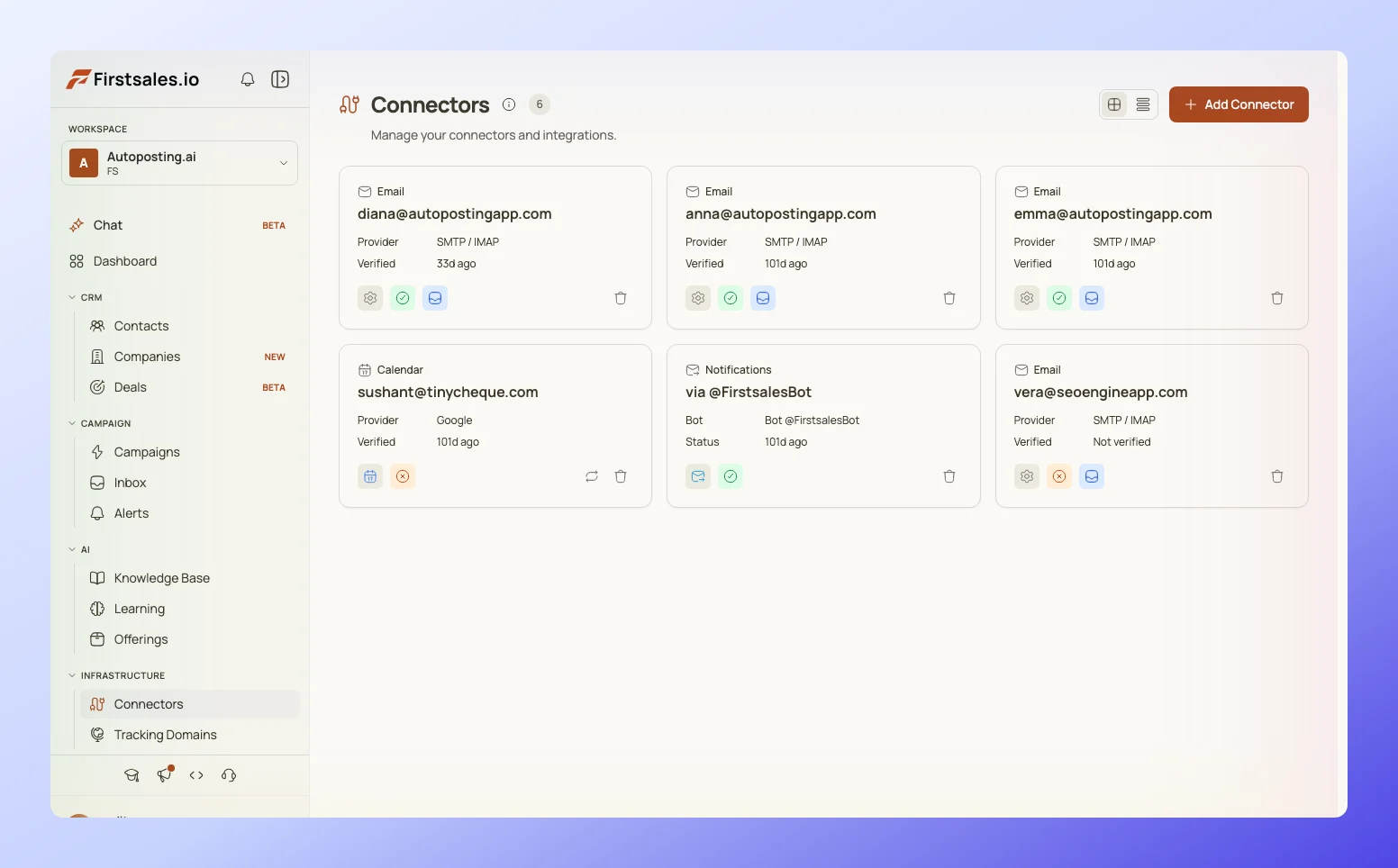 Dashboard showing inbox placement monitoring across multiple mailbox providers
If your automated monitor and your seed panel disagree for more than a week, that disagreement is the finding, and it is usually worth a manual infrastructure audit to find out which one is wrong.
#Common mistakes
The single-provider panel is the most common mistake. A panel that is all Gmail tells you nothing about how Outlook is filtering you, and Microsoft's rules on detected sequences have gotten noticeably stricter.
The set-and-forget panel is the second. Accounts that never rotate develop a false familiarity with your sending pattern that inflates placement scores over time.
Checking only the inbox and ignoring the spam and promotions folders is the third, since a message that lands in promotions is functionally invisible even though it technically was not blocked.
Confusing a paid tool's aggregate score for ground truth, without ever cross-checking a real account by hand, is the fourth and probably the most expensive, because it delays diagnosis of a real problem by weeks.
Skipping the sending domain count conversation entirely is the fifth. A seed panel built for one domain does not automatically tell you anything about a second or third domain in rotation, and each needs its own read.
If placement collapses hard, the seed list becomes the first data source in a real deliverability incident response plan, since it is the fastest way to confirm whether the problem is domain-wide or provider-specific.
And if the domain has been through repair cycles before without holding, a seed panel that keeps showing the same collapse pattern is a strong signal it may be time to consider retiring the burned domain instead of running another repair pass.
#FAQ
#How many mailboxes should a seed list have?
Twenty accounts is a reasonable floor for most teams, and forty gives a more stable read without becoming too heavy to check consistently.
#Which email providers should be in a seed list?
Weight the panel toward Gmail and Outlook, since those two cover the largest share of B2B inboxes, then add a smaller allocation to Yahoo and privacy-focused providers like Zoho or ProtonMail.
#How often should a seed list be checked?
Check placement on every real campaign send, and review the rolling trend weekly rather than reacting to any single day's numbers.
#How often should a seed list be rotated?
Rotate 20-25% of the panel each quarter, replacing the oldest accounts and re-warming the new ones for at least two weeks before trusting their reads.
#Can a seed list replace a paid deliverability tool?
It can substitute for one at low volume, but at real scale the two work best together, since the paid tool catches issues faster and the manual panel confirms them against ground truth. Platforms like FirstSales that already track deliverability per mailbox make the automated half of that pairing easier to keep running.
#Why does my seed panel show good placement while real replies are dropping?
Seed accounts do not carry the personalized negative signals a real prospect list develops over weeks, including spam reports and low engagement, so the panel reads better than reality until the gap gets large.
#Do seed accounts need to be warmed before use?
Yes. A brand-new account with no mail history gets filtered more aggressively than an aged one, so an unwarmed seed account understates your real inbox placement.
#How long should a seed account be warmed before it is trusted?
Two weeks of normal daily activity, including reading a few newsletters and never marking anything as spam, is a reasonable minimum.
#Does landing in Gmail promotions count as good placement?
No. Promotions is functionally close to invisible for cold outreach, since most recipients rarely check that tab, so track it separately from true inbox placement.
#What is the difference between inbox placement and deliverability?
Deliverability is whether the message was accepted by the receiving server at all. Placement is where it landed once accepted: inbox, spam, or a secondary tab.
#Should every domain in a sending rotation have its own seed checks?
Yes. Placement on one domain does not predict placement on another, especially if domains differ in age or warmup history.
#What is a realistic inbox placement rate for a healthy Gmail send?
Above 90% on a four-week rolling average is a solid target for an established, well-warmed domain sending to a clean list.
#What is a realistic inbox placement rate for Outlook?
Above 85% is a reasonable target, though Outlook's filtering on detected sequences has grown stricter, so healthy ranges can be a few points lower than Gmail's.
#Can free Gmail and Outlook accounts be used as seed accounts, or do they need to be paid business accounts?
Free consumer accounts work fine for most of the panel. A few paid Workspace or Microsoft 365 seats are worth adding since business-tier filtering differs slightly from the consumer product.
#What should I do if a seed account gets flagged or suspended?
Retire it immediately and replace it in the next rotation. A flagged seed account is not a reliable data point anymore, and continuing to use it will skew your readings.
#Does the size of my prospect list change how big my seed panel should be?
Not directly. Panel size should track provider diversity and how often you check it, not your total send volume, though very high-volume senders often want the larger end of the twenty-to-forty range.
#How does a seed list interact with SPF, DKIM, and DMARC setup?
Authentication is a prerequisite, not a placement guarantee. A seed panel is how you confirm that a correctly configured authentication setup is actually translating into good placement in practice.
#Can I use a seed list to test subject lines and content, not just infrastructure?
Yes, and this is one of the more underrated uses. Sending two content variants to the same panel isolates whether a placement change came from the message or the sending setup.
#What is the biggest reason DIY seed lists fail?
Neglect. A panel built once and never rotated or checked consistently gives false confidence, which is worse than having no seed panel at all.
#Is a seed list worth the effort for a small sender doing under 500 emails a day?
Yes, arguably more so, since a small sender cannot always afford a paid placement tool and the manual panel is close to free once it is set up.
#Conclusion
A seed list is unglamorous work: build twenty to forty accounts, warm them, check them by hand, rotate a fifth of them every quarter, and log every result the same day you see it.
None of that requires a subscription, and all of it produces a reading that no vendor dashboard can fully replace, because you are looking at an actual folder instead of a model's estimate.
The teams that get the most out of a seed list are the ones that treat a gap between the panel and their real reply rate as the most important number they track, not the panel score itself.
Build the panel this week, rotate it every quarter, and pair it with continuous monitoring rather than choosing one over the other.