Export your lists from Apollo
In Apollo, open the saved list or search you want to move and use its export-to-CSV option to download the contacts. Apollo enforces its own export/credit limits, so export the lists you actually need rather than everything at once.
Open the FirstSales contact importer
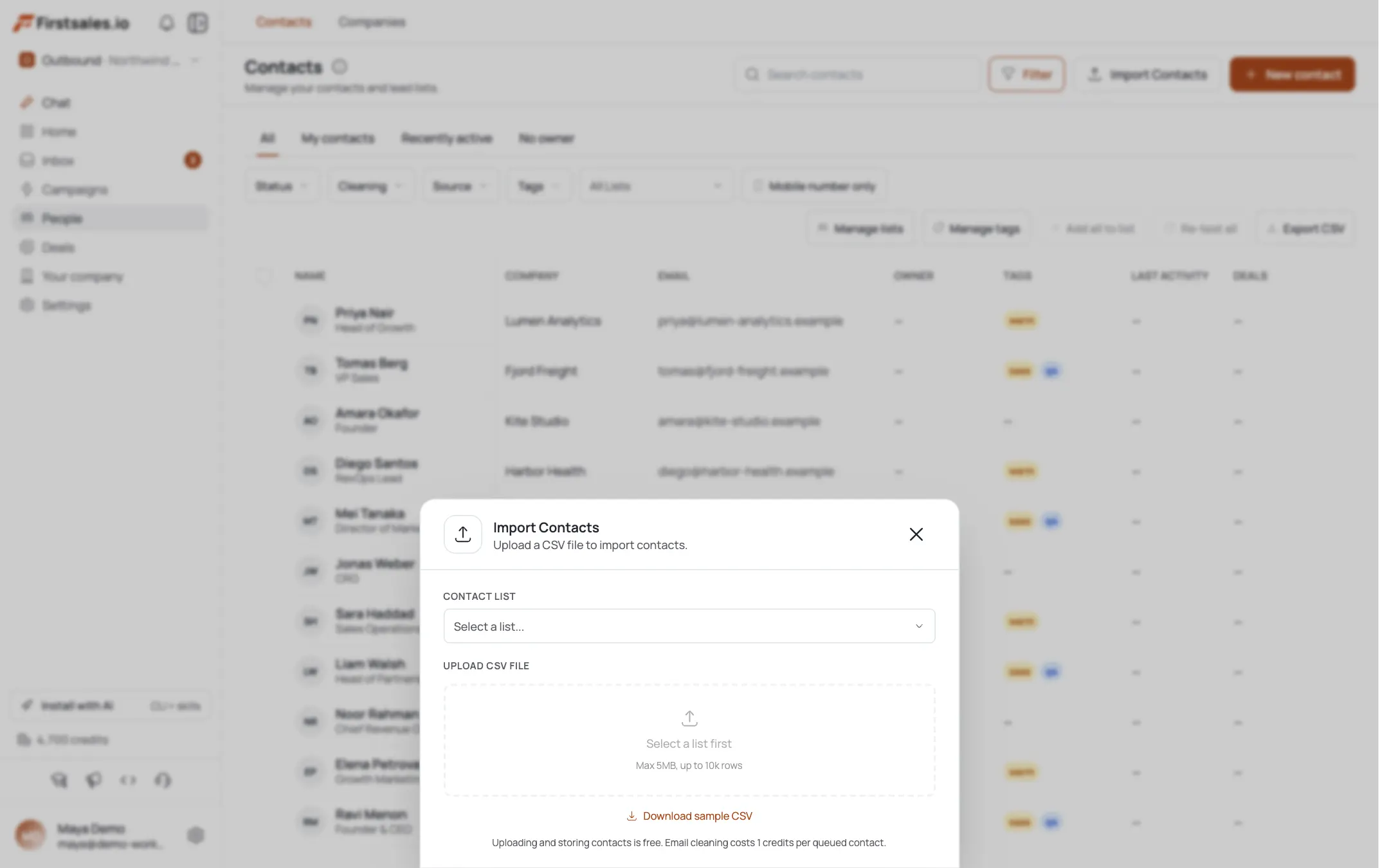
Go to Contacts, choose an existing list or create a new one, and open Import. The wizard walks you through upload → map → import.
Upload the CSV and map columns
Drop your Apollo export — files up to 5 MB and 10,000 rows per import are supported. Apollo columns are field-rich and map well:
email(required),firstName/lastName/fullName,title,phone,linkedinUrl,company.name/company.domain/company.industry, andtags(semicolon-separated). Set anything you don't need to Skip.Run the import and verify the counts
Confirm the import. FirstSales reports how many rows were imported, duplicates, and skipped so you can see the full list landed before you move on.
Connect the mailboxes you'll send from
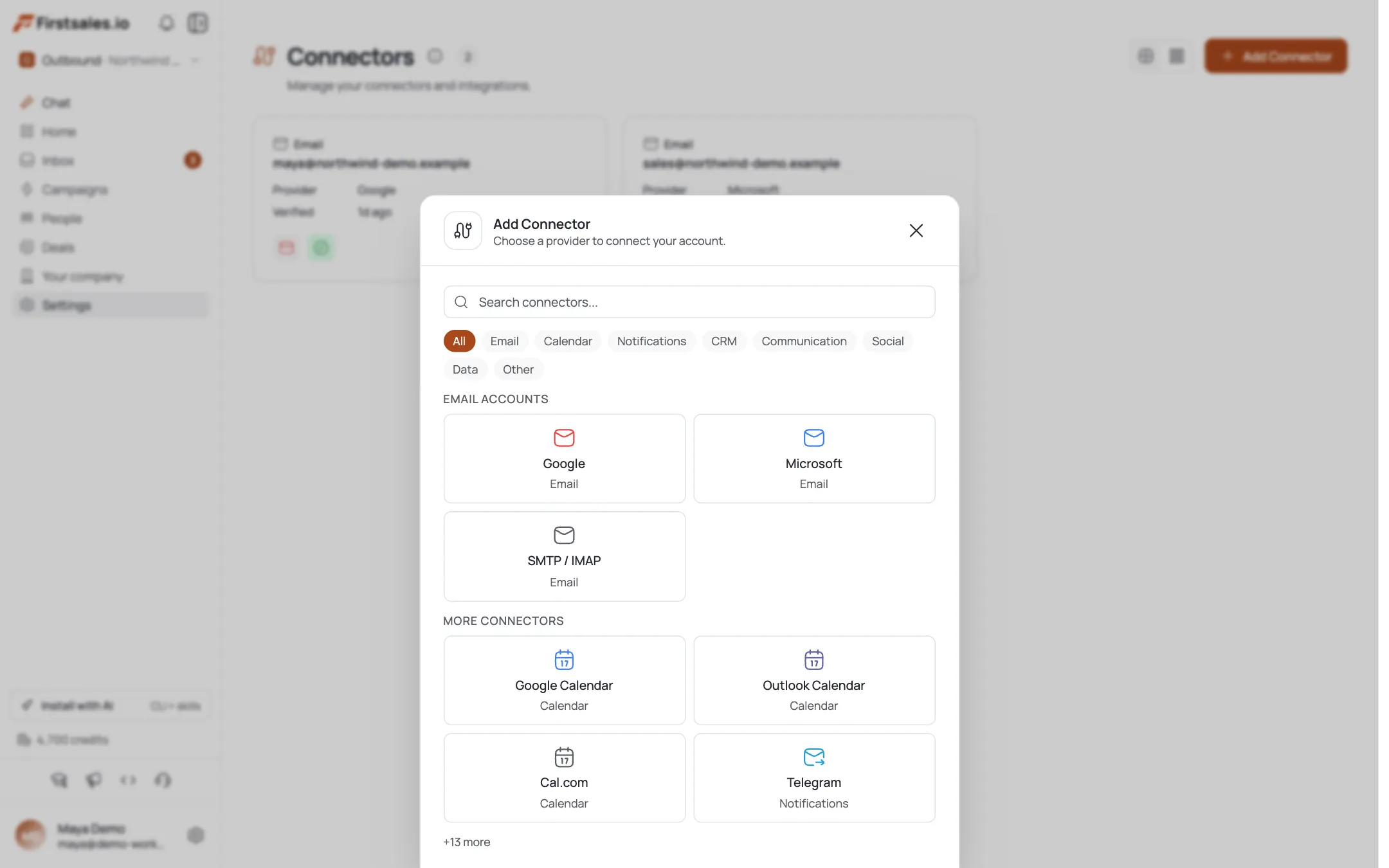
Go to Connectors → Add Connector and connect your sending domains — many Apollo users weren't sending from Apollo at all, so this may be a fresh connection rather than a reconnect. Google and Microsoft connect with one OAuth click; any other provider connects over SMTP / IMAP with host, port, and app password.
Start warm-up before you send
Open each connector's Warm Up tab and switch it on; leave auto-adjust on to ramp volume for you. See the Set up email warm-up tutorial for the full walkthrough.
Build your campaign
Create a campaign and fill in the required pieces: name, goal, audience (your imported Apollo list), an email content source, a sender (your warmed connector), and an approval flow. Launch only once warm-up is healthy.
Pro tips
Warm up before you blast
Apollo gave you data, not a warmed sender: a freshly-connected mailbox is cold to inbox providers. Warm for 2+ weeks before real sends.
Keep your domains: just re-authenticate
Connect your sending domains and confirm SPF/DKIM/DMARC in the connector; your DNS records stay put, only the platform link is new.
Clean while you map
Apollo exports are field-rich: map title, company.domain, linkedinUrl, and company.industry so personalization tokens have plenty to work with; Skip columns you won't use.
Import in batches under 10,000
The importer caps at 10,000 rows / 5 MB per file. Split a large Apollo export into multiple CSVs rather than forcing one oversized file.
Frequently asked questions
Will warm-up reputation carry over?
Apollo isn't a warm-up tool, so there's nothing to carry — connect your mailbox and run FirstSales warm-up fresh for 2+ weeks before real sends.
Can I keep my existing sending domains?
Yes. Connect the same domains and verify SPF/DKIM/DMARC in the connector — DNS records stay; only the platform link is new.
Is there a live Apollo integration or one-click importer?
No — migration is a manual CSV export → CSV import. There's no live Apollo sync or enrichment connector.
How many contacts can I import at once?
Up to 10,000 rows and 5 MB per file. Split larger exports into multiple imports into the same list.
Which mailbox types can I connect?
Google and Microsoft via OAuth, or any other provider via SMTP / IMAP with host, port, and app password.
Do my Apollo sequences import automatically?
No — rebuild the sequence in the campaign builder. Paste your existing steps as the email content source and set audience + sender.
Will I double-contact people already in another tool?
Import only the contacts you intend to touch, and use list/tag segmentation. FirstSales de-dupes within an import but doesn't know your outside send history.