Zum Inhalt springen
NeuSo funktioniert es

Stopp bei Antwort & automatische Abmeldungshandhabung

Stoppen Sie eine Sequenz in dem Moment, in dem ein Kontakt antwortet, und lassen Sie FirstSales Abmeldesprache als Abmeldung klassifizieren, damit diese Kontakte automatisch aussteigen.

  1. Öffnen Sie Reply Handling

    Gehen Sie in einer Template-Mode-Kampagne zu Settings → Reply Handling.

  2. Aktivieren Sie Stop-on-Reply

    Setzen Sie ein Häkchen bei Stop sending when a reply is received, damit die Sequenz eines Kontakts in dem Moment pausiert, in dem er auf eine beliebige E-Mail antwortet.
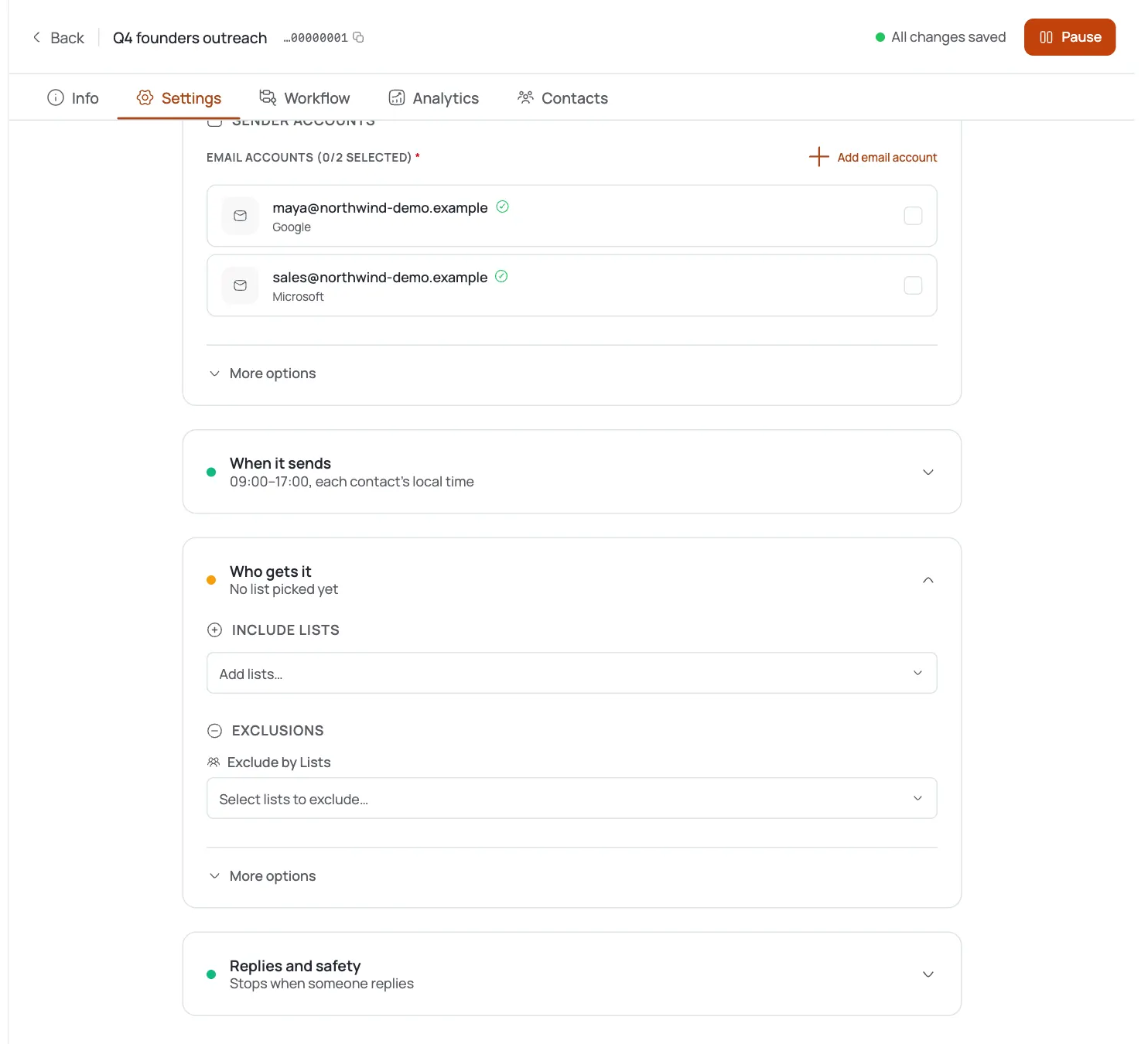
    Aktivieren Sie Stop-on-Reply
  3. Kennen Sie die universellen Bremsen

    “Goal, reply, and unsubscribe brakes apply to every channel.” Ein Kontakt, der eine davon auslöst, erhält keine weiteren Schritte mehr.

  4. Verlassen Sie sich auf die Opt-out-Klassifizierung

    Antworten wie “stop”, “do not follow up” oder “not interested” werden automatisch als Abmeldung eingestuft und stoppen künftige Schritte für diesen Kontakt.

  5. Sehen Sie Opt-outs im Inbox

    Abgemeldete Kontakte zeigen ein Completed · Unsubscribed-Pill in ihrer Thread-Zeile und eine Unsubscribed-Journey-Karte in der Konversation.

  6. Bestätigen Sie, dass sie ausgeschlossen sind

    Ist ein Kontakt einmal abgemeldet, ist seine Journey beendet, und es werden ihm keine weiteren E-Mails mehr gesendet.

Profi-Tipps

  • Lassen Sie Stop-on-Reply standardmäßig aktiviert

    Ein Follow-up zu senden, nachdem jemand bereits geantwortet hat, ist der sicherste Weg, wie ein Bot zu wirken.

  • Sie müssen Opt-outs nicht manuell markieren

    Negative Antworten werden automatisch als Abmeldung eingestuft: prüfen Sie aber gelegentlich die Unsubscribed-Ansicht, um Grenzfälle mit ungewöhnlicher Formulierung zu erfassen.

  • Bremsen gelten kanalübergreifend

    Eine Antwort oder Abmeldung stoppt alle verbleibenden Schritte für diesen Kontakt, nicht nur die aktuelle E-Mail.

  • Kombinieren Sie es mit der Out-of-Office-Erkennung

    So stoppen echte Antworten die Sequenz, während automatische Urlaubsantworten sie nur pausieren: beide Einstellungen existieren nebeneinander.

Häufig gestellte Fragen

Wo finde ich Stop-on-Reply?

Unter Kampagne Settings → Reply Handling in einer Template-Mode-Kampagne.

Was bewirkt es?

Pausiert die Sequenz eines Kontakts, sobald er auf eine beliebige E-Mail darin antwortet.

Wie werden Opt-outs erkannt?

FirstSales stuft Antworten wie “stop”, “do not follow up” oder “not interested” als Abmeldung ein und stoppt künftige Schritte für diesen Kontakt.

Was sind die ‘universellen Bremsen’?

Goal-, Reply- und Unsubscribe-Bedingungen, die die Sequenz eines Kontakts kanalübergreifend stoppen.

Wie sehe ich, wer sich abgemeldet hat?

Abgemeldete Kontakte zeigen ein Completed · Unsubscribed-Pill im Inbox sowie eine Unsubscribed-Journey-Karte in der Konversation.

Gibt es eine benutzerdefinierte Abmeldeseite oder eine Sperrliste?

Aktuell nicht: Opt-out wird über die Antwort-Klassifizierung und den Unsubscribe-Journey-Status abgewickelt, der weitere Sendungen automatisch stoppt.

Posteingang & Antworten

Akquise, die weiterläuft, wenn du offline bist.Leads, E-Mails, Follow-ups und Antworten, erledigt.

Verbinde unbegrenzte Postfächer und lass KI-Agenten Leads finden, jede E-Mail schreiben und nachfassen. Oder sende deine eigenen Vorlagen im manuellen Modus. Ab $29/Monat.

$1 für 3 Tage · Jederzeit kündbar · Kein Vertrag

Mit KI installieren

Dein Coding-Agent richtet die FirstSales CLI und Skills für dich ein.

Prompt für Claude Code

I'm setting up FirstSales (https://firstsales.io), an AI outbound sales platform: campaigns, contacts, a reply inbox, deliverability and lead signals. Help me get my workspace sending real, good emails end to end, from Claude Code.

Read these first so you know how FirstSales works:
- Developer docs and API: https://developer.firstsales.io
- CLI: https://www.npmjs.com/package/@firstsales.io/cli
- Skills for coding agents: https://github.com/firstsalesio/firstsales-skills (read README.md and GUIDE.md)

Setup
1. Install the CLI: npm install -g @firstsales.io/cli
2. Install the FirstSales skills:
   claude plugin marketplace add firstsalesio/firstsales-skills
   claude plugin install firstsales@firstsales
3. Ask me if I already have a FirstSales account. If not, send me to https://app.firstsales.io to sign up.
4. Ask me to create an API key under Settings → API → API Keys, with only the scopes we need.
   Never ask me to paste the key into this chat. Tell me to run this in my own terminal, so the key stays hidden:
   read -rs FS_KEY && firstsales auth login --api-key "$FS_KEY"; unset FS_KEY
5. Run `firstsales whoami` and tell me which workspace and organisation we are connected to.

Then ask me about my business: what I sell, who I sell to (roles, company size, countries), my best customers, and what I use today for outbound (tools, lists, mailboxes). Walk me through:
1. Teaching FirstSales my business: website, offer, proof points and case studies in the knowledge base, so the AI writes like someone who knows the product.
2. Connecting my sending mailboxes and checking my sending domain: SPF, DKIM, DMARC and warm-up. If anything is unhealthy, tell me the exact DNS record to add.
3. Bringing in contacts: import my CSV or CRM export into a clean list, remove duplicates and bad emails, and block domains I must never email (customers, competitors, my own).
4. Building my first campaign: the right list, senders, steps and timing. Write the sequence with me, show me the drafts, and do not launch until I say yes.
5. Setting up Signals if it fits: find people engaging with LinkedIn posts about topics my buyers care about, and turn them into leads.
6. Inviting my team and giving each person the right access.

Once campaigns run, show me how to work the reply inbox from here: which replies need an answer, draft responses in my voice, and move good conversations into deals. If I use Cal.com, connect it so follow-ups can offer my booking link (not the first email).

Throughout, as you learn about my business, proactively suggest and help create:
- Reply templates for the questions and objections my prospects are likely to raise, based on my product, site and codebase if you can see them.
- Campaign ideas and segments worth testing, with the reason for each.

Safety rules:
- Show every change as a dry run (--dry-run) first and wait for my yes. Never send emails, launch campaigns or delete anything without my yes.
- Tell me before anything that spends credits, and how many.

Be opinionated. If the docs give a sensible default, just use it. Don't make me choose between five options.