
TL;DR: Domain reputation recovery is not a fix you apply once. It is an eight-week process with visible checkpoints, and Postmaster Tools only shows you the truth on a 5 to 10 day lag. Most teams quit at week two, right when the data looks worst and the domain is actually about to turn.
#What domain reputation actually means now
Most articles about domain reputation still talk about "High, Medium, Low, Bad" labels.
Those labels are gone.
Google retired them with Postmaster Tools v2, replacing the old reputation tiers with a Compliance Status and a set of Deliverability Analysis verdicts.
If your mental model is still four buckets, you are reading a dashboard that no longer exists.
What replaced it is a straight checklist: SPF and DKIM passing, DMARC aligned, spam rate under the line, bounce rate under the line, one-click unsubscribe present, unsubscribes honored within two days.
You either meet the bar or you do not.
There is no partial credit tier to hide behind anymore, which is honestly an improvement, because "Medium reputation" never told anyone what to actually fix.
The number that matters most is spam complaint rate.
Google's own guidance treats 0.10% as the line you should never cross and 0.30% as the point where deliverability starts failing systemically, a distinction worth understanding in full at spam complaint rate threshold, not just for the flagged campaign but across your whole sending history on that domain.
Bounce rate has its own ceiling, generally cited around 2%, and it moves faster than spam complaints because a bad list produces bounces on the very first send.
None of this is exotic anymore. It is table stakes, and it is exactly what a cold email infrastructure audit checks before you send a single message from a domain.
#Week by week: what a collapse looks like
A reputation collapse does not feel like one event. It feels like four distinct phases, and knowing which phase you are in changes what you should do next.
#Week 0: the incident
Something happened. A list got scraped without verification, a sequence sent 400 emails in an hour, a subject line tripped a spam filter pattern across three mailbox providers at once.
You usually do not see it in real time. Google Postmaster Tools reports on a rolling window, so the spike is smoothed and delayed by roughly 5 to 10 days before it shows up clearly.
That lag is the single most misunderstood part of recovery. People check the dashboard the next morning, see nothing alarming, and keep sending into a domain that is already damaged.
#Week 1: free fall
This is when the dashboard catches up to reality. Spam rate climbs past 0.10%, sometimes past 0.30%, and inbox placement on Gmail and Outlook drops hard.
Reply rates on active campaigns crater, usually before anyone connects the dots to deliverability. A team will spend two days rewriting subject lines before someone checks Postmaster Tools.
This is the week most teams panic and change five things at once: new copy, new sending times, a new ESP, sometimes a new domain mid-campaign. Do not do that yet. You cannot tell what worked if you changed everything.
#Weeks 2 to 3: the flat bottom
Complaint and bounce numbers stop getting worse but do not visibly improve either. This is the part that breaks people's patience.
The domain looks dead on the dashboard, sending volume is near zero, and there is no obvious sign that anything is working. This is also, statistically, when most teams give up and retire the domain that was actually about to recover.
Mailbox providers are not ignoring you during this window. They are collecting fresh, clean evidence at low volume, and that evidence takes time to outweigh the bad evidence from week zero.
#Weeks 4 to 6: the slow climb
If you held the send volume low and clean through the flat bottom, this is where placement starts moving. Spam folder placement on test sends starts dropping below 50%, then below 20%.
Complaint rate on Postmaster Tools should be trending down, not flat, by week five. If it is still flat here, something in your current sending is still generating complaints, not just legacy damage from week zero.
This is the phase where a lot of teams get impatient and ramp volume too fast, which resets the clock. Slow is the whole strategy in this window.
#Weeks 7 to 8 and beyond
Full recovery to pre-incident placement rates typically lands somewhere in this window for a domain with a real sending history and a genuine mistake, not a structural problem.
A brand new domain with no history takes a similar 4 to 8 weeks just to build a positive reputation from zero, which is worth remembering when someone suggests abandoning ship and buying a fresh domain instead of repairing.
If you are past week 8 with no measurable movement, that is a real signal, and it belongs in the decision gates below, not in another two weeks of hoping.
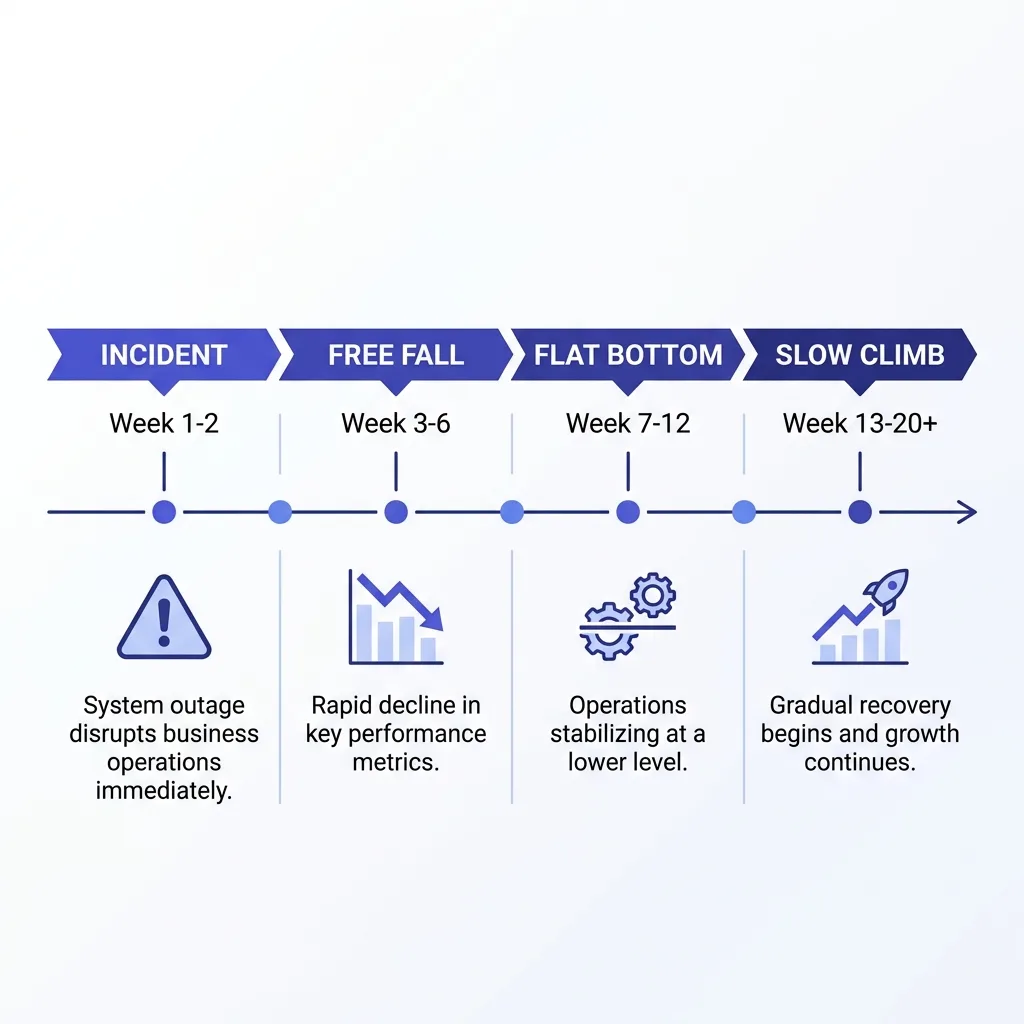 A week-by-week timeline chart showing email domain reputation recovery phases from collapse to recovery
#The decision gates
Recovery is not a single yes or no question. It is a series of gates, and you should only move to the next action once the current gate passes.
| Gate | Signal to check | Pass condition | Action if it fails |
|---|---|---|---|
| Gate 1: stop the bleeding | Spam complaint rate, current week | Below 0.30% and falling | ✓ Pause all sending from this domain immediately |
| Gate 2: root cause found | List source, send volume, copy pattern | Specific cause identified, not guessed | ✗ Do not resume sending until you know why |
| Gate 3: authentication clean | SPF, DKIM, DMARC alignment | All three pass on every send | ✓ Fix via SPF, DKIM and DMARC setup before anything else |
| Gate 4: low-volume proof | 2 to 3 weeks of small, clean sends | Complaint rate under 0.10%, bounce under 2% | ✗ Do not ramp volume if this gate has not held for 14 days |
| Gate 5: placement confirmed | Seed list or postmaster inbox placement | Above 80% inbox placement, sustained | ✓ Begin the ramp schedule |
| Gate 6: full ramp | Volume back to pre-incident levels | Spam rate stays under threshold at full volume | ✗ If spam rate climbs again at higher volume, retreat to Gate 4 volume, do not push through |
The gate people skip most often is Gate 2. Teams jump straight to "fix DNS and slow down," which helps, but if the real cause was an unverified list bought from a broker, you will reproduce the exact same collapse on schedule next month.
Root cause work belongs with the same discipline covered in deliverability incident response: triage order first, guesswork later.
#The recovery flow
graph TD
    A[Spam or bounce spike detected] --> B[Pause sending from affected domain]
    B --> C[Find root cause: list, volume, copy, or infrastructure]
    C --> D[Fix SPF, DKIM, DMARC alignment]
    D --> E[Resume at 10-20% of prior volume]
    E --> F{Complaint rate under 0.10% for 14 days?}
    F -->|No| E
    F -->|Yes| G[Run seed list placement test]
    G --> H{Inbox placement above 80%?}
    H -->|No| E
    H -->|Yes| I[Ramp volume in weekly steps]
    I --> J{Spam rate stays under threshold at each step?}
    J -->|No| E
    J -->|Yes| K[Full volume restored]
The loop back to low volume is not a failure state. It is the design. A domain that fails the gate and drops back to a smaller send size, then re-earns the next step, recovers more reliably than one pushed forward on a fixed calendar.
#Why the obvious fixes make it worse
The instinct after a collapse is to change everything visible: new subject lines, a new sending tool, sometimes a brand new domain purchased that same week.
Buying a new domain does not solve anything if the underlying list or process caused the collapse. It just delays the same failure by 4 to 6 weeks, which is how long a fresh domain needs to build reputation in the first place.
Switching ESPs mid-recovery muddies your own data. You cannot tell if placement improved because of the new platform or because the old domain was already turning the corner on its own.
Sending more to "prove the domain is fine" is the most common self-inflicted setback. Volume during the flat bottom should go down, not stay flat, and definitely not increase because a campaign deadline is approaching.
The same logic that governs when to retire a burned domain applies here in reverse: most domains people give up on in week two were never actually beyond repair, they just looked that way on a lagging dashboard.
#The checklist that actually moves the needle
Seven actions carry almost all of the actual recovery weight. Everything else is noise around the edges.
- Pause sending the moment spam rate crosses 0.10%, not 0.30%. Waiting for the critical threshold means you are already past the point of easy recovery.
- Fix authentication first. SPF, DKIM, and DMARC alignment issues compound every other problem and cost nothing to correct.
- Cut the list back to verified, engaged recipients only for the first two weeks of recovery sending.
- Drop volume to 10 to 20% of the pre-incident level and hold it there through the entire flat bottom phase.
- Split sending across multiple mailbox providers instead of concentrating recovery sends into Gmail alone, since a single-provider failure now becomes a single-provider recovery signal too.
- Run a seed list placement check weekly, not daily. Daily checks on a metric that updates every 5 to 10 days just generate anxiety without new information.
- Document the root cause in writing before resuming any campaign, so the same list source or send pattern does not get reused by a different person on the team six weeks later.
None of these seven require new tooling or a new vendor. They require patience and a written log, which is the least exciting answer in deliverability and also the correct one.
#Repair or retire: the math
Repair is usually cheaper than replacement, but not always, and the math is worth doing honestly instead of defaulting to either option out of habit.
A domain with a real sending history, a clean root cause, and no history of blacklist entries almost always repairs faster than a new domain reaches the same placement level.
A domain with repeated incidents, multiple entries needing email blacklist removal, or a root cause tied to the sending infrastructure itself rather than one bad list is a different case. Repairing the eighth incident on the same domain is chasing a pattern, not fixing a mistake.
Cost of repair is mostly time: 4 to 8 weeks of reduced volume, plus whatever pipeline that lost volume represents. Cost of replacement is also time, the same 4 to 8 weeks to build a new domain from zero, plus the DNS and infrastructure setup work.
If both paths cost roughly the same weeks, the decision comes down to whether the root cause was a one-time process failure or a structural sending problem. One-time failure repairs. Structural problem replaces, because the same conditions will burn the new domain too.
Any team weighing this decision more than once a quarter has an infrastructure problem worth solving at the source, which is exactly what a full cold email infrastructure audit is built to catch before the next incident.
#Watching the recovery instead of guessing at it
The hardest part of recovery is not the technical fix. It is resisting the urge to check a lagging number every day and react to noise.
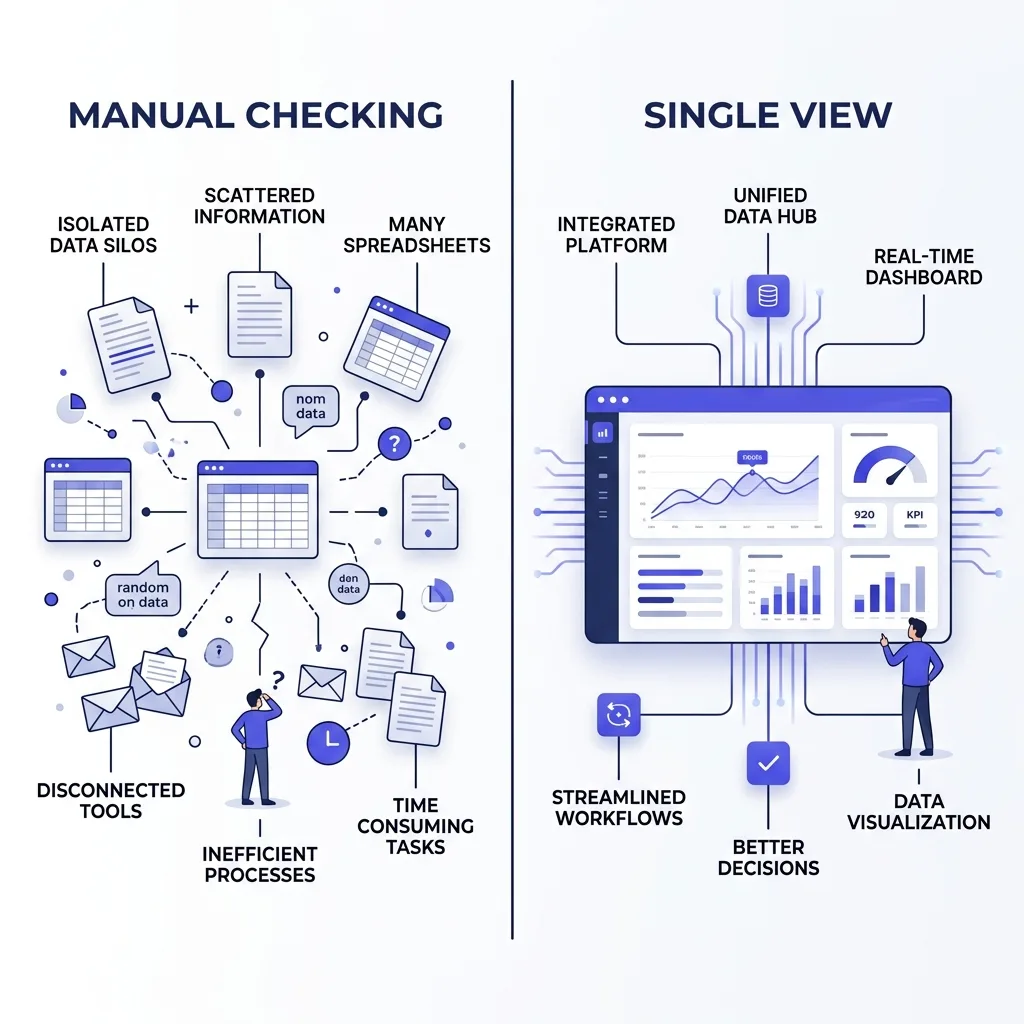 A comparison illustration contrasting a scattered manual deliverability tracking process with a single organized dashboard
This is the one place where a live deliverability monitor genuinely earns its place instead of being another dashboard nobody opens.
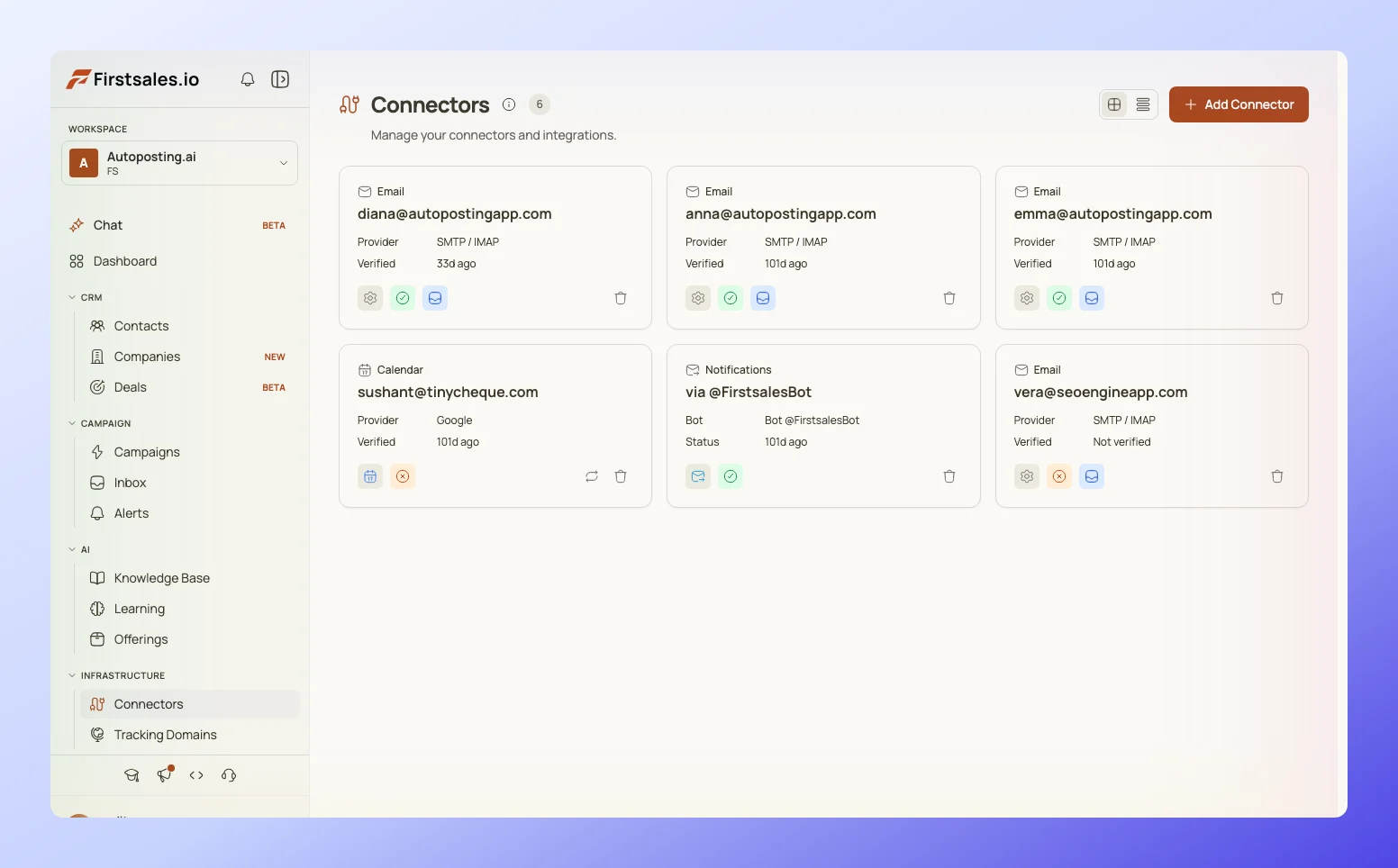 FirstSales deliverability monitor screen showing spam rate, bounce rate, and authentication status across sending domains
FirstSales tracks spam complaint rate, bounce rate, and authentication status per domain in one view, which matters most in weeks 2 and 3 when the temptation is to make a change every single day based on a single bad number.
Seeing the trend line instead of one day's reading is what tells you whether you are actually in the flat bottom phase or whether a new problem just started. Those look identical on any given day and completely different across two weeks.
The point of watching it this way is not to move faster. It is to avoid the two mistakes that extend recovery the most: panicking mid-flat-bottom and ramping volume before the gate actually passes.
#What is overrated in reputation recovery advice
A lot of published advice treats domain age as the main lever. It is not. A five-year-old domain with a bad root cause recovers no faster than a six-month-old domain with a clean one.
"Warm it back up like a new domain" gets repeated everywhere, but a domain with existing positive history does not need the full warmup ladder a brand new domain needs. It needs a smaller, faster version of it.
Buying reputation repair services that promise a fixed timeline are selling something Postmaster Tools itself will not commit to. Google's own documentation is explicit that recovery speed depends on your specific complaint history, volume, and authentication, not a universal countdown.
The single most overrated fix is switching sending IPs. For most senders on shared infrastructure, this addresses a symptom that a dedicated versus shared IP decision should settle before an incident, not scramble to fix during one.
#FAQ
#How long does email domain reputation recovery actually take?
Most domains with a genuine, one-time root cause recover to pre-incident placement within 4 to 8 weeks, provided volume stays low through the flat bottom phase and the underlying cause is fixed, not just paused.
#Why does Google Postmaster Tools show good numbers right after a mistake?
Postmaster Tools reports on a rolling window and lags real sending behavior by roughly 5 to 10 days, so a spike or a recovery both take that long to appear on the dashboard.
#Is there still a High, Medium, Low, Bad reputation label in Google Postmaster Tools?
No. Google retired those labels with Postmaster Tools v2, replacing them with a Compliance Status and Deliverability Analysis verdicts based on a specific checklist rather than a single tier.
#What spam complaint rate should trigger an immediate pause?
Pause sending once spam complaint rate crosses 0.10%. Waiting until 0.30%, the point Google treats as systemically damaging, means recovery starts from a much deeper hole.
#Does buying a new domain fix a reputation problem faster than repairing the old one?
Rarely. A new domain needs 4 to 8 weeks to build reputation from zero, which is close to the same timeline as repairing an existing domain with a clean root cause and prior sending history.
#Can I keep sending at a reduced volume while a domain recovers?
Yes, and you generally should. Complete silence gives mailbox providers no fresh evidence to act on. Small, clean, low-volume sends during recovery are how the reputation actually improves.
#What causes most domain reputation collapses in cold email?
Unverified or scraped lists, sudden volume spikes without a warmup ramp, and authentication misconfiguration account for the large majority of incidents, ahead of copy or content triggers.
#Does DMARC alignment actually affect reputation recovery speed?
Yes. Misaligned DMARC undermines trust signals on every message sent during recovery, which slows the accumulation of the clean sending history mailbox providers need to see.
#How do I know if I am in the flat bottom phase or a new problem?
Check whether spam or bounce rate is still climbing or has plateaued. Climbing means a new or ongoing cause. A plateau that has held for a week or more with reduced volume is the flat bottom, and it should start trending down within another week or two.
#Should I switch email service providers during recovery?
No, not mid-recovery. Switching introduces a second variable, which makes it impossible to tell whether placement improved because of the platform change or the reputation actually healing.
#What bounce rate threshold should worry me during recovery?
Keep bounce rate under 2% at all times, and treat anything above that during a recovery window as a sign the list itself, not just the domain, needs cleaning before you send again.
#Is it normal for reply rates to stay low even after placement recovers?
Somewhat. Recipients who saw your messages land in spam during the incident window may have already tuned you out, so reply rates can lag placement recovery by another campaign cycle or two.
#Does sending from multiple mailbox providers help recovery?
Yes. Diversifying across Google, Microsoft, and private SMTP means one provider's complaint data does not become your entire recovery signal, and it limits how much damage one bad list can do across your whole fleet.
#How many domains should a team run to avoid a total shutdown from one incident?
Enough that a single domain's incident does not stop all outbound activity. The specific number depends on volume, but the underlying math is covered in detail in how many sending domains you need.
#What should be logged after an incident so it does not happen again?
The exact list source, send volume and timing, copy used, and the specific gate that failed first. Without this written record, the same mistake tends to resurface under a different person's campaign within a quarter.
#Can a seed list placement test replace Postmaster Tools during recovery?
Not replace, but complement it. A seed list gives you a real-time placement read while Postmaster Tools catches up, closing the same 5 to 10 day gap that makes the dashboard alone unreliable during recovery.
#Does a subdomain protect the root domain during recovery?
Using a dedicated sending subdomain limits some spillover, but it does not fully isolate reputation from the root domain in every case, and it does nothing to fix the root cause of the original incident.
#What is the single most common mistake teams make during week 2 of recovery?
Giving up. The flat bottom phase looks identical to a dead domain on a dashboard, and most domains abandoned at this stage were on track to recover within another two to three weeks.
#How do vendors set expectations around reputation recovery in an SLA?
A serious sending vendor should commit to specific complaint and bounce thresholds and a monitoring cadence in writing, not a vague promise to "keep an eye on it."
#Will reputation recovery go faster if I increase send volume as a test?
No. Increasing volume before the low-volume gate has held for 14 days is the single fastest way to reset the recovery clock back to week one.
#Conclusion
Domain reputation recovery is boring by design, and that is exactly why it works.
The dashboard lags reality by up to 10 days, the flat bottom looks like failure when it is actually progress, and the fix at every stage is smaller volume and more patience, not a new tool or a new domain.
Treat the gates as a sequence, not a checklist you can skip around in. Pause, find the actual cause, fix authentication, prove it clean at low volume, confirm placement, then ramp.
Most domains given up on in week two were never broken. They were just being watched on the wrong timescale, by someone who stopped believing the process would work before it had time to.