Read the symptom: operations started getting skipped
A campaign stalled, or you noticed operations getting skipped. You’ve hit zero credits: credit-consuming actions — AI drafting, lead finding, contact verification — can’t run without balance, so they skip or pause. Some non-AI actions still complete normally.
What still works vs. what stops
Imports still land, but the verification step is skipped — you’ll see an amber banner: “Contacts imported but not verified — insufficient credits.” AI email drafting and AI Leads sourcing both need credits, so at zero they can’t generate — which is often why a campaign goes quiet. See My campaign isn’t sending if that’s what you’re seeing.
Understand what costs what
Budget with the real numbers: AI Leads is 1 credit per lead found (as shown on the harvester screen) plus 0.2 credits per contact for cleaning; AI emails are 2 credits (Standard) or 8 credits (Premium); a manual email is 1 credit. The full authoritative per-action table lives in Understand credits & billing — check it if a number here looks off, since different screens in the app can show slightly different figures for the same action.
Top up
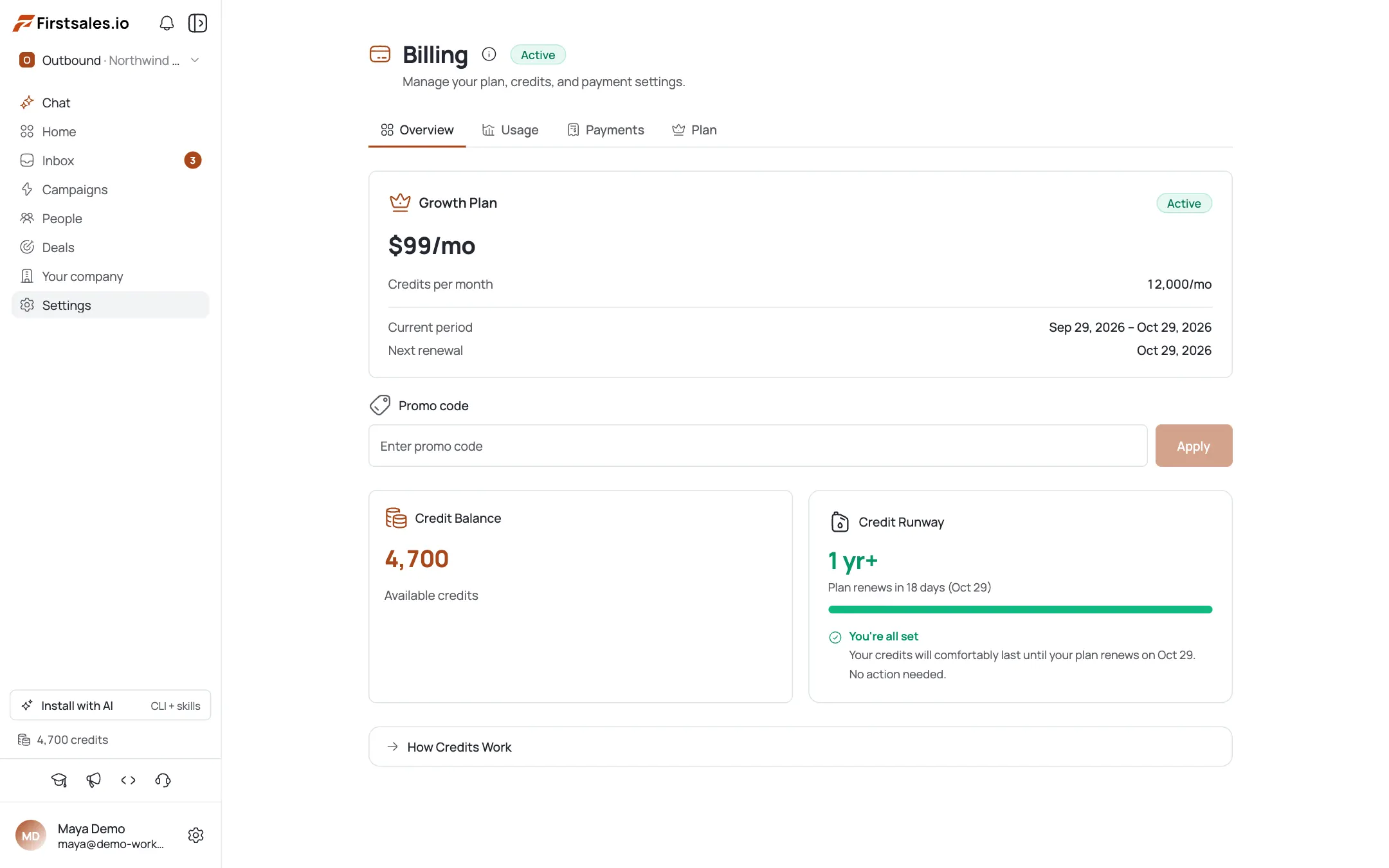
Click the “Top up credits” link on the banner, or go to Billing → Buy top-up credits. Pick a quick amount ($50 / $100 / $250 / $500) or enter a custom amount (minimum $50, maximum $10,000) — $1 = 100 credits. Checkout completes through Dodo.
Resume the skipped work
Once credits land, re-run whatever skipped: re-verify the imported-but-unverified contacts (0.2 credits/contact), and confirm the campaign starts drafting and sending again.
Prevent the next stall
Turn on the low-credit alert in the Alerts center so you’re warned before hitting zero, and top up in advance of any big lead-sourcing run.
Pro tips
You don’t lose imported contacts
Running out of credits doesn't lose your imported contacts: it just skips verifying them. Top up, then re-verify at 0.2 credits each.
Budget before big runs
AI Leads costs roughly 1 credit per lead found plus 0.2 to clean each. Source 1,000 leads and your balance needs to match.
$1 = 100 credits, $50 minimum
Buy a buffer so a mid-campaign zero never stalls your sends.
Turn on the low-credit alert
Getting warned at a threshold beats discovering zero when a campaign goes silent.
Frequently asked questions
Why did my operations start getting skipped?
You hit zero credits. Credit-consuming actions (AI drafting, lead finding, verification) can’t run without balance, so they skip or pause until you top up.
Did I lose the contacts I imported?
No. Imports still complete at zero credits — only the verification step is skipped, shown as “imported but not verified.” Re-verify after topping up.
What does each action cost?
AI Leads is around 1 credit per lead found plus 0.2 per contact to clean; AI email is 2 (Standard) or 8 (Premium); manual email is 1; contact cleaning is 0.2 each. The full authoritative table is in the billing/credits tutorial.
How do I add credits?
Billing → Buy top-up credits. Choose $50/$100/$250/$500 or a custom amount ($50–$10,000). $1 = 100 credits. Payment goes through Dodo.
Is there a minimum top-up?
Yes, $50. The maximum is $10,000 per purchase.
Will my campaign auto-resume after I top up?
The skipped AI actions can run again once you have balance — re-check the campaign and re-verify any contacts that were skipped.
How do I avoid this next time?
Enable the low-credit alert and top up a buffer before large lead-sourcing runs.