Two levels of deletion
You can delete individual contacts, or schedule deletion of an entire workspace or organization. Both are self-serve — no support ticket required.
Delete specific contacts
Go to Contacts, select rows, and use the bulk Delete action. Contacts currently in use by an active campaign may need to be removed from it first, or deletion can fail for that contact.
Open Settings → Privacy
Find Workspace deletion and Organization deletion. You need workspace-delete permission for the workspace, or to be the org owner with org-delete permission for the organization.
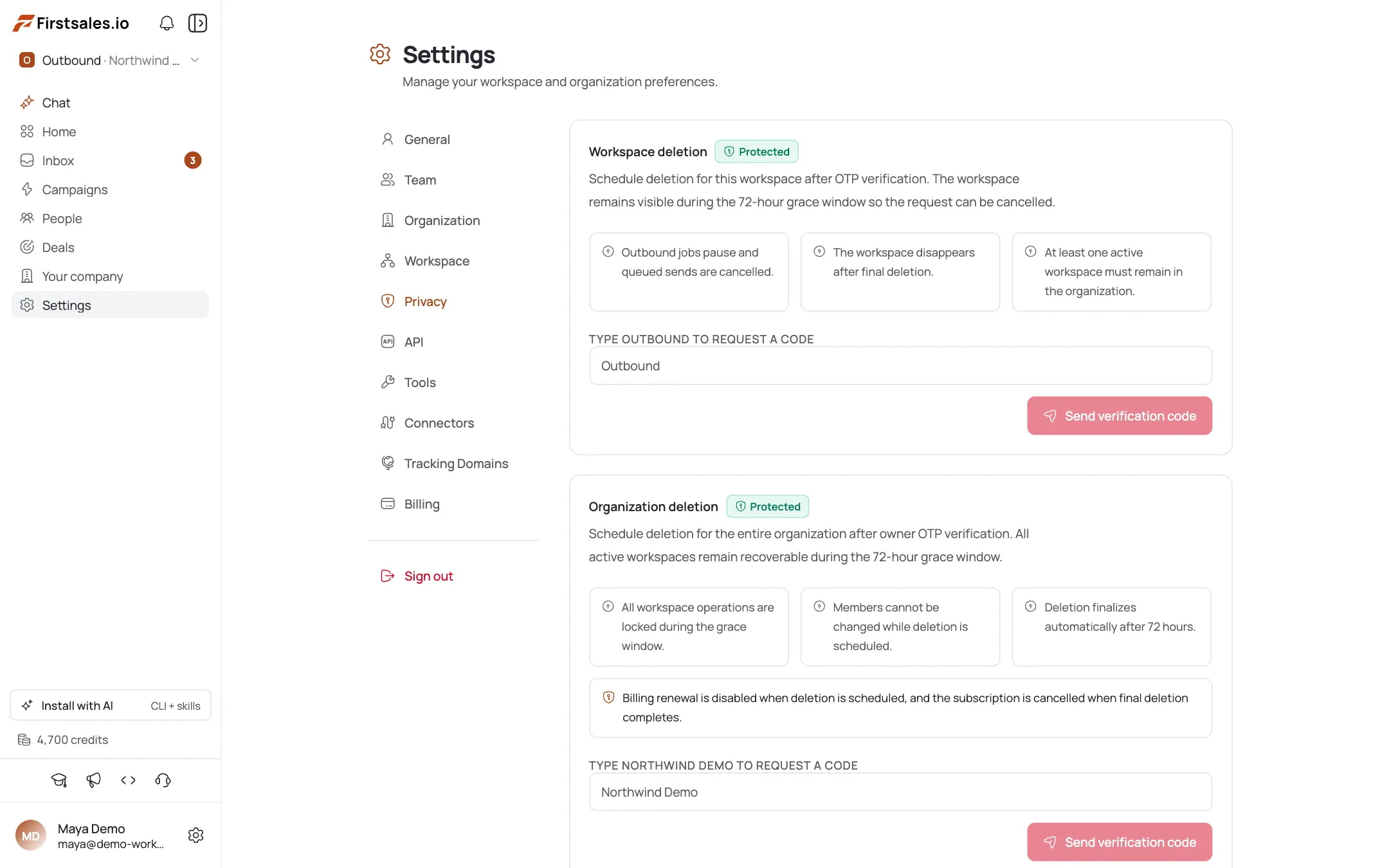
Confirm the target name
Type the exact workspace or organization name to arm the request, then click Send verification code.
Verify with the emailed OTP
Enter the 6-digit code sent to your (masked) email, then click Schedule deletion. Deletion is scheduled for 72 hours from now.
Understand the consequences
Outbound jobs pause and queued sends are cancelled. Organization deletion also disables billing renewal and cancels your subscription when it finalizes. At least one active workspace must remain.
Cancel within the grace window
During the 72-hour window the workspace stays visible and you can hit Cancel deletion any time. After 72 hours it finalizes automatically.
Pro tips
Remove contacts from live campaigns first
Deleting a contact used by a live campaign can fail. Remove them from the campaign (or complete/pause it) first, then delete.
The 72-hour window is your undo button
If you scheduled deletion by mistake, hit Cancel deletion before it finalizes: there's no recovery after that.
Only the owner can delete an org
Organization deletion requires the org owner role plus org-delete permission: a plain admin can't do it. Plan who runs it.
Delete the workspace, not the org, for a single client
Org deletion cancels your subscription on finalize. If you only need to offload one client or workspace, delete just the workspace.
Frequently asked questions
Is data deletion self-serve or do I file a support ticket?
Self-serve. Contact deletion is a bulk action; workspace/org deletion is under Settings → Privacy with OTP verification.
How long until deletion actually happens?
Workspace and org deletions schedule for 72 hours out and can be cancelled any time during that grace window.
Why do I have to type the name and enter a code?
Deletion is destructive, so it requires typing the exact target name plus a 6-digit OTP emailed to the requester — two barriers against accidents.
Who can delete an organization?
Only the organization owner who also has org-delete permission. Workspace deletion needs workspace-delete permission.
What happens to sending when I schedule deletion?
Outbound jobs pause and queued sends are cancelled. Organization deletion also disables billing renewal and cancels the subscription when it finalizes.
Can I delete just one person's data?
Yes — select them in Contacts and use the bulk Delete action. Contacts tied to an active campaign may need removing from it first.