Two different things
Promo codes are instant and self-serve. Refunds are handled case-by-case: mostly through support, with one narrow self-serve exception. Set your expectations up front so you're not hunting for a button that isn't there.
Apply a promo code
Go to Billing → Overview, find the Promo code field, enter your code, and click Apply. On success the discount attaches straight to your subscription.
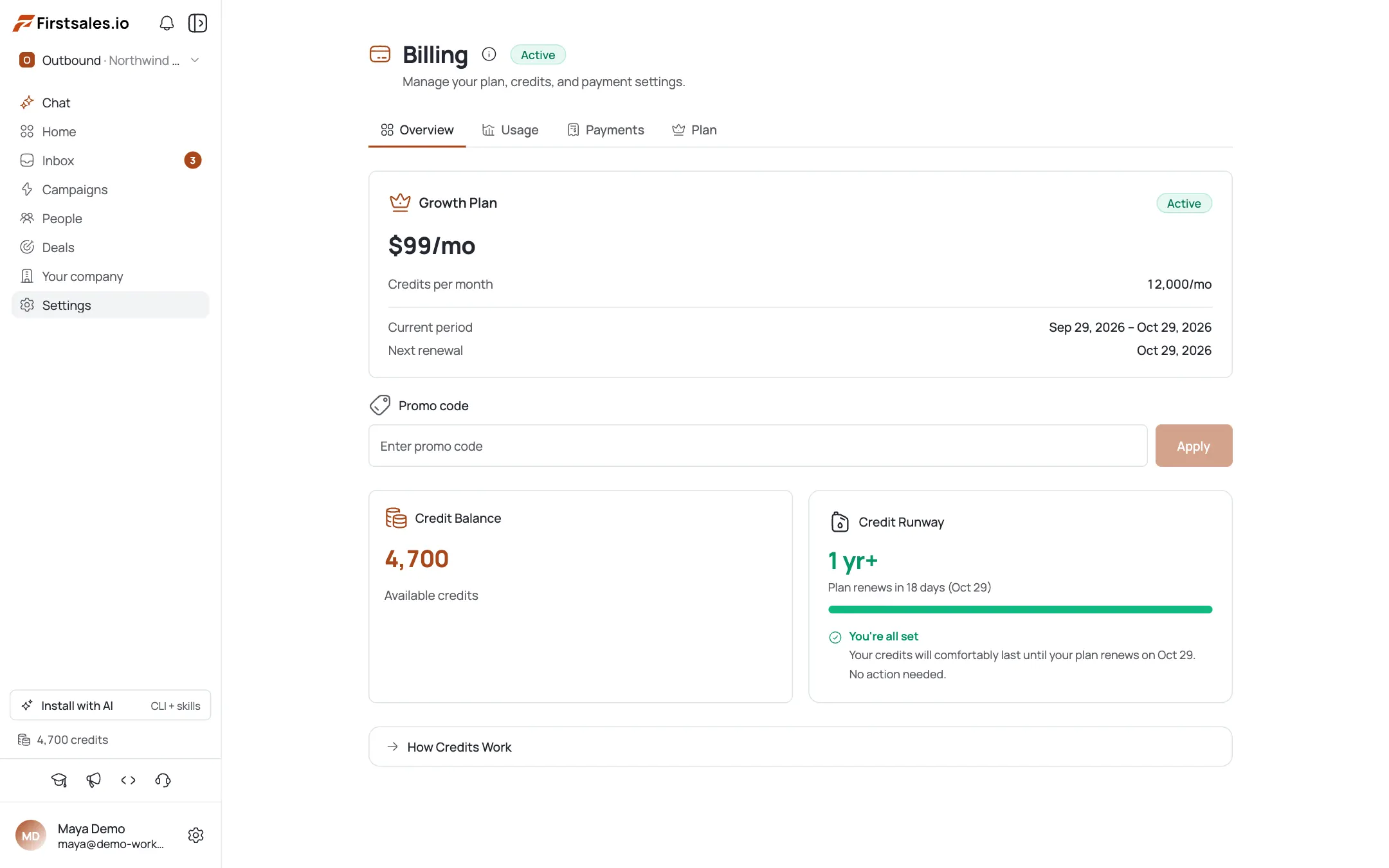
Confirm the promo applied
The Promo code field disappears once a promo is active. The discount percentage and expiry show on your plan. Only one promo code can be active at a time.
How refunds work
There's no one-click “refund” button for a normal charge. Most refunds go through support, who review and process them with the payment provider.
Self-serve refund for a stray (orphaned) payment
If an admin sees a payment marked Orphaned in Billing → Payments (a charge that didn't map to a subscription or credits) a Request Refund button is available. Clicking it files a request; your admin then processes the refund manually in the payment provider portal. This only applies to orphaned charges, not regular ones.
Contact support for everything else
For a normal subscription or top-up refund, reach out to FirstSales support with your organization name and the payment date and amount.
Pro tips
Only one promo code at a time
The Promo code field hides once one is applied: you can't stack a second code on top.
Request Refund only shows for admins on orphaned payments
If you don't see the button, that payment isn't self-refundable: contact support instead.
An orphaned refund request isn't instant
It flags the payment for an admin to process manually in the provider portal, not an automatic reversal.
Keep the payment date and amount handy
When contacting support about a refund, having the exact date and amount speeds up matching the charge.
Frequently asked questions
How do I redeem a promo code?
Go to Billing → Overview, enter the code in the Promo code field, and click Apply.
Why is the promo field gone?
You already have an active promo: only one can be active at a time.
Can I refund my subscription myself?
No: there's no general self-serve refund for regular charges. Contact support.
What is the Request Refund button I see on a payment?
It's admin-only and only appears on orphaned payments. It files a request that an admin then processes manually.
What's an orphaned payment?
A charge that didn't map to a subscription or credits: the one case with a self-serve refund request.
Where do I see refund status?
In Billing → Payments: badges show Refund Requested or Refunded.
Can a non-admin request a refund?
No: the control is admin-only. Ask an org admin, or contact support directly.
Does a promo code stack with a plan discount?
Not something we can confirm here: for stacking edge cases, contact support rather than assuming.