Business development stops when you get busy
A few good placements fill the calendar. Client outreach pauses, and next month's roles dry up.
Industries · Recruiting and staffing
FirstSales finds the right people, writes each one a personal email and follows up until they reply. Use it to reach hiring managers with open roles and candidates who could fill them, each in its own workspace.
$1 for 3 days · Cancel anytime · No contract
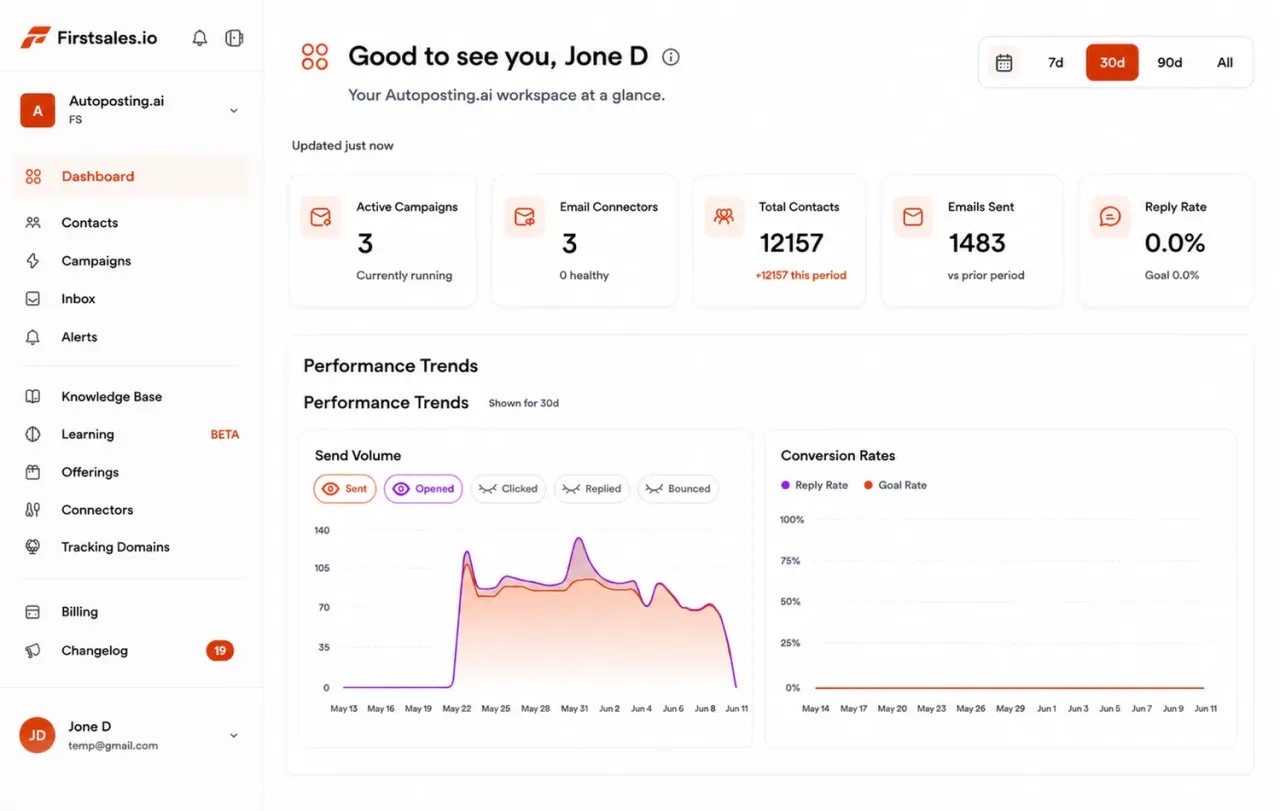
Separate workspaces for client and candidate outreach
Emails that mention the real role and the real need
Unlimited mailboxes, warmed up for 21 days
Start for $1 for 3 days, then from $29/mo
Every desk needs a steady flow of new clients and new candidates. Doing both by hand leaves little time for the calls that place people.
A few good placements fill the calendar. Client outreach pauses, and next month's roles dry up.
Hiring managers and candidates spot a template at once. A line about their actual role or career gets read.
Most replies come after a follow-up. When the desk is busy, the second and third email never go out.
Winning a client and finding a candidate need different lists, different words and different follow-ups. FirstSales runs both, kept apart in their own workspaces.
Outreach to hiring managers and HR leads who need roles filled.
Outreach to people who could fit a role you are working on.
Set up once, then let FirstSales handle the daily outreach for both sides of your desk.
Add mailboxes on a cold-email domain. SPF, DKIM and DMARC are checked and warm-up starts.
Add your process, terms and the roles you work on to the knowledge base. Describe who to reach and FirstSales builds and checks the list.
Each contact gets a personal email about the role or the need. Follow-ups stop on a reply, and interested people get your meeting link.
Everything a recruiting desk needs to run outreach every day, on every plan.
Run client development and candidate outreach in separate workspaces. Workspaces are unlimited.
The AI writes from your knowledge base and each contact's company and job, so every email names a real need.
21-day warm-up, hourly inbox monitoring and a health grade for every mailbox.
Each contact is checked before each send, and Dirty contacts are left out, so bounces stay low.
Team members are unlimited. Add recruiters and researchers without paying per person.
Client and candidate replies land in Unibox, sorted by workspace, so no answer waits.
Four parts of the app do the work recruiters repeat every week.
Add Gmail, Outlook or SMTP mailboxes on a cold-email domain. Mailboxes are unlimited, so share volume across as many as you need.
Add your website, the roles you are filling, your process and your terms. Describe the hiring managers or candidates you want to reach.
Each email starts from the contact's company and job and names the role or need. Follow-ups build on the last email with a new angle, like a matching profile.
Replies land in Unibox. Interested contacts get your meeting link, and the sequence stops on any reply or opt-out.
A cold email reads as help when it lines up with something the company is already doing. These are moments worth writing about, each with a sample opening.
A job post that has been live for weeks often means the in-house search is stuck.
Saw your senior backend role is still on the careers page. Is it slowing a release?
Opening a location means hiring several people at once, often in a new city.
Congrats on the new Leeds office. Are you hiring the first team locally?
A new leader often rebuilds their team in the first months.
Saw you joined as Head of Data. Are you planning to grow the team this year?
A careers page with a long list of new roles points to a hiring push the HR team must carry.
Counted eight new roles on your site this month. Would extra hands help your team?
Niche roles take longer to fill and are where a specialist recruiter helps most.
Your security engineer role asks for a rare mix. We work in that niche every week.
Busy seasons and new projects bring short-term needs that contract staff can cover.
Many warehouses add contract staff before peak season. Is that on your plan?
What works for client development and candidate outreach, in plain words.
Hiring managers reply to emails about their own open role. Name it, say why it is hard to fill and offer one useful next step, like a few matching profiles. Save your agency story for the call.
Run them in separate workspaces with separate lists and knowledge bases. Clients hear about your process and terms. Candidates hear about the role and the team. Neither sees the other's emails.
Say why you picked them, what the role is and what is in it for them. Keep it short and honest. One clear question gets more replies than a long list of benefits.
Each follow-up should add value: a matching profile, a detail about the team or a short market note. FirstSales writes follow-ups that build on the last email and stops them on any reply.
Send cold email from a separate domain with its own mailboxes. FirstSales checks SPF, DKIM and DMARC and warms each mailbox up for 21 days before full volume.
The biggest risk for a desk is a quiet pipeline after a busy month. Let FirstSales keep client development going every day, and review drafts in the approval queue when you have a minute.
On the client side, these are the people who decide to bring in a recruiter, and the angle that gets each one to reply.
Hiring teams hear from recruiters often. These are the doubts that come up most and a calm answer for each.
What they say
What you reply
“We hire in-house.”
Good. Ask which role has been open longest. Offer to help on that one only, alongside their team.
“We already have approved agencies.”
Ask how a new supplier gets added and what they look for. Offer to work one niche role as a trial.
“Your fees are too high.”
Explain what the fee covers and when it is paid. Ask what an unfilled role costs them each month.
“Send me some CVs.”
Send a short summary of matching profiles, with consent from the candidates, and ask for a call to learn the role.
“Recruiters send us poor fits.”
Ask what a good fit looks like. Explain how you screen before you send anyone.
“Not hiring right now.”
Thank them and ask if you can check back next quarter. Your follow-ups stop on their reply.
Run through it before each new campaign. FirstSales does most of it for you.
“One of the best email outreach tools I have ever seen in my 9 years of business experience. It has solved the problem of email outreach for my cold emails.”
 Santhosh K.Founder and CEO, small business · G2
What changes when outreach for both sides of the desk runs every day.
Spreadsheets, templates and memory.
Two workspaces, one login.
Many tools send the same template to everyone. FirstSales writes each email and runs both sides of your desk.
| What you get | Typical tool | FirstSales |
|---|---|---|
| Separate workspaces | Varies | Unlimited on every plan |
| Personal email for each contact | Varies | Written by AI from your knowledge base |
| Mailboxes | Varies | Unlimited on every plan |
| Team members | Varies | Unlimited on every plan |
| 21-day warm-up | Varies | Included |
| Contact checks before each send | Varies | Every send, no add-on |
| Follow-ups stop on reply | Varies | Included |
| Entry price | Varies | $29/mo |
| Start your $1 trial | ||
Candidates and clients both trust you with their details. These general truths help you keep that trust.
This is general information, not legal advice. FirstSales gives you tools to send with care; you decide who to contact and are responsible for following the rules where you and your contacts are.
Real words from real users. No paid reviews.
“User Interface, Ease of Use, Able to hit the inbox in the first attempt.”

Sadashiv B.
Founder, small business
“I've been using FirstSales.io for several months now, and I can confidently say it has revolutionized how I approach lead generation and customer acquisition.”

Paweł Stelmach
Small business owner
“His honest and insightful feedback helped us transform @synchrowork when we started on LTD to what we are building now.”

Sushant Kumar
@sushantkr49
Can’t find yours? Write to us.
Yes. Run each in its own workspace with its own lists, knowledge base and mailboxes. Workspaces are unlimited on every plan.
Yes. The AI writes from your knowledge base and each contact's company and job, so emails name the role or the need, not a generic pitch.
Send from a separate cold-email domain. FirstSales checks SPF, DKIM and DMARC, warms each mailbox up for 21 days and checks inbox placement every hour.
Yes. Each contact is checked before each send, and Dirty contacts are left out, so old candidate lists do not cause bounces.
Yes. Read and approve every draft in the approval queue, or switch to manual mode and send your own templates.
No. Team members, workspaces and mailboxes are unlimited on every plan. Plans start at $29/mo.
Start for $1 for 3 days. Connect a mailbox, describe a role and read the first drafts. No contract: cancel any time from your dashboard.
Connect unlimited mailboxes and let AI agents find leads, write each email and follow up. Or send your own templates in manual mode. From $29/mo.
$1 for 3 days · Cancel anytime · No contract