#Plain text vs HTML cold email: what gets replies
Copy page
TL;DR: Plain text cold email outperforms HTML on deliverability and reply rate for first-touch outreach, because it skips the tracking pixels, external images, and markup that spam filters weigh against a sender's reputation. HTML still earns its place for newsletters, product announcements, and any email where a recipient expects a brand voice. The right move for most cold senders in 2026 is plain text with minimal formatting for the first three touches, then a lighter hybrid format once a reply thread is open.
#Table of contents
- What plain text and HTML actually mean in cold email
- The deliverability case for plain text
- The reply rate evidence
- Where HTML still wins
- Plain text vs HTML: the comparison table
- The hybrid approach that works in 2026
- How to test format on your own list
- Common formatting mistakes that tank replies
- Setting up plain text sending correctly
- 20 frequently asked questions
#What plain text and HTML actually mean in cold email
Plain text email carries no markup.
No fonts, no colors, no embedded images, no tracking pixels.
It looks like a message you typed directly into Gmail or Outlook, because in most inboxes, that is exactly how it renders.
HTML email carries formatting instructions inside the message body.
Bold text, colored buttons, logo images, and open-tracking pixels all live in that markup layer.
Most marketing platforms default to HTML because it looks polished and supports click tracking.
Cold outreach is a different game than newsletter marketing.
A newsletter recipient opted in and expects a branded, formatted email.
A cold email recipient did not opt in, and the message needs to read like it came from a specific person, not a campaign tool.
That distinction is why format choice matters so much more in cold outreach than in lifecycle marketing.
Most email service providers still default new accounts to HTML composition, because HTML is what the broader email marketing industry optimizes for.
Newsletter tools sell templates, drag-and-drop builders, and branded footers, and all of that machinery only exists inside HTML.
Sales engagement platforms inherited that default from marketing tools, even though the two use cases have almost nothing in common.
A newsletter subscriber wants to recognize your brand instantly.
A cold prospect has never heard of you, and a heavily branded email at that moment reads as an ad, not a message.
That mismatch between tool defaults and cold outreach goals is the root cause of most format mistakes.
Sales teams inherit an HTML template because it shipped that way, not because anyone tested it against plain text for their specific list.
#The deliverability case for plain text
Spam filters at Google, Microsoft, and Yahoo score incoming mail before a human ever opens it.
They look at authentication (SPF, DKIM, DMARC), sending reputation, and structural signals in the message itself.
HTML email carries more of those structural red flags by default.
Tracking pixels are a 1x1 transparent image loaded from a third-party server, and filters have gotten good at spotting them.
External image links, redirect-heavy buttons, and complex nested markup all add weight to a spam score that plain text never accumulates.
"The pattern is consistent across B2B nurture testing: plain-text versions of the same email outperform HTML versions on deliverability and open rate, sometimes significantly." (Kalungi, 2026)
That is not a marginal effect.
Multiple independent benchmarks report plain text achieving meaningfully higher open rates than HTML sent to the same list, in some tests over 20 percentage points higher.
Part of that gap comes from inbox placement, not just recipient behavior.
An email sitting in the primary inbox gets opened at a completely different rate than one filtered to spam or promotions.
Plain text also sidesteps the Gmail "Promotions" tab problem, since that classification leans heavily on HTML structure and marketing-style formatting.
If you are running cold email deliverability checks before a new campaign, format is one of the first levers to pull, right alongside SPF, DKIM, and DMARC setup.
Google's bulk sender rules, enforced across 2025 and 2026, do not explicitly ban HTML.
But they do require sub-0.3% complaint rates and sub-2% bounce rates to keep sending, and HTML's spam-trigger surface makes both numbers harder to hit.
For a deeper breakdown of what triggers the spam folder specifically, see why cold emails land in spam.
#Rendering risk across email clients
HTML email has a second problem beyond spam filtering: it does not render consistently.
Gmail, Outlook, Apple Mail, and the dozens of webmail clients in between each interpret HTML and CSS differently, sometimes wildly so.
A button that looks clean in Gmail can appear as a broken gray box in Outlook desktop, because Outlook uses Microsoft Word's rendering engine instead of a standard browser engine.
Images can fail to load entirely if a recipient's client blocks external image requests by default, which many corporate IT policies still do.
When an image fails to load, most clients show a broken image icon or a blank gap where your logo or CTA button should be.
That is the worst possible first impression for a cold email, since it signals sloppiness before the recipient reads a single word.
Plain text has no rendering surface to break.
There is no CSS to misinterpret, no image to fail, no button that collapses into unreadable code across different clients.
The message a sender writes is the message every recipient sees, on every device, in every client, without exception.
For a sales team sending to hundreds of different companies with different IT policies and email clients, that consistency alone is worth the format switch.
#The reply rate evidence
Deliverability gets an email into the inbox.
Reply rate is the number that actually pays the bills.
Plain text wins there too, and the gap is not small.
Independent A/B tests on cold sequences report plain text outperforming HTML by 15 to 25 percentage points on reply rate.
The mechanism is behavioral, not technical.
A heavily formatted email with a logo, colored CTA button, and tracking footer reads as a mass campaign the moment it opens.
Recipients pattern-match that structure to marketing email in under a second, and marketing email gets deleted or ignored, not replied to.
Plain text reads like a colleague wrote it.
That perception shift matters more in cold outbound than almost anywhere else in email marketing, because the entire goal of a first-touch message is to look like one person wrote to one other person.
Average cold email reply rates across benchmarks sit around 3.4%, with top-performing segments reaching 10 to 20%.
Format alone will not move a list from 3% to 20%, but it consistently ranks as one of the highest-impact single changes senders can test.
If your current reply rate benchmarks are below average, format is a cheaper fix than rewriting your entire sequence.
#Does the rule change by industry or deal size
 Does the rule change by industry or deal size
Enterprise sales teams sometimes assume plain text looks too casual for a six-figure deal.
The data does not support that assumption.
Enterprise buyers receive dozens of internal plain text emails daily from colleagues, vendors, and their own leadership, so the format itself carries no stigma.
What actually damages enterprise credibility is a generic HTML template with an obvious mail-merge token, a stock photo, or a logo that does not match the sender's actual company.
Recruiting, professional services, and technical sales all report the same pattern in independent benchmarks: plain text wins the first touch, regardless of contract size.
The one place deal size matters is later in the cycle, once a proposal or pricing sheet needs to travel as an attachment or a formatted document, where HTML or a PDF genuinely serves the recipient better.
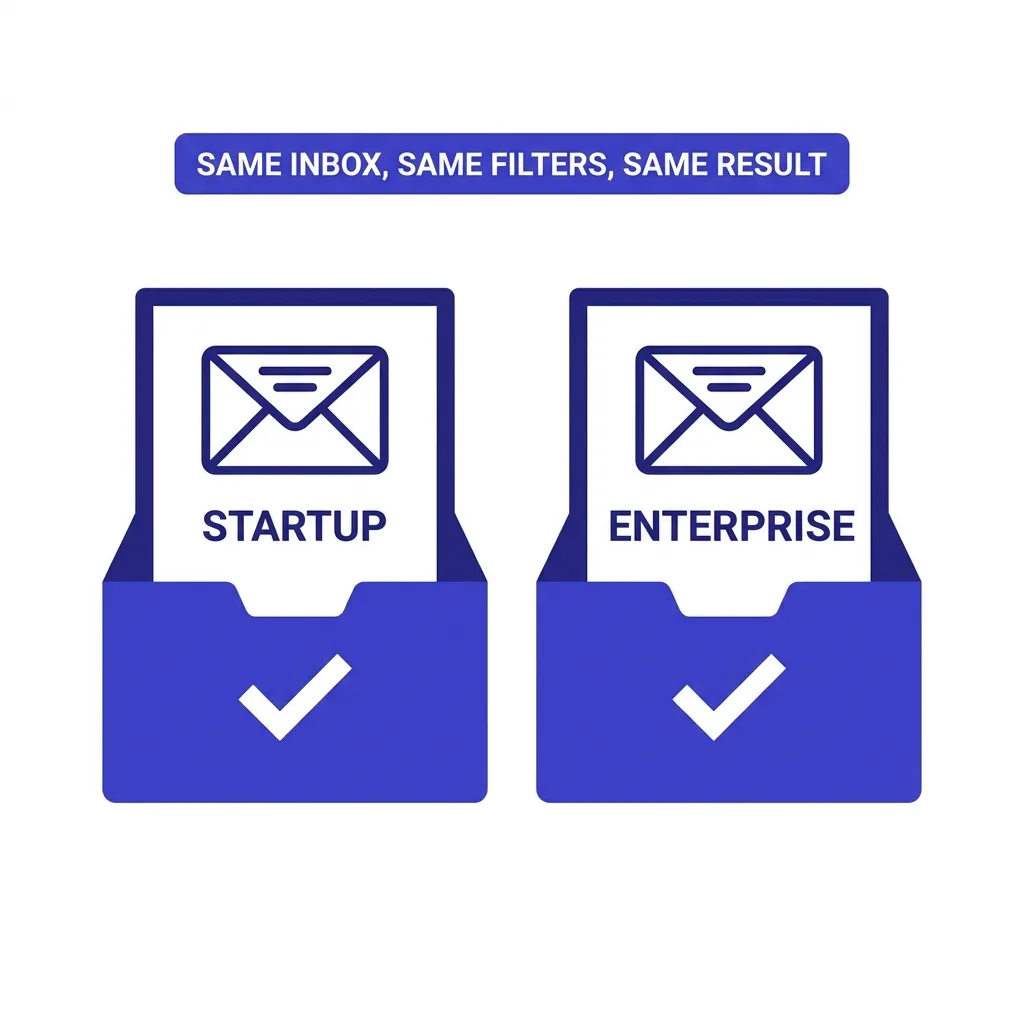
Company size on the recipient side matters less than most senders assume.
A five-person startup and a five-thousand-person enterprise both read cold email in the same inbox, subject to the same spam filters, and both respond better to a message that looks like it came from a person.
#Where HTML still wins
Plain text is not the universal answer.
Product launch announcements, event invitations, and anything with a visual component (a chart, a screenshot, a demo GIF) genuinely need HTML to communicate.
A recipient who already replied and asked "send me a deck" expects something more than raw text back.
Brand-first companies selling to consumers, where visual identity is part of the pitch, also lean HTML for good reason.
And once a prospect is deep in an active deal, a well-designed proposal email with your logo and a clear CTA button can outperform plain text, because at that stage the recipient already trusts the sender and wants clarity over intimacy.
The mistake is not using HTML.
The mistake is using HTML on cold touch number one, before any relationship exists.
Think of format as a trust ladder rather than a fixed rule.
Early touches need to look like a person wrote them, so plain text carries that weight.
Later touches, once a prospect has engaged, can carry more visual information because the recipient already knows who is sending it and why.
A rushed switch to HTML the moment a deal shows momentum is a common overcorrection.
Keep even a warm thread mostly in plain text, and reserve HTML for the specific moment a visual asset genuinely helps the recipient decide, not simply because your team has a template ready to use.
#Plain text vs HTML: the comparison table
| Factor | Plain text | HTML |
|---|---|---|
| First-touch cold email | ✓ Best fit | ✗ Reads as marketing |
| Inbox placement rate | ✓ Higher on average | ✗ More spam signals |
| Reply rate on first touch | ✓ 15-25 pts higher in tests | ✗ Lower |
| Open tracking accuracy | ✗ No pixel tracking | ✓ Native pixel support |
| Product screenshots or demos | ✗ Not supported | ✓ Native support |
| Brand consistency | ✗ Minimal | ✓ Full control |
| Setup speed | ✓ Zero design work | ✗ Requires a template |
| Post-reply nurture thread | ✓ Still strong | ✓ Works well too |
| Mobile rendering risk | ✓ Renders everywhere | ✗ Varies by client |
| Perceived personalization | ✓ High | ✗ Lower |
#The hybrid approach that works in 2026
The senders getting the best results are not choosing one format forever.
They are sequencing formats to match where the prospect is in the relationship.
The pattern above holds for most B2B sequences: plain text carries the entire outbound sequence, and HTML only enters once a prospect explicitly asks for something visual.
Even then, keep the HTML light.
One image, one clear ask, minimal markup.
A heavy HTML deck attached to email number two of a cold sequence undoes the trust you built with three plain text touches.
This is the same logic behind one-line cold emails: the format should get out of the way of the message, not compete with it.
#How to test format on your own list
Do not take any benchmark, including the ones cited above, as gospel for your specific list.
Run a real split test.
Send the identical message to two even segments of your list, one in plain text and one in a lightly formatted HTML version.
Hold the subject line, sender name, and send time constant across both groups.
Measure reply rate, not open rate, since open tracking itself is unreliable after Apple Mail Privacy Protection and corporate bot-scanning inflated open numbers across the industry.
For background on why open rate stopped being a trustworthy metric, see email metrics after open rates died.
Run the test across at least 200 sends per variant before drawing a conclusion, since smaller samples produce noise that looks like a trend.
If plain text wins by a meaningful margin, which it does in most B2B cold contexts, make it your default and stop re-testing it every quarter.
Revisit the test only when your ICP, industry, or list source changes meaningfully.
#Why AI-assisted drafting makes format discipline harder
 Why AI-assisted drafting makes format discipline harder
AI drafting tools generate email copy faster than any human writer, which is exactly why format discipline slips when teams adopt them.
A model asked to "write a cold email" will often default to a friendly, slightly formal structure with a greeting, three short paragraphs, and a sign-off, which is fine as prose but says nothing about the MIME type it gets sent in.
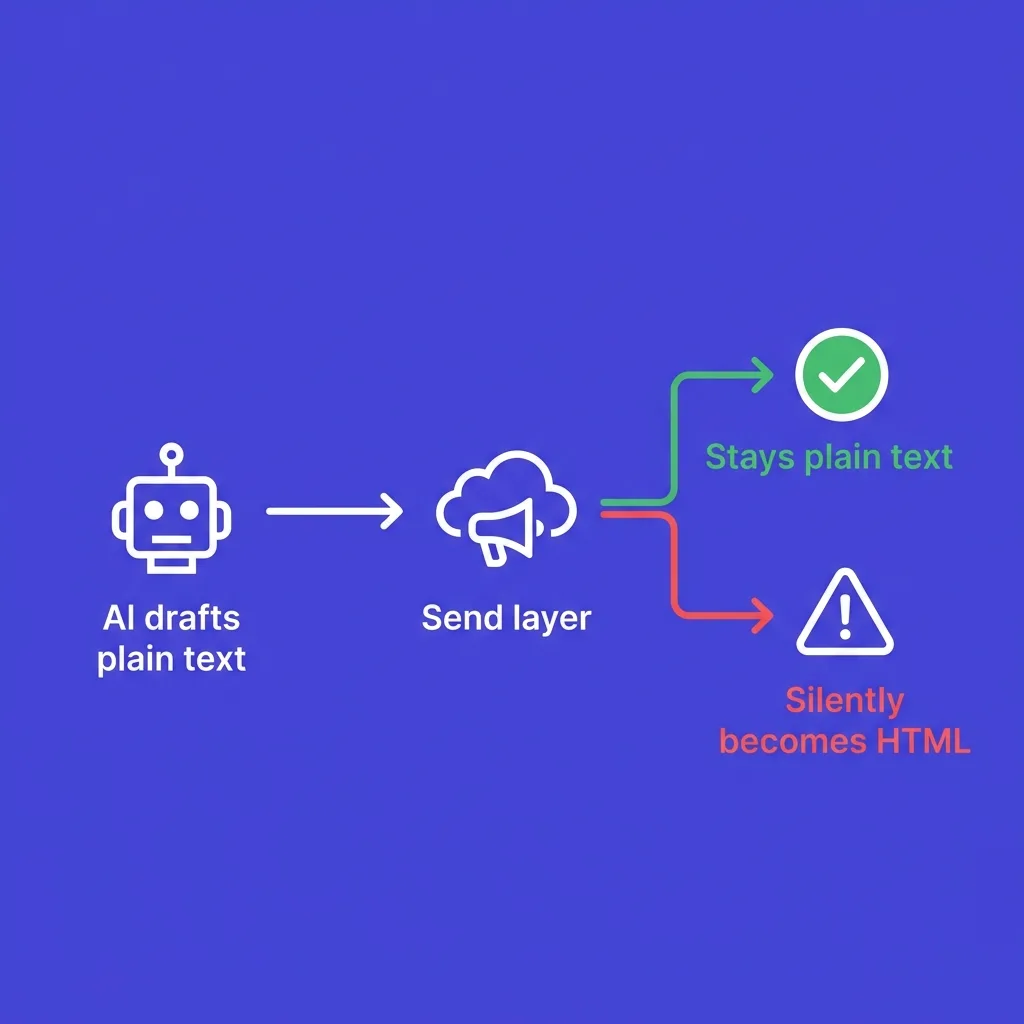
The format decision happens at the sending layer, not the drafting layer, and that separation is where teams lose track of it.
A rep can draft a perfect plain text message and then paste it into a platform that wraps every outgoing email in HTML by default, silently undoing the work.
AI drafts with a human send is the right pattern here: let a model handle the first draft, but keep a human checking both the copy and the actual send format before anything goes out.
Teams running fully autonomous sending without that checkpoint are the ones most likely to discover, months later, that half their volume has been going out as HTML the entire time.
Run a spot check across your active campaigns at least once a quarter: pull five recent sends, view the raw source, and confirm the content type matches what you intended.
That five-minute audit catches format drift before it costs you a full quarter of suppressed reply rates.
#Common formatting mistakes that tank replies
Sending "plain text" that is secretly HTML is the most common mistake.
Many sending tools wrap even a plain-looking message in HTML markup behind the scenes, which negates the deliverability benefit entirely.
Check your raw message source, not just the visual preview, to confirm the format is genuinely text/plain.
Pasting from a rich text editor is the second most common trap.
Copying a message out of Google Docs or a formatted email client and pasting it into your sequence tool often carries invisible formatting, font tags, and spacing artifacts that break plain text rendering on the recipient's side.
Type directly in a plain text editor, or strip formatting before pasting.
Signature blocks are the third leak.
A logo image and three social icons stitched into your email signature turn an otherwise clean plain text email back into an HTML message, because the signature itself is markup.
Keep signatures to a name, title, and one link, written as plain text, not an image.
Over-personalizing to the point of sounding scripted is a separate but related failure.
AI slop in cold email and generic personalization tokens both undercut the plain-text advantage, because the format only works if the writing behind it actually reads like a human wrote it.
#What to measure beyond reply rate
Reply rate is the primary signal, but it is not the only one worth tracking when you run a format test.
Bounce rate matters too, since a spike after switching formats usually points to a technical wrapping issue rather than the format itself.
Spam complaint rate is the metric most senders ignore until it is already a problem, and Google's bulk sender rules require it to stay under 0.3% to keep sending at volume.
Positive reply rate, meaning replies that indicate genuine interest rather than an out-of-office bounce or a hard no, is a better quality signal than raw reply volume.
Track that number separately if your sending tool supports reply classification, since it will tell you whether format changes are improving lead quality or just generating more noise.
Bot clicks and fake engagement inflate click and open numbers on both formats, so treat those two metrics as directional at best, never as your primary decision signal.
#Setting up plain text sending correctly
Most sending platforms, including FirstSales, let you toggle plain text as the default composition mode rather than relying on a sender to remember every time.
Set that default once at the campaign level instead of trusting individual reps to catch it per email.
Confirm your email client or platform is not auto-injecting an HTML wrapper, a tracking pixel, or a "powered by" footer, since some free tools add these without asking.
Test by sending yourself a message and viewing the raw source in Gmail (three dots, "Show original") to confirm it is genuinely text/plain.
Pair the format change with the rest of your deliverability foundation: authenticated sending domain, warmed inbox, and reasonable sending volume.
Format fixes reply rate on emails that already land in the inbox.
It does nothing for emails blocked before delivery, so the underlying authentication and warmup work still has to happen first.
#Format and personalization work together, not separately
Format is not the only lever that determines whether a cold email reads as human or automated.
Personalization quality and format have to align, because a plain text email with a generic, copy-pasted opening line does not fool anyone either.
See cold email personalization mistakes for the failure patterns that undercut even a perfectly formatted message.
The two levers compound.
A plain text email with a specific, researched opening line converts better than either fix applied alone, since the format signals authenticity and the content proves it.
How prospects spot AI-written emails covers the tells that experienced buyers now recognize instantly, regardless of format, so treat format as necessary but not sufficient on its own.
Subject line choice interacts with format too.
A subject line that promises a newsletter ("Your weekly digest") paired with plain text body copy creates a mismatch that confuses spam filters and recipients alike, so keep subject line style consistent with the plain, conversational tone of the body.
#Conclusion
Plain text is the default for first-touch cold email in 2026, not a stylistic preference.
It clears spam filters more reliably, and it reads as a real message from a real person, which is the entire point of a cold email.
HTML earns its place later, once a prospect asks for something visual or a deal is already moving.
Test the split on your own list before committing fully, but expect plain text to win, because the mechanism behind that result (trust, not tracking) does not change by industry.
If you want plain text set as the default composition mode across every sequence without relying on individual reps to remember, FirstSales handles that at the campaign level alongside inbox warmup and deliverability monitoring.
Format is a small change to make and a large one to skip.
#20 frequently asked questions
#Does plain text email really outperform HTML for cold outreach?
Yes, in most B2B contexts, benchmarks show plain text achieving both higher open rates and higher reply rates than HTML sent to the same list.
#Why does plain text avoid spam filters better than HTML?
Plain text carries none of the tracking pixels, external image links, or complex markup that spam filters weight heavily when scoring incoming mail.
#Is plain text email actually just HTML with no styling?
No, genuine plain text uses the text/plain MIME type, while a stripped-down HTML email still carries the text/html type and its associated risk, even if it looks similar visually.
#How do I check if my email is really being sent as plain text?
Open the message in Gmail, click the three-dot menu, and select "Show original" to view the raw source and confirm the content type header.
#Should I use plain text for every single cold email touch?
Use it for the entire cold sequence by default, and switch to light HTML only when a prospect explicitly asks for a visual asset like a deck or demo link.
#Does plain text hurt my ability to track opens?
Yes, plain text has no tracking pixel, so open tracking becomes unreliable or unavailable, which is one reason to measure reply rate instead of open rate as your primary metric.
#Can I still include a link in a plain text email?
Yes, a raw URL or a simple text link works fine in plain text and does not trigger the same spam signals as an HTML button or image-based CTA.
#What about my email signature, does that count as HTML?
A signature with a logo image or social icons is technically HTML markup, so keep signatures to plain text with a name, title, and one link to preserve the plain text benefit.
#Is HTML ever better for reply rates?
In narrow cases, yes, particularly consumer brand outreach or communications after a prospect has already engaged and expects a polished, branded message.
#How much higher is the reply rate for plain text specifically?
Independent A/B tests report a 15 to 25 percentage point improvement in reply rate for plain text over HTML on comparable cold sequences.
#Does the hybrid approach mean alternating formats randomly?
No, the hybrid approach means staying in plain text for the entire outbound sequence and switching to HTML only after a prospect requests something visual, not alternating without reason.
#Will switching to plain text fix a spam problem by itself?
No, format is one factor among several, and it will not compensate for missing authentication records, a cold sending domain, or a sending volume that exceeds your reputation.
#Do free email tools sometimes inject HTML into "plain text" messages?
Yes, some free or unpaid sending tools quietly add a promotional footer or tracking pixel even when a message looks plain, which is why checking raw message source matters.
#How do I A/B test plain text vs HTML properly?
Hold subject line, sender identity, and send time constant, split your list evenly, and measure reply rate over at least 200 sends per variant before drawing a conclusion.
#Does plain text work the same across Gmail, Outlook, and Yahoo?
Plain text renders consistently across all major clients because there is no markup to break, unlike HTML, which can render differently depending on the client's rendering engine.
#What about mobile rendering, does format matter there too?
Plain text avoids the layout-breaking issues that HTML sometimes has on mobile clients, since there is no responsive design to fail.
#Should sales reps write cold emails in a rich text editor like Google Docs?
No, writing or pasting from a rich text editor often carries hidden formatting that converts a plain-looking message into HTML behind the scenes.
#Does plain text look unprofessional to enterprise buyers?
Not typically, since enterprise buyers receive plenty of plain text internal email daily and recognize the format as normal business communication, not a downgrade.
#Is it worth attaching a PDF instead of using HTML for visuals?
An attachment can work once a relationship is established, but avoid attachments on early cold touches, since they add another spam signal before trust exists.
#How does FirstSales handle plain text vs HTML sending?
FirstSales lets teams set plain text as the default composition mode across a campaign, paired with inbox warmup and deliverability monitoring, so the format choice does not depend on individual sender habits.
Sources: Kalungi: Why plain-text emails get better deliverability, Litmus: Ultimate guide to dark mode