Where subscription lives
Everything is on the Billing page's Plan tab: change your plan, toggle auto-renewal, and cancel, all from one place.
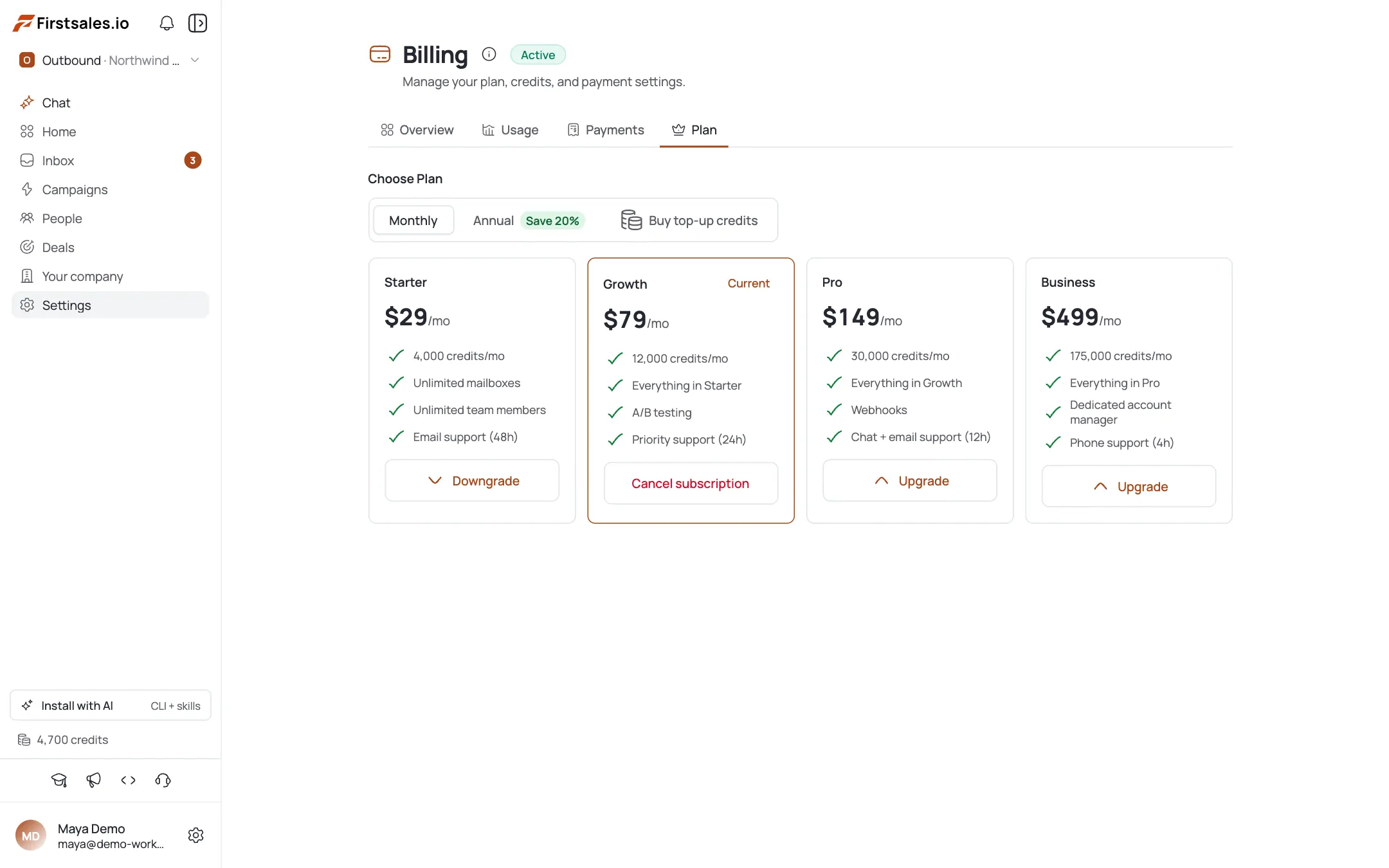
Compare plans (monthly vs. annual)
Four tiers (Starter, Growth, Pro, and Business) each with a monthly price and an annual price marked “Save 20%”, plus a monthly credit grant. Use the Monthly/Annual toggle to see both.
Upgrade or downgrade
Use the plan switcher to move up or down a tier. The app tells you whether the change takes effect immediately or at period end: read that line before you confirm.
Switch monthly → annual
Switching to annual locks in the 20%-off yearly rate for your current plan.
Toggle auto-renewal (annual plans)
Annual subscriptions show a Renewal section with an auto-renewal toggle. Turning it off means your current term runs to its end date, then simply stops renewing.
Cancel: and what actually happens
Cancelling preserves your credits and gives you a grace period with full access: monthly plans get a 10-day grace period, annual plans disable auto-renewal and get a 30-day grace period after the term ends, and a trial gets a grace period before lock. There's a two-step confirmation before anything executes.
Reactivate / fix past-due
If you cancelled, you can reactivate. A past-due banner prompts you to update payment, and a grace-period banner shows how much time is left. See Buy Credits: One-Off Top-Ups and Apply a Promo Code & Request a Refund if those apply to your situation.
Pro tips
Cancelling doesn't wipe your credits
They're preserved, and you keep full access through the grace period: 10 days on monthly, 30 days after an annual term ends.
On annual, cancel really means disable auto-renewal
You keep everything until the term's end date; it just doesn't renew after that.
Read the immediate-vs-period-end line
Upgrades and downgrades tell you exactly when the change applies: check it before you confirm.
Handle past-due first
If you see a dunning banner, update your payment method before it interrupts sending.
Frequently asked questions
Where do I change my plan?
Billing → Plan tab.
Do I lose my credits if I cancel?
No: credits are preserved and you keep access through the grace period.
How long is the grace period?
Roughly 10 days on monthly plans; annual continues to the term end and then a 30-day grace period; trials get a grace period before lock.
What's the difference between cancel and disable auto-renewal?
On an annual plan they're the same action: the current term runs out, then it stops renewing.
Does upgrading charge me right away?
It depends: the app shows whether the change is immediate or applies at period end.
Can I switch from monthly to annual?
Yes: switching to annual gets you the 20% yearly rate.
Where's the auto-renewal toggle?
Plan tab → Renewal section, shown for annual subscriptions.
My account is past due: what do I do?
Follow the dunning banner to update payment; the grace-period banner shows how much time is left before access is affected.