Organizations vs. workspaces
An organization is your top-level account: it owns billing, members, and one or more workspaces. A workspace is a self-contained sending environment inside the org: its own mailboxes, campaigns, contacts, knowledge bases, and offerings. Use separate workspaces to keep clients, brands, or teams cleanly apart.
Switch between them
Use the switcher in the sidebar to move between organizations and workspaces. It shows your current org and workspace; pick another to change context. Everything you see (campaigns, contacts, settings) is scoped to the selected workspace.
Create a workspace
From the switcher, choose Create workspace. The wizard asks for a name and basic profile. New workspace starts empty: connect mailboxes and build campaigns fresh. This is the right move for a new client or a distinct sending identity you don't want mixed with existing sends.
Create an organization
Need fully separate billing and membership? Create organization from the switcher. A new org has its own credit balance, plan, member list, and workspaces: nothing is shared with your other orgs. Most teams need only one org with several workspaces; reach for a second org only when billing or ownership must be separate.
Configure organization settings
In Settings, the organization section holds the org name, its ID (used by the API and CLI), industry, company size, and address. Keep these accurate: the org ID is what you pass to
--orgin the CLI, and the profile feeds AI context and billing records.Configure workspace settings
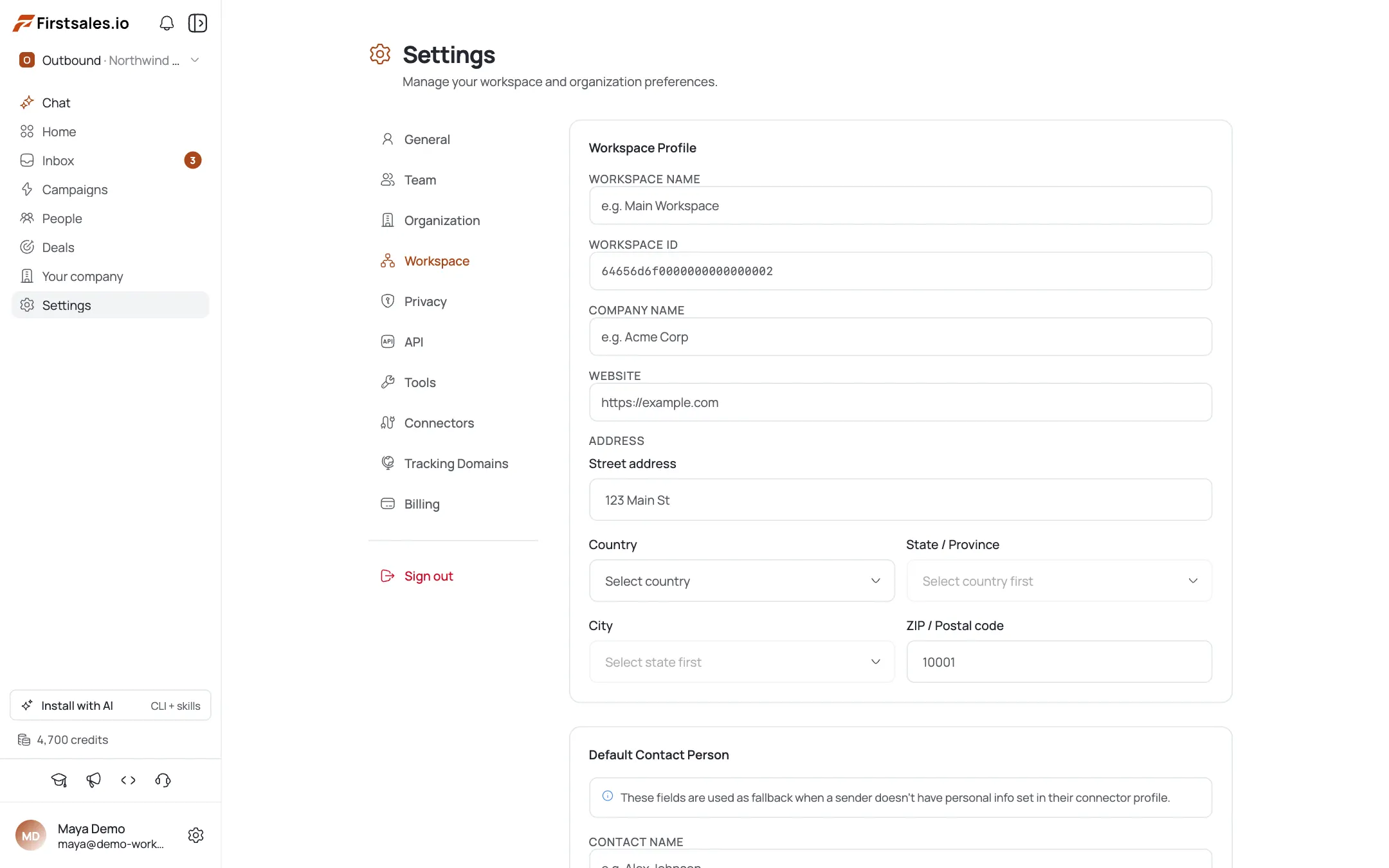
Each workspace has its own profile plus a Default Contact Person: the fallback sender identity used when a campaign or contact doesn't specify one. Set this so drafts always have a sensible "from" persona. Workspace settings also gate which mailboxes and content that workspace can use.
Scope people to workspaces
Members and their permissions are workspace-scoped. When you invite someone, you choose which workspaces they can access and their role in them. This lets one org host multiple client workspaces where each contractor only sees the workspace they're assigned to.
Pro tips
One org, many workspaces: usually
Separate workspaces (not separate orgs) is the right split for clients or brands: shared billing and members, isolated sending. Make a second org only when billing or ownership truly must be separate.
Set the Default Contact Person early
It's the sender fallback for drafts. Configure it per workspace up front so no campaign ends up with a blank or wrong 'from' identity.
Keep the org ID handy for automation
The org ID in Settings is exactly what the CLI/API want for --org. Grab it once and store it in your scripts' env instead of re-looking-it-up each time.
Isolate clients with workspaces
A workspace per client keeps contacts, mailboxes, and campaigns from bleeding across accounts: and lets you scope each contractor to just their workspace.
Frequently asked questions
What's the difference between an organization and a workspace?
An organization owns billing, members, and workspaces. A workspace is an isolated sending environment (mailboxes, campaigns, contacts, KBs) inside the org. One org can hold many workspaces.
How do I switch workspaces?
Use the switcher in the sidebar to select a different organization or workspace. Everything in the app is scoped to whatever's selected.
When should I create a second organization?
Only when you need separate billing and membership. Orgs don't share credits, plans, or members. For separating clients or brands under one account, use multiple workspaces instead.
What is the Default Contact Person?
A per-workspace fallback sender identity used when a campaign or contact doesn't specify one. Set it so AI drafts always have a sensible 'from' persona.
Where do I find my organization ID?
In Settings, under the organization section. It's the value you pass as --org to the CLI and API.
Can a member be in some workspaces but not others?
Yes: access is workspace-scoped. On invite (or later via Edit workspace access) you choose which workspaces someone can reach and their role in each.