Skip to content
NewSee how

Industries · Insurance

Cold email for insurance agencies: reach business owners at the moment their cover needs a fresh look.

FirstSales finds the businesses that fit the lines you write, spots a real change like new vans or a new site, and writes each owner a plain email about it. It follows up until they reply, and stops the moment they do.

$1 for 3 days · Cancel anytime · No contract
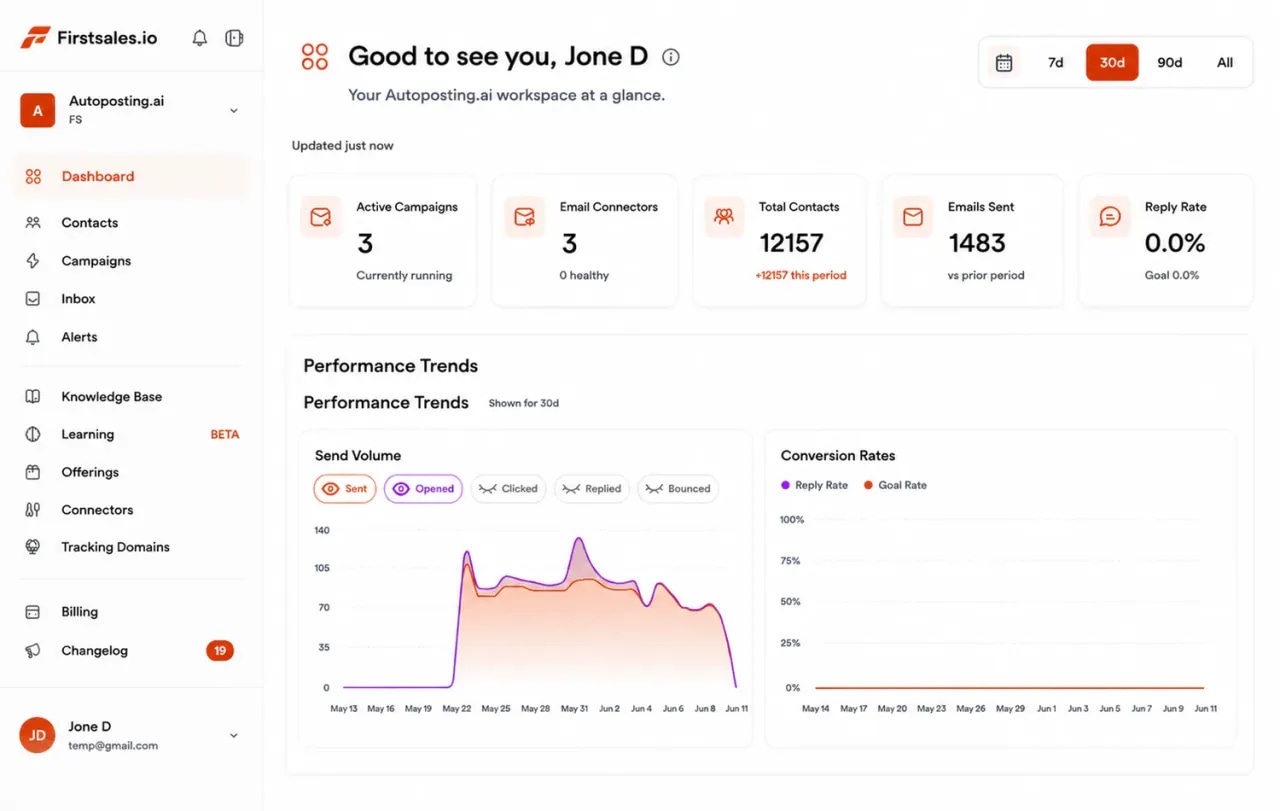
FirstSales dashboard for an insurance agency showing active campaigns, connected mailboxes, contacts, emails sent and a sending volume chart
  • 01

    Written only from the lines and wording you add to the knowledge base

  • 02

    Approval queue and manual mode to review before anything sends

  • 03

    Unlimited mailboxes, with a 21-day warm-up

  • 04

    Start for $1 for 3 days, then from $29/mo

The problem

Business owners ignore insurance emails that could have been sent to anyone.

Owners hear from brokers all year. Most emails offer to save money and say nothing about the business. That gets deleted, and the agency moves on to the next list.

Every email sounds the same

Save on your premiums is the line every owner has read a hundred times. It gives them no reason to reply.

Timing is a guess

Owners think about cover when something changes or renewal is close. Emails sent at random miss both.

Producers forget to follow up

A busy producer sends one email and moves on. The owner who meant to reply after renewal never hears back.

Reasons to write

Cover matters most when a business changes, so write when it does.

A cold email about insurance lands when it names a real change. These are the moments that make an owner rethink their cover, with a sample first line for each.

  • A new site or location

    A new office, shop or warehouse brings new property and liability questions.

    Sample first line

    Saw you opened a second shop on Main Street. Did the property cover move with you?

  • More vehicles on the road

    New vans or trucks change what a fleet policy needs to cover.

    Sample first line

    Noticed a few new vans with your logo. Are they all on the fleet policy yet?

  • Hiring a bigger team

    More staff can change workers' cover, benefits and the risks a business carries.

    Sample first line

    You are hiring for four roles right now. Has your cover been checked for a bigger crew?

  • A new contract or client

    Large clients often ask for proof of cover or higher limits before work starts.

    Sample first line

    Congrats on the new council contract. Do they need certificates or higher limits from you?

  • Renewal season coming up

    The weeks before renewal are when owners compare options and ask questions.

    Sample first line

    Most policies like yours renew in spring. Would a quick cover check before then help?

  • A newly opened business

    A new business often starts with the bare minimum and needs a proper review.

    Sample first line

    Congrats on opening this year. Did you get a chance to review cover beyond the basics?

How it works

From the lines you write to a booked cover review, in three steps.

Set it up once, review as much as you need, and let FirstSales research, write and follow up.

  1. 01

    Connect a separate domain

    Add mailboxes on a cold email domain, not your main agency domain. SPF, DKIM and DMARC are checked and warm-up starts.

  2. 02

    Teach it your lines

    Add the lines you write, the carriers you work with and your approved wording. Describe the businesses you cover and FirstSales builds the list.

  3. 03

    Send, follow up and book

    Each email names a real change in the business. Follow-ups stop on a reply, and interested owners get your meeting link.

What you get

Outreach that sounds like a broker who knows the business.

Everything an agency needs for steady, honest outreach, in every plan.

  • Only your lines and wording

    The AI writes only from your knowledge base, so it talks about the lines you write and nothing else.

  • Reasons to write

    Each email opens with a real change, like new vans, a new site or a hiring push.

  • Review before sending

    Approve, edit or reject drafts in the approval queue, or use manual mode so every email is checked.

  • Clean lists

    Every contact is checked before each send, and Dirty contacts are left out to protect your domain.

  • Follow-ups timed for renewal

    Spaced follow-ups that keep you in mind until renewal, stopped on any reply or opt-out.

  • A workspace per line or office

    Run commercial, fleet or benefits in separate workspaces. Unlimited workspaces and team members.

Set up insurance outreachthat owners actually read.

Four parts of the app do the work a producer would do by hand, with checks where you need them.

  1. Connect

    Send from a separate, trusted domain

    Add Gmail, Outlook or SMTP mailboxes on a cold email domain. Mailboxes are unlimited, so spread volume across as many as you need with sending rotation.

    • SPF, DKIM and DMARC checks. Per domain, with the exact fix when a record is missing.
    • 21-day warm-up. Three phases before full volume.
    • Health grade. Each mailbox gets a grade and hourly monitoring.
  2. Teach

    Teach it the lines you write

    Add your lines of business, carrier panel, claims support and the wording your agency has approved. The AI writes only from what you add.

    • Knowledge base. Lines, carriers and approved wording in one place.
    • Offerings. Each line with its own buyer and message.
    • Lead list from a description. Every contact checked before each send.
  3. Write

    Emails that name a real change

    Each email opens with something true about the business, like new vans or a new site, and asks one simple question. No price, no promise.

    • Writing profile. Keeps your tone plain and helpful.
    • Approval queue. Approve, edit or reject drafts before they send.
    • A/B tests. Try two openings and keep the one owners answer.
  4. Reply

    Turn replies into cover reviews

    Replies land in Unibox. Interested owners get your meeting link, and the sequence stops on any reply or opt-out.

    • Unibox. Every reply from every mailbox in one inbox.
    • Stops on reply or opt-out. No follow-up after a no.
    • Meeting link. Interested replies get your booking link.
Who you write to

The owner signs the policy, but others feel the risk first.

Commercial cover is usually bought by an owner, with input from people who run the day to day. These are the people, what they care about and the angle that earns a reply.

  • 01

    Business owner

    What they care about
    Being covered when something goes wrong, without paying for what they do not need.
    The angle that earns a reply
    Name the change in their business and offer a short, plain review of their cover.
  • 02

    Operations or fleet manager

    What they care about
    Vehicles, sites and equipment that stay on the road and on the job.
    The angle that earns a reply
    Talk about the vehicles or sites they run and what a claim would mean for the work.
  • 03

    Finance lead or CFO

    What they care about
    Predictable premiums and no surprises at renewal.
    The angle that earns a reply
    Offer to explain how their cover is built and where costs come from, in plain words.
  • 04

    HR or people lead

    What they care about
    Staff cover and benefits that people understand and use.
    The angle that earns a reply
    Stay on staff and the time it takes to manage cover. Never promise prices before underwriting.
  • 05

    Safety or risk lead

    What they care about
    Fewer incidents and a record that helps at renewal.
    The angle that earns a reply
    Ask how they track incidents and offer a simple way to show that work at renewal.
  • 06

    Office manager

    What they care about
    Certificates and paperwork that are ready when a client asks.
    The angle that earns a reply
    Mention how quickly you turn around certificates and policy changes.
Plain guide

How to cold email as an insurance agency.

What works when you sell cover to owners who already have a broker.

  1. 01

    Open with a change, not a discount

    New vans, a new site, a bigger team or a new contract are real reasons to talk about cover. A discount line is not.

  2. 02

    Write to one line of business at a time

    A fleet email and a liability email are different emails. Keep each campaign to one line and one kind of business.

  3. 03

    Offer a review, not a price

    Prices depend on underwriting. A short cover review is honest, easy to say yes to and leads to a real quote.

  4. 04

    Time it around renewal

    Owners compare options in the weeks before renewal. Spaced follow-ups keep you in mind until then.

  5. 05

    Respect the broker they have

    Offer a second look, not a switch. Owners trust a broker who does not trash the competition.

  6. 06

    Keep claims and promises out

    Never say a claim will be paid or a policy covers something before underwriting. Plain words build more trust.

“I have always struggled in cold outreach. However, Firstsales has provided an excellent tool for cold outreach.”
Kaushal S.Founder, small business · G2
Real objections

What business owners say to an insurance cold email, and what to say back.

Most owners already have a broker and little time. These are the pushbacks you will hear most, with a calm answer to each.

  • “We already have a broker.”

    Respect that. Offer a second look before renewal, with no need to switch unless the review shows a gap.

  • “Just send me a price.”

    Explain that a fair price needs a few details first, and offer a short call to get them right.

  • “Insurance is all the same.”

    Name one thing that often differs for a business like theirs, such as limits or what counts as a claim.

  • “We renewed last month.”

    Thank them and ask when the next renewal is. FirstSales stops the sequence on their reply, so set a reminder.

  • “How did you get my email?”

    Say plainly that you found their business through public sources and offer to remove them.

  • “We have never made a claim.”

    Agree that is good news, and say a review is about being ready, not about past claims.

Before you send

Insurance outreach checklist

Run through it before each new campaign. FirstSales handles most of it for you.

  • A cold email domain that is not your main agency domain
  • SPF, DKIM and DMARC set up on each sending domain
  • Warm-up running for 21 days
  • Only lines you are licensed for in the knowledge base
  • No prices or claim promises in the writing profile
  • Your agency name and role in every email
  • Every contact checked and Dirty contacts left out
  • One line of business per campaign
  • Follow-ups spaced out toward renewal
  • Your meeting link ready for interested replies
Care by default

Insurance outreach carries extra rules, so keep every email plain and honest.

Insurance selling is often licensed and regulated. These general truths help keep your outreach accurate and easy to stand behind.

  • Only sell what you are licensed to sellWrite about the lines and regions you hold a licence for. Keep your knowledge base to those lines only.
  • Never promise cover or claim outcomesDo not say a claim will be paid or that a policy covers something before underwriting. Describe what you review, not what you promise.
  • Do not quote prices in a cold emailPrices depend on underwriting. Offer a review or a quote, not a number.
  • Say clearly who you areName your agency and your role in every email. Owners check who is writing before they reply.
  • Make opting out easyGive a simple way to opt out in every campaign. FirstSales stops follow-ups when someone replies or opts out.
  • Know the rules where you sellInsurance marketing and business email rules differ by country, state and line of business. Check which apply to you before you send.

This is general information, not legal or compliance advice. FirstSales gives you tools to send with care; you decide who to contact and are responsible for following the rules that apply to your agency and your contacts.

Before and after

Insurance outreach, before and after FirstSales

What changes when every email has a real reason to exist.

The usual way

Same pitch, every owner.

  • Save on premiumsThe line every owner deletes.
  • Random timingMisses changes and renewals.
  • One email, then silenceOwners who meant to reply drift off.
  • Every line in one pitchNothing feels written for them.
  • Bought lists, uncheckedBounces hurt the domain.
  • Replies scatteredInterested owners wait.
With FirstSales

The right note at the right time.

  • A real change in the businessA reason to reply.
  • Follow-ups toward renewalStopped on any reply or opt-out.
  • A cover review on offerEasy to say yes to.
  • One line per campaignEach email fits the reader.
  • Contacts checked firstDirty contacts out before each send.
  • UniboxEvery reply in one inbox.
Why agencies switch

Insurance outreach: FirstSales vs a typical tool

Many tools send a template to a list. FirstSales writes each email from your lines and a real change in the business.

Outreach features for insurance agencies in FirstSales and a typical cold email tool
What you getTypical toolFirstSales
Emails written only from your linesVariesAI writes only from your knowledge base
Opens with a real change in the businessVariesIncluded
Approval queue and manual modeVariesIncluded
SPF, DKIM and DMARC checksVariesIncluded, per domain
MailboxesVariesUnlimited on every plan
21-day warm-upVariesIncluded
Contact checks before each sendVariesOn every send, no add-on
Starting priceVaries$29/mo
Start your $1 trial

Questions,answered plainly.

Can’t find yours? Write to us.

01Does cold email work for insurance agencies?

Yes, when each email names a real change in the business and offers a plain review. FirstSales writes from your lines and approved wording, and never adds prices or promises you did not write.

02Who should we write to?

Usually the business owner, with operations, finance, HR or the office manager depending on the line. Each role gets its own angle.

03What is a good reason to write to an owner?

A real change: new vehicles, a new site, a hiring push, a new contract or renewal coming up. Those make an owner rethink their cover.

04Can we review emails before they send?

Yes. Use the approval queue to approve, edit or reject drafts, or manual mode so nothing sends until a person approves it.

05Should the email include a price?

No. Prices depend on underwriting. Offer a short cover review instead, and quote after you have the details.

06How do we protect our main agency domain?

Send from a separate cold email domain. FirstSales checks SPF, DKIM and DMARC, warms each mailbox for 21 days in three phases and gives it a health grade with hourly monitoring.

07How do I try it?

Start for $1 for 3 days. Connect a mailbox, add your lines and approved wording, and read the first drafts in manual mode. No contract: cancel any time from your dashboard.

Outreach that keeps going after you log off.Leads, emails, follow-ups and replies, handled.

Connect unlimited mailboxes and let AI agents find leads, write each email and follow up. Or send your own templates in manual mode. From $29/mo.

$1 for 3 days · Cancel anytime · No contract

Install with AI

Your coding agent sets up the FirstSales CLI and skills for you.

Prompt for Claude Code

I'm setting up FirstSales (https://firstsales.io), an AI outbound sales platform: campaigns, contacts, a reply inbox, deliverability and lead signals. Help me get my workspace sending real, good emails end to end, from Claude Code.

Read these first so you know how FirstSales works:
- Developer docs and API: https://developer.firstsales.io
- CLI: https://www.npmjs.com/package/@firstsales.io/cli
- Skills for coding agents: https://github.com/firstsalesio/firstsales-skills (read README.md and GUIDE.md)

Setup
1. Install the CLI: npm install -g @firstsales.io/cli
2. Install the FirstSales skills:
   claude plugin marketplace add firstsalesio/firstsales-skills
   claude plugin install firstsales@firstsales
3. Ask me if I already have a FirstSales account. If not, send me to https://app.firstsales.io to sign up.
4. Ask me to create an API key under Settings → API → API Keys, with only the scopes we need.
   Never ask me to paste the key into this chat. Tell me to run this in my own terminal, so the key stays hidden:
   read -rs FS_KEY && firstsales auth login --api-key "$FS_KEY"; unset FS_KEY
5. Run `firstsales whoami` and tell me which workspace and organisation we are connected to.

Then ask me about my business: what I sell, who I sell to (roles, company size, countries), my best customers, and what I use today for outbound (tools, lists, mailboxes). Walk me through:
1. Teaching FirstSales my business: website, offer, proof points and case studies in the knowledge base, so the AI writes like someone who knows the product.
2. Connecting my sending mailboxes and checking my sending domain: SPF, DKIM, DMARC and warm-up. If anything is unhealthy, tell me the exact DNS record to add.
3. Bringing in contacts: import my CSV or CRM export into a clean list, remove duplicates and bad emails, and block domains I must never email (customers, competitors, my own).
4. Building my first campaign: the right list, senders, steps and timing. Write the sequence with me, show me the drafts, and do not launch until I say yes.
5. Setting up Signals if it fits: find people engaging with LinkedIn posts about topics my buyers care about, and turn them into leads.
6. Inviting my team and giving each person the right access.

Once campaigns run, show me how to work the reply inbox from here: which replies need an answer, draft responses in my voice, and move good conversations into deals. If I use Cal.com, connect it so follow-ups can offer my booking link (not the first email).

Throughout, as you learn about my business, proactively suggest and help create:
- Reply templates for the questions and objections my prospects are likely to raise, based on my product, site and codebase if you can see them.
- Campaign ideas and segments worth testing, with the reason for each.

Safety rules:
- Show every change as a dry run (--dry-run) first and wait for my yes. Never send emails, launch campaigns or delete anything without my yes.
- Tell me before anything that spends credits, and how many.

Be opinionated. If the docs give a sensible default, just use it. Don't make me choose between five options.