Inboxes full of vendors
A curriculum director hears from apps, publishers and platforms every week. A generic note that could go to any school gets deleted.
Industries · EdTech
FirstSales finds schools, districts and universities that fit your product, spots something real like a new program or plan, and writes each one a short email about it. It follows up until they reply, then stops, so the conversation lands with your team.
$1 for 3 days · Cancel anytime · No contract
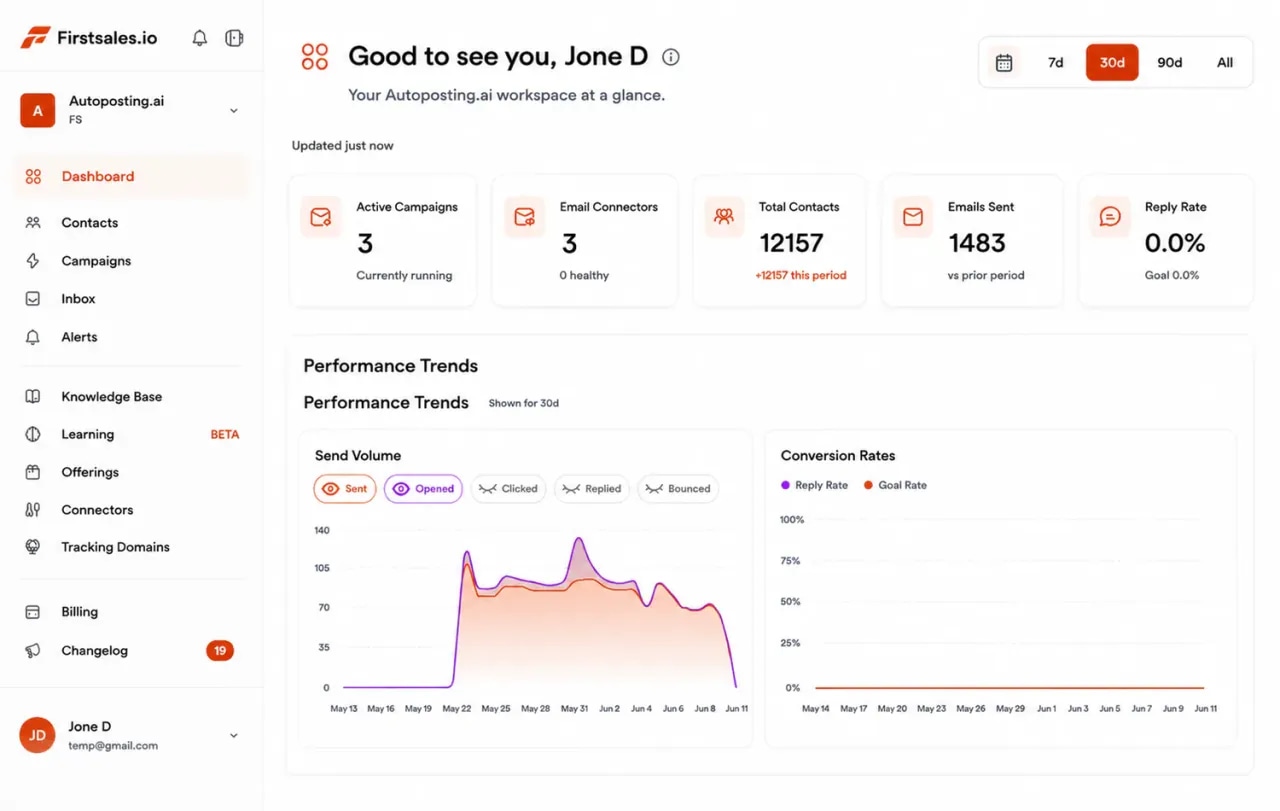
Written only from the platform, grade levels and proof you add to the knowledge base
Separate campaigns for K-12 and higher education
Unlimited mailboxes, with a 21-day warm-up
Start for $1 for 3 days, then from $29/mo
Schools plan on a calendar, and universities have long reviews. EdTech teams who win write to the right people before plans are set, with a short reason to talk, and keep showing up until the timing is right.
A curriculum director hears from apps, publishers and platforms every week. A generic note that could go to any school gets deleted.
A teacher may love your tool, but the principal, IT and the business office must still say yes. One email to one person rarely moves the deal.
Miss the planning window and the next real chance is a year away. Outreach that starts late, or stops after one email, misses it.
K-12 districts plan around a school year and a board. Colleges and universities buy through departments, IT and procurement. FirstSales runs each as its own campaign, with its own list, offer and voice.
Outreach to the leaders who choose what teachers and students use each year.
Outreach that opens a door to departments, IT and a central buying office.
Set it up once, review as much as you like, and let FirstSales research, write and follow up.
Add mailboxes on a cold email domain, not the one schools use to reach your support team. SPF, DKIM and DMARC are checked and warm-up starts.
Add your platform, the grade levels and programs you serve, pilot results you can share and your privacy notes. Describe the schools you want and FirstSales builds the list.
Each email names something real about the school or university. Follow-ups stop on a reply, and interested contacts get your meeting link.
Everything an EdTech team needs for steady outreach to schools, districts and universities, on every plan.
The AI writes only from your knowledge base, so it never claims a feature, a result or a privacy promise you do not have.
Each email opens with something true about the school, like a new plan, program, grant or course format.
Run K-12 districts, private schools and universities as separate campaigns, each with its own list, offer and voice.
Every contact is checked before each send, and Dirty contacts are left out to protect your domain.
Spaced follow-ups that end the moment someone replies or opts out, so no busy director is chased after a no.
Run each product, region or rep in its own workspace. Unlimited workspaces and team members.
Few districts sign up from one email. Many will agree to a short look, then a pilot, then a full rollout next year. A short sequence that moves toward that first pilot reads like a good education rep. FirstSales writes each step for each school and stops the moment they reply.
Email 1 · Day 1
Saw the new literacy plan for your middle grades. How will teachers track reading practice at home?
Email 2 · Day 4
One way districts start: one grade, one school, six weeks. Teachers see who practiced and who did not.
Email 3 · Day 9
If it helps your review, I can send our student data privacy notes and a list of what we store.
Email 4 · Day 16
Would a one-school pilot this spring help you decide before next year's plans are set?
Email 5 · Day 25
I will stop here. If reading practice comes up in next year's planning, I am happy to help.
Four parts of the app do the work a sales rep and a research assistant would do by hand.
Add Gmail, Outlook or SMTP mailboxes on a cold email domain, so the email schools use to reach support stays safe. Mailboxes are unlimited, so spread volume across as many as you need with sending rotation.
Add what you sell, the grade levels and programs you serve, pilot results you are allowed to share and your privacy notes. The AI writes only from what you add, so every detail matches what your product really does.
Each email opens with something true about the school or university, like a new plan or program, and asks one simple question. No blasts, no hype, no student details.
Replies land in Unibox. Interested contacts get your meeting link, and the sequence stops on any reply or opt-out, so the conversation lands with your team.
A teacher may want your tool, but a district or university buys it. These are the people you will meet, what they care about and the angle that gets a reply.
What works when you write to busy educators who plan a year ahead and protect student data.
Schools choose tools for next year months ahead. Reach out early enough to fit a short pilot before that choice.
Name a new program, goal or grant they have made public. One true detail beats a long feature list.
Say in plain words what changes for teachers and students. Leave the technical details for the follow-up.
Write only about the school or office. Never mention a student or use anything that looks like student data.
One grade or one school is easier to approve than a full rollout. Make the first step small.
Keep cold outreach off the domain schools use to reach your support team, so that email stays safe.
“I have always struggled in cold outreach. However, Firstsales has provided an excellent tool for cold outreach.”
 Kaushal S.Founder, small business · G2
Schools and universities hear from vendors all year, and their staff have little time. These are the objections you will hear most, with a calm reply to each.
What they say
What you say back
“Our budget for this year is already set.”
Agree, and ask when next year's planning starts. Offer a small pilot now, so they can decide in time.
“We already use a platform for that.”
Ask what teachers like about it and what is still hard. Offer to show only the part that fills that gap.
“How do you handle student data?”
Answer only with what is true for your product today, and offer your privacy notes and a list of what you store.
“Teachers are tired of new tools.”
Agree. Explain how little setup it needs and offer to start with a few willing teachers, not the whole staff.
“Send me some information.”
Send one short page for their grade levels or program, then ask one question to keep the thread going.
“How did you get my email?”
Say plainly that you found their school or office through public sources, and offer to take them off your list.
Many tools send one template to a list. FirstSales writes each email from your product and something real about the school.
| What you get | Typical tool | FirstSales |
|---|---|---|
| Emails written only from your product | Varies | AI writes only from your knowledge base |
| Opens with a real detail about the school | Varies | Included |
| Separate campaigns for K-12 and higher ed | Varies | Unlimited workspaces |
| SPF, DKIM and DMARC check | Varies | Included, per domain |
| Mailboxes | Varies | Unlimited on every plan |
| 21-day warm-up | Varies | Included |
| Contact check before each send | Varies | Every send, no add-on |
| Starting price | Varies | $29/mo |
| Start your $1 trial | ||
What changes when each email reads like it came from someone who knows the school.
Conferences, cold calls and the same vendor email to every school.
Outreach school by school.
Run through this before each new campaign. FirstSales handles most of it for you.
Real words from real users. No paid reviews.
“I've been using FirstSales.io for several months now, and I can confidently say it has revolutionized how I approach lead generation and customer acquisition.”

Paweł Stelmach
Small business owner
“If you are looking to fix your sales pipeline, you should definitely try [it]. My open rate has increased drastically. The UI and UX are easy to understand, even for a beginner like me.”

Pooja Dhole
@ThisIsPoojaD
“His honest and insightful feedback helped us transform @synchrowork when we started on LTD to what we are building now.”

Sushant Kumar
@sushantkr49
Can’t find yours? Write to us.
Yes, when each email is about the school, names something real and asks for a small step, like a short look or a one-school pilot. FirstSales writes only from the product and proof you add, and follows up until the contact replies.
Business email to staff in their work role is common, but rules differ by country and some public bodies have their own policies. Keep each email honest, make opting out easy and check the rules where you send. This is general information, not legal advice.
Your outreach should never include it. Write only about the school or office, and keep student names and student records out of your emails, lead lists and knowledge base. Laws such as FERPA and COPPA in the US protect student data.
Yes. Follow-ups are spaced over weeks and stop on any reply or opt-out. Start early enough to fit a pilot before next year's plans are set, and run each buyer as its own campaign.
In K-12, usually curriculum directors, principals and technology directors. In higher education, deans, department heads, online learning and IT leaders. Run each buyer as its own campaign.
Send from a separate cold email domain. FirstSales checks SPF, DKIM and DMARC, warms each mailbox for 21 days in three phases and gives it a health grade with hourly monitoring.
Start for $1 for 3 days. Connect a mailbox, add your product and proof, and read the first drafts in manual mode. No contract: cancel any time from your dashboard.
Connect unlimited mailboxes and let AI agents find leads, write each email and follow up. Or send your own templates in manual mode. From $29/mo.
$1 for 3 days · Cancel anytime · No contract