TL;DR: A welcome sequence is the first 5 to 7 emails a new subscriber or trial user gets after signup, and it sets the engagement pattern that Gmail, Yahoo, and Microsoft use to score every email you send after it. Send email 1 within 5 minutes, spread the rest across 10 to 14 days, and give each email exactly one job. Do that and you protect deliverability for your whole domain while lifting activation, not just open rates.
Most welcome sequences fail before they start.
Someone signs up, gets a generic "thanks for joining" email, then silence for three days, then a sales pitch.
That gap kills momentum, and it also trains the inbox provider that your mail is low value.
Gmail, Yahoo, and Microsoft now score sender reputation partly on early engagement patterns from new subscribers. A cold, boring welcome sequence hurts placement for every campaign you send after it, not just the welcome emails themselves.
This guide breaks down what actually works: exact timing, the 5 emails that matter most, subject line patterns backed by data, and the deliverability mechanics most teams get wrong.
#What you will learn
- Why the welcome sequence matters more in 2026
- The 5-email welcome sequence structure
- Email 1: the instant confirmation
- Email 2: the quick win
- Email 3: social proof and use case
- Email 4: the feature you would miss
- Email 5: the check-in
- Send timing that actually works
- Subject lines for welcome emails
- Deliverability rules specific to welcome sequences
- Welcome sequence vs cold outbound sequence
- Common mistakes that kill activation
- How to measure a welcome sequence
#Why the welcome sequence matters more in 2026 {#why-it-matters}
Welcome emails average open rates 4 to 5 times higher than regular marketing sends, because the subscriber just took an action and expects a reply.
That window closes fast.
Interest drops sharply after the first 48 hours if nothing shows up in the inbox.
At the same time, Google, Yahoo, and Microsoft tightened bulk sender requirements: SPF, DKIM, and DMARC are now a floor, not a bonus, and complaint rates above 0.3% or bounce rates above 2% can throttle your entire sending domain.
New subscriber engagement carries extra weight in these scoring models, because it is the freshest signal the algorithm has about whether your mail belongs in the primary inbox.
A well-built welcome sequence does two jobs at once. It moves a new user toward activation, and it generates the exact engagement signals that keep your domain out of the promotions tab or, worse, spam.
A poorly built one does the opposite: low opens train the algorithm that your list does not want your mail, and that penalty follows every future send.
#The 5-email welcome sequence structure {#five-email-structure}
The best-performing welcome sequences are not random. They follow a job-per-email structure.
| Job | Typical send time | Primary CTA | |
|---|---|---|---|
| 1. Confirmation | Confirm signup, set expectations | Immediate (within 5 min) | Complete profile / verify |
| 2. Quick win | Get one small action done | Day 1 or Day 2 | Take the first action |
| 3. Proof | Show it works for people like them | Day 4 or Day 5 | Read a case study |
| 4. Hidden feature | Surface something they would miss | Day 7 or Day 8 | Try the feature |
| 5. Check-in | Ask how it is going, offer help | Day 10 to Day 14 | Reply or book a call |
Five emails is the floor, not the ceiling. B2B products with longer onboarding sometimes run 7, but every email past 5 needs to earn its place with a distinct job. Padding a sequence with filler emails is the fastest way to spike unsubscribes.
#Email 1: the instant confirmation {#email-1}
This email has one job: confirm the signup worked and set expectations for what comes next.
Do not sell anything here. Do not ask for feedback. Just confirm, welcome, and preview.
A strong email 1 includes:
- A subject line that matches what the user just did ("You're in" beats "Welcome to our platform!!!")
- One sentence confirming the account or subscription is active
- A single, obvious next step (verify email, log in, complete one field)
- A short preview of what emails 2 through 5 will cover, so the sequence does not feel random
Personalization here should be light. Use the subscriber's name and, if you have it, the specific plan or reason they signed up. Do not fake personalization with a merge tag that clearly failed ("Hi {{first_name}}").
Key finding: Welcome emails sent within 5 minutes of signup get meaningfully higher open rates than those sent an hour or more later, because the subscriber is still in the tab or app that triggered the signup.
#Email 2: the quick win {#email-2}
Email 2 exists to get the new user to do one thing that proves value fast.
For a SaaS product, that might be connecting a data source or sending a first message. For a newsletter, it might be replying to a simple question. For an ecommerce list, it might be browsing a curated starter collection.
The pattern that works:
A short win email states the goal in one line, removes friction with a direct link, and stops.
No long explainer. No feature tour. One action, one button, done.
Products that map a "quick win" moment into email 2 see stronger week-one retention than products that use email 2 for a generic feature overview, because the win email turns a passive subscriber into someone who has already used the product once.
#Email 3: social proof and use case {#email-3}
 Email 3: social proof and use case {#email-3}
By day 4 or 5, the novelty has worn off. This is where social proof does its work.
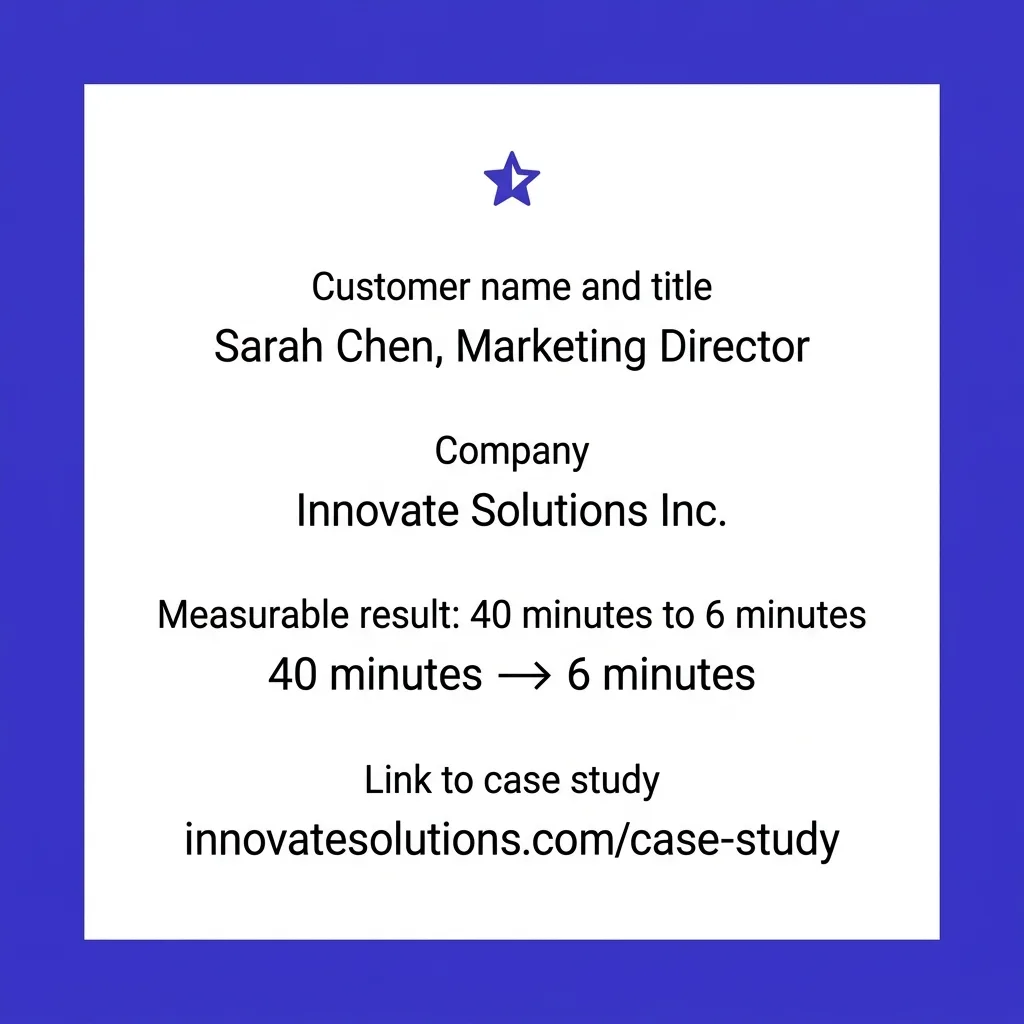
Show a specific result from a specific person or company, not a vague "our customers love us" line.
A strong proof email:
- Names a real customer, ideally with a title and company
- States one measurable result ("cut research time from 40 minutes to 6")
- Links to a fuller case study if the site has one
- Matches the proof to the segment the subscriber belongs to (a small business owner does not want an enterprise logo wall)
If you have zero-party data on why the subscriber signed up (a survey answer, a plan tier, an onboarding question), use it here to pick the most relevant proof point. Personalizing proof to the subscriber's stated goal outperforms generic testimonials by a wide margin.
#Email 4: the feature you would miss {#email-4}
Most new users only discover 20 to 30% of a product's core value in the first week. Email 4 exists to surface the one feature that separates power users from churned users.
This is not a full feature list. It is one feature, explained in two sentences, with a screenshot or short GIF if the format allows it.
Pick the feature by looking at your own retention data: what do your best, longest-retained users use in week one that new signups usually miss? That is the feature this email covers.
Definition block: Activation feature is the specific action or feature usage that correlates most strongly with long-term retention in your product, distinct from the "quick win" that just proves initial value.
#Email 5: the check-in {#email-5}
The final email in the core sequence is not a sales pitch. It is a genuine check-in.
Ask how the first week went. Offer a direct reply channel or a booking link for anyone stuck. This email does double duty: it catches friction before it becomes churn, and it generates a reply signal, which is one of the strongest positive engagement markers inbox providers track.
A short, human check-in email at day 10 to 14 outperforms a longer feature recap, because it reads like a person checking in, not a drip campaign finishing its schedule.
graph TD
    A[Signup event] --> B[Email 1: Confirmation, within 5 min]
    B --> C[Email 2: Quick win, day 1-2]
    C --> D[Email 3: Social proof, day 4-5]
    D --> E[Email 4: Hidden feature, day 7-8]
    E --> F[Email 5: Check-in, day 10-14]
    F --> G{Engaged?}
    G -->|Yes| H[Move to regular lifecycle emails]
    G -->|No| I[Move to re-engagement track]
#Send timing that actually works {#send-timing}
Timing mistakes are the most common reason welcome sequences underperform.
Email 1 should go out within 5 minutes of signup, automated, no exceptions. Any delay past an hour and you lose the moment.
Emails 2 through 5 should not be crammed into the first three days. Give the subscriber room to actually try the product between touches. A sequence that fires five emails in 72 hours reads as spam, regardless of content quality.
Recommended spacing:
- Day 0: Email 1
- Day 1-2: Email 2
- Day 4-5: Email 3
- Day 7-8: Email 4
- Day 10-14: Email 5
Time of day matters less than the literature suggests. What matters more is consistency relative to the signup event, not a fixed clock time across your whole list.
#Subject lines for welcome emails {#subject-lines}
Welcome email subject lines work best when they match the action the subscriber just took, not when they try to be clever.
Patterns that perform:
- Confirmation pattern: "You're in" or "[Name], your account is ready"
- Curiosity pattern for email 2: "One thing to do before Friday"
- Proof pattern for email 3: "How [Company] cut [metric] by [number]"
- Direct pattern for email 4: "The feature most people miss in week one"
- Human pattern for email 5: "How's it going so far?"
Avoid exclamation points, ALL CAPS, and generic "Welcome to [Brand]!" openers. They read as automated, and open rates reflect that. See preheader optimization for how the preview text should extend, not repeat, the subject line.
#Deliverability rules specific to welcome sequences {#deliverability}
 Deliverability rules specific to welcome sequences {#deliverability}
Welcome sequences carry outsized deliverability risk because they hit every new subscriber at once, and inbox providers watch how those subscribers react.
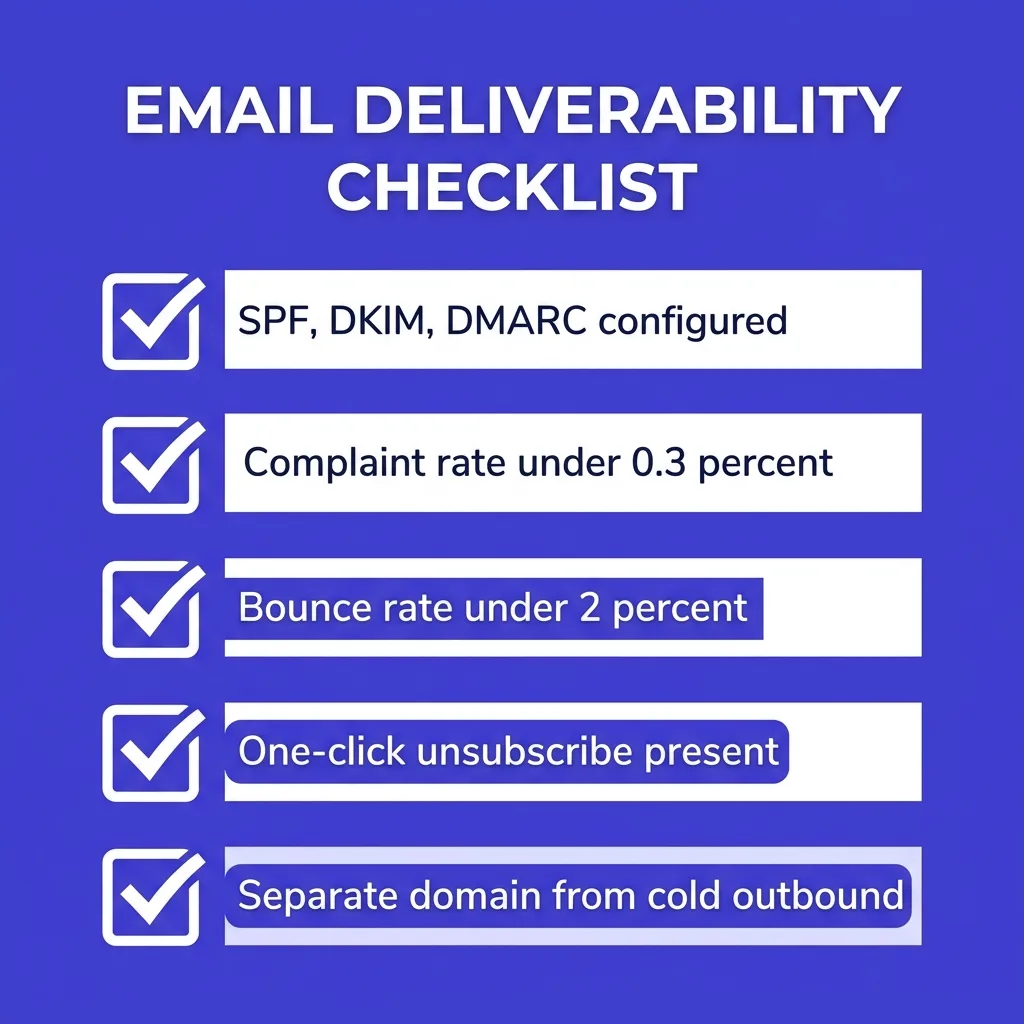
Non-negotiable technical baseline for 2026 bulk senders:
| Requirement | Google / Yahoo threshold | Why it matters for welcome emails |
|---|---|---|
| SPF, DKIM, DMARC | All three required | Missing any one can block or bulk-fold entire sends |
| Spam complaint rate | Under 0.3% | Welcome emails to fresh signups should score near zero if relevant |
| Bounce rate | Under 2% | Confirm addresses before sending, not after |
| One-click unsubscribe | Required (RFC 8058) | Missing this can trigger filtering regardless of content |
| Engagement history | Weighted, no fixed number | New subscriber engagement now feeds sender reputation faster than legacy lists |
A welcome sequence with a healthy reply and open pattern in the first two weeks builds sender reputation. A welcome sequence that gets ignored or marked as spam damages it, and that damage bleeds into every other campaign on the same domain.
| Practice | Protects deliverability | Damages deliverability |
|---|---|---|
| SPF, DKIM, DMARC all configured | ✓ | ✗ |
| One-click unsubscribe present | ✓ | ✗ |
| Email verified before adding to sequence | ✓ | ✗ |
| Selling in email 1 or 2 | ✗ | ✓ |
| Five emails crammed into 72 hours | ✗ | ✓ |
| Separate domain from cold outbound | ✓ | ✗ |
| Generic proof with no name or number | ✗ | ✓ |
If you run both a marketing welcome sequence and cold outbound campaigns, keep the sending infrastructure separate. See separating transactional, marketing, and outbound streams for the domain and IP isolation logic.
Catch-all and role-based addresses also matter here. A signup form that accepts any address without validation lets bounces and spam-trap hits creep into a welcome sequence, dragging down sender reputation before the sequence even proves itself. Validate at signup, not after the first bounce report arrives.
#Welcome sequence vs cold outbound sequence {#welcome-vs-cold}
It is easy to confuse a welcome sequence with a cold outreach outbound cadence, but they solve different problems and should never share the same list logic.
A welcome sequence targets people who already opted in, already took an action, and already expect mail from you. The job is activation and retention.
A cold outbound sequence targets people who never gave permission and have no existing relationship with your brand. The job is starting a conversation from zero.
Confusing the two creates real risk. Teams that treat a welcome list like a prospecting list, adding unrelated pitches into onboarding emails, see complaint rates climb fast, because the subscriber did not sign up for sales messaging.
If your team runs cold outbound separately, tools built for that motion, like FirstSales, handle inbox warmup, deliverability monitoring, and AI-assisted drafting for prospecting emails specifically. That is a different job than lifecycle welcome automation, and keeping the two systems distinct protects both.
#Common mistakes that kill activation {#mistakes}
Selling too early. A welcome sequence that pitches an upsell in email 2 reads as bait-and-switch. Save commercial asks for after activation.
Too many emails, too fast. Five emails in three days overwhelms new subscribers and spikes unsubscribes.
Generic proof. A testimonial with no name, no company, and no number convinces nobody.
No segmentation. A B2B buyer and a solo freelancer signing up for the same product need different email 3 proof points. One-size-fits-all sequences underperform segmented ones.
Ignoring the data. Teams that never look at which email in the sequence drives the most activation keep running a sequence built on guesses instead of evidence.
Forgetting mobile. Over half of email opens happen on mobile. A welcome email with a desktop-only layout or a tiny CTA button loses conversions before the message even lands. Check rendering with the same rigor you would apply to dark mode email rendering.
Sending from a brand-new domain with no warmup. A domain that starts blasting a full welcome sequence to hundreds of new signups on day one, with zero sending history, looks suspicious to inbox providers regardless of content quality. Warm the domain gradually before turning on high-volume lifecycle automation.
Treating the welcome sequence as "set and forget." Products change, proof points go stale, and screenshots drift out of date. A welcome sequence that has not been touched in 18 months is quietly losing conversions nobody is tracking.
#How to measure a welcome sequence {#measurement}
Open rate is a weak signal on its own in 2026, thanks to Apple Mail Privacy Protection and bot prefetching inflating numbers artificially. See why open rates stopped being a reliable metric for the full breakdown.
Metrics that actually tell you whether a welcome sequence works:
- Activation rate: percentage of new signups who complete the "quick win" action from email 2
- Week-one retention: percentage still active or logged in 7 days after signup
- Reply rate on email 5: a strong proxy for genuine engagement, since replies are hard to fake or bot-generate
- Unsubscribe rate per email: identifies exactly which email in the sequence is driving people away
Track these per email in the sequence, not just as a blended average. A sequence with a great email 1 and a terrible email 4 will still show a mediocre blended number, hiding the actual problem.
#Welcome sequence examples by business type {#by-business-type}
The 5-email skeleton stays the same across industries, but the job of each email shifts depending on what "activated" means for your product.
#SaaS trial or freemium signup
For SaaS, the quick win in email 2 should map to the single action most correlated with paid conversion, connecting an integration, inviting a teammate, or completing a first workflow.
Email 3 proof should reference a customer with a similar company size or use case, not a generic enterprise logo that a solo founder cannot relate to.
Email 4 should surface a feature buried in settings or a secondary menu, something a new user would never find by clicking around alone.
#Ecommerce list signup
Ecommerce welcome sequences often carry a discount code in email 1 or 2, which changes the math slightly. The code should expire (7 to 10 days is common) to create real urgency rather than sitting unused.
Email 3 works well as a styled lookbook or curated collection rather than a written case study, since the proof point here is visual: real products, real use.
Skip the "hidden feature" framing entirely for ecommerce. Replace email 4 with a UGC (user-generated content) email showing real customer photos or reviews.
#Newsletter or content subscription
Newsletter welcome sequences should set expectations hardest of all: what day does the newsletter arrive, how long is it, what will the subscriber actually get.
Email 2's quick win can be as simple as asking the subscriber to reply with one question or topic they want covered, which both engages them and feeds future content planning.
Skip aggressive selling entirely in a newsletter welcome sequence unless the subscriber opted in specifically for a paid tier. The relationship here is built on consistent value delivery, not conversion pressure.
#Marketplace or two-sided platform
Marketplaces need to welcome two distinct audiences (buyers and sellers or supply and demand) with entirely separate sequences, since their activation actions have nothing in common.
A buyer's quick win might be browsing a category. A seller's quick win might be listing their first item. Sending the same generic sequence to both sides wastes the strongest engagement window either side will ever have.
#How to a/b test a welcome sequence {#ab-testing}
Most teams either never test their welcome sequence or try to test everything at once, which produces noise instead of insight.
Test one variable at a time, and let each test run long enough to reach a meaningful sample. For most lists, that means waiting for at least a few hundred new signups per variant before drawing a conclusion.
The highest-impact things to test, in priority order:
- Subject line of email 1 (biggest lever on open rate, easiest to test)
- The specific action requested in email 2's quick win
- Which proof point or customer story appears in email 3
- Send timing for email 5 (day 10 vs day 14)
- CTA copy across all five emails ("Try it now" vs "See how it works")
Resist the urge to rewrite the whole sequence based on one test result. A single winning subject line does not mean your whole sequence structure is broken, and a single losing variant does not mean the underlying strategy is wrong.
Segment your test results by acquisition channel where possible. A welcome sequence that performs well for signups from a paid ad campaign might perform differently for signups from an organic referral, because the incoming intent is different.
#Frequently asked questions
#How many emails should a welcome sequence have?
Five emails covers the core job: confirmation, quick win, proof, hidden feature, check-in. B2B products with longer onboarding sometimes extend to 7, but each additional email needs its own distinct purpose.
#How soon should the first welcome email go out?
Within 5 minutes of signup, fully automated. Delays past an hour lose the momentum of the signup action itself.
#Should welcome emails be plain text or HTML?
Either can work. See plain text vs HTML cold email for the deliverability and reply-rate tradeoffs, which apply similarly to lifecycle mail.
#What is a good open rate for a welcome email?
Welcome emails typically see open rates 4 to 5 times higher than standard marketing sends, though Apple Mail Privacy Protection inflates this number across the board, so treat it as a rough signal, not a precise one.
#Can I sell in a welcome sequence?
Not in the first two or three emails. Selling before the subscriber has experienced value reads as a bait-and-switch and raises unsubscribe and complaint rates.
#How do I personalize a welcome sequence without creepy over-personalization?
Use data the subscriber explicitly gave you: their stated goal, plan tier, or a survey answer. Avoid inferred personalization that feels surveillance-based, like referencing browsing behavior the subscriber never consciously shared.
#What is the difference between a welcome sequence and a drip campaign?
A welcome sequence is a specific type of drip campaign triggered by signup, focused on activation in the first 1 to 2 weeks. A drip campaign is the broader category, which can also include re-engagement, abandoned cart, or post-purchase sequences.
#Should every subscriber get the same welcome sequence?
No. Segment by signup reason, plan tier, or acquisition channel where you have the data. A segmented welcome sequence consistently outperforms a one-size-fits-all version on activation.
#What should the last email in the sequence say?
A genuine check-in: how is it going, here is how to get help, no sales pitch. This email should generate replies, which are a strong positive engagement signal for deliverability.
#How long should a welcome email be?
Short. 100 to 150 words for most welcome emails is enough. The goal is one clear action, not an essay.
#Does the welcome sequence affect deliverability for other campaigns?
Yes. Engagement signals from new subscribers feed into overall sender reputation. A poorly performing welcome sequence can drag down inbox placement for every other campaign on the same domain.
#What is a quick win email?
The second email in a welcome sequence, designed to get the new subscriber to complete one small, valuable action fast, proving the product's value before novelty wears off.
#How do I know which feature to highlight in email 4?
Look at your retention data. Identify the feature or action your longest-retained users engage with in week one that new signups typically miss, then build email 4 around that specific feature.
#Is it okay to reuse the same welcome sequence for years?
No. Refresh proof points, screenshots, and offers at least twice a year. Stale testimonials and outdated screenshots erode trust fast.
#What is the biggest mistake teams make with welcome sequences?
Selling too early. Pitching an upsell before the subscriber has experienced core value is the single most common cause of high unsubscribe rates in welcome sequences.
#Should welcome emails include unsubscribe links?
Yes, always. A visible, one-click unsubscribe link (RFC 8058 compliant) is now a technical requirement for bulk senders, not optional.
#How does BIMI affect welcome emails?
BIMI can display a verified brand logo in the inbox, building trust at the exact moment a new subscriber sees their first email from you. See BIMI for cold email senders for setup details, most of which applies to lifecycle mail too.
#Can AI write my welcome sequence?
AI can draft a strong first version fast, especially for the confirmation and quick-win emails, but the proof and check-in emails need real data and a human tone to avoid sounding automated.
#What tools handle welcome sequence automation?
Most email service providers (Klaviyo, Customer.io, HubSpot, Mailchimp) support trigger-based welcome sequences natively. This is separate from cold outbound tooling, which handles prospecting rather than lifecycle onboarding.
#How often should I test a welcome sequence?
Review performance quarterly at minimum. Test one variable at a time (subject line, send timing, CTA copy) rather than rewriting the whole sequence and losing the ability to attribute what changed.
#Key takeaways
- A welcome sequence is 5 emails minimum, each with one distinct job: confirm, win, prove, reveal, check in.
- Send email 1 within 5 minutes of signup and spread the rest across 10 to 14 days.
- Engagement from new subscribers feeds sender reputation, so a weak welcome sequence hurts deliverability for every future campaign.
- Keep welcome sequences (opted-in lifecycle mail) separate from cold outbound sequences (unsolicited prospecting), both operationally and infrastructurally.
- Measure activation and reply rate, not just open rate, since open rate is increasingly unreliable in 2026.
Build the sequence around one action per email, ship it, and let real activation data tell you which email to fix first.