Understand what a Wait/Delay node does
A Wait/Delay node pauses your sequence for a set number of days before the next step runs. It's the only control that spaces out follow-ups - without one, back-to-back email steps would send at once.
Open the campaign builder
Go to Campaigns, open your campaign, and find the sequence on the canvas. Each email step and delay appears as its own node in the flow.
Add or select a Wait/Delay node
Insert a Wait/Delay node between two email steps, or click an existing one. Its config panel opens on the right with a single field.
Set Delay (days)
Enter a whole number in Delay (days), from 1 to 365. It's a required field with the hint "Number of days to wait before the next step runs." A value under 1, or leaving it blank, snaps to the minimum of 1.
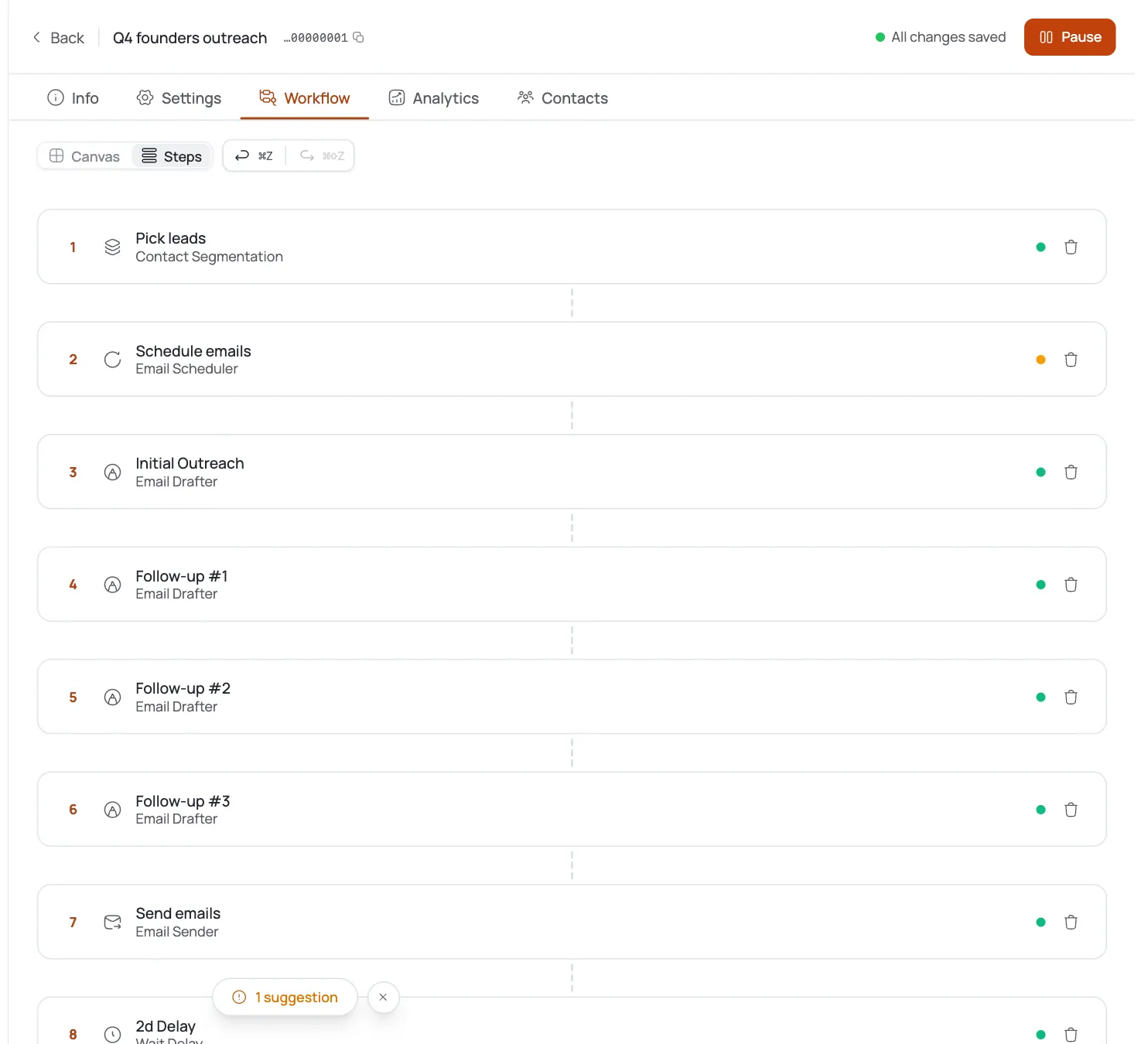
Watch the node rename itself
The node's label updates to match your value - entering
3renames it to "3d Delay" right on the canvas, so you can scan your cadence at a glance without opening each node.Save, test, and launch
Save the workflow, then run Test Workflow and Launch as usual. The delay you set now governs the gap before the following step fires.
Pro tips
Space early follow-ups closer together
Try 2-4 days between the first couple of touches, then stretch later delays so you don't crowd a prospect's inbox.
Scan the canvas for Nd Delay chips
The auto-renamed node label doubles as a cadence check - you can confirm your spacing without opening every node.
Days only, no finer granularity
There's no hours or minutes option, so plan your cadence in whole-day increments from the start.
Use a long delay for quarterly re-touches
Max is 365 days - a single long Wait/Delay node can cover a quarterly nudge instead of building a separate campaign.
Frequently asked questions
What does the Wait/Delay node do?
It pauses the sequence for a set number of days before the next step runs - the control you use to space out follow-up emails.
What's the minimum and maximum delay?
1 day minimum, 365 days maximum.
Can I set hours or minutes instead of days?
No - the only unit is whole days.
Why did my node rename itself to “3d Delay”?
The node's label auto-syncs to the delay value you enter, so it always reflects the current wait time on the canvas.
What happens if I leave it blank or type 0?
It clamps to the minimum, 1 day.
Where does the delay apply - the whole campaign or one step?
It applies to the gap before the next step immediately after the Wait/Delay node - not the whole campaign.