Two views: runway vs. history
The Overview tab answers “how long will my credits last?”; the Usage tab answers “where did they go?” Both live on the Billing page.
Read the Credit Runway widget
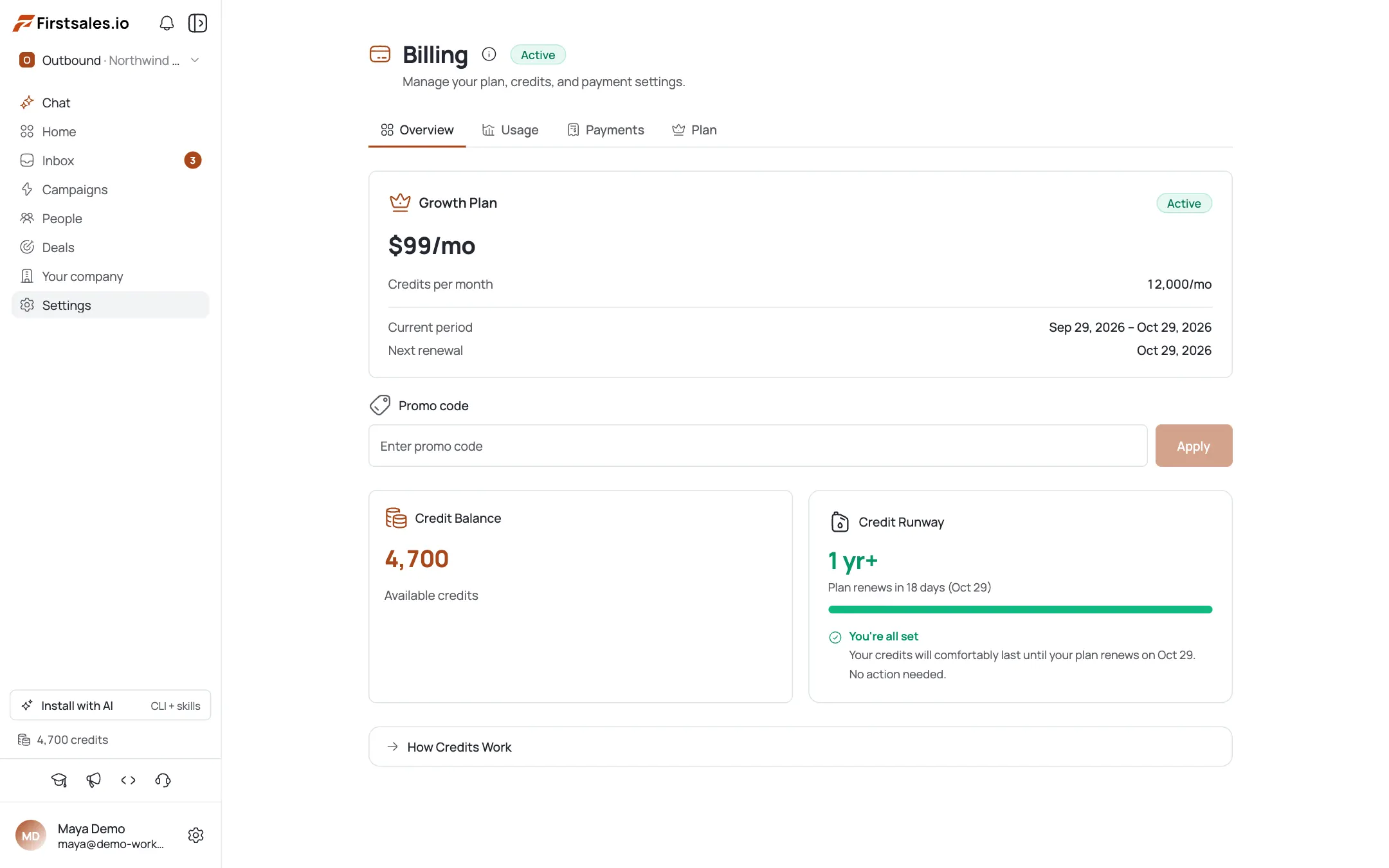
On Billing → Overview, the Credit Runway widget forecasts how many days or months of sending your credits will cover at your current burn rate, and flags tight or danger states with a top-up button. Before you've sent anything, it prompts you to start sending campaigns first.
Understand the runway states
Four states (healthy, comfortable, tight, and danger) compare your forecasted runway against your plan's renewal date, shown as a “Plan renews in N days” line.
Check your balance breakdown
Your total balance is org (plan) credits plus top-up credits. Top-ups add straight into the same pool as your plan's monthly grant.
Open the Usage tab & pick a range
Go to Billing → Usage and use the date-range preset filter. Figures shown are net of refunds, and timestamps are in UTC.
Read the breakdowns
Summary cards for Total Consumed, Daily Average, and Action Types, plus a daily consumption chart and a by-action-type chart. Two tables (By Campaign and By Workspace) show you exactly where credits are going.
Export to CSV
Export the full dataset (history, by-action, or by-campaign) for finance review or deeper analysis outside the app.
Pro tips
Runway is gross spend, refunds excluded
A refund-heavy week won't make it look like you've stopped spending: the forecast tracks your gross burn rate.
Tight or danger means act now
Both states mean you'll likely run out before renewal: the widget's Top up credits button is the one-click fix.
Usage numbers are UTC and net of refunds
If a number looks off versus your local day, that's the timezone, not a bug.
Use By Campaign to spot the biggest consumer
One runaway campaign can burn most of a workspace's credits before you notice: check this table before the whole balance drains.
Frequently asked questions
Where do I see how long my credits will last?
Billing → Overview → Credit Runway widget.
Why does the runway say Start sending campaigns…?
There's no usage yet: the forecast needs a burn rate to calculate runway from.
What do healthy/comfortable/tight/danger mean?
Forecast bands comparing your runway to your renewal date. Tight and danger prompt a top-up.
What's the difference between org credits and top-up credits?
Org credits are your plan's monthly grant; top-up credits are one-off purchases. Both add into a single total balance.
Why don't the usage numbers match my local calendar?
They're shown in UTC and net of refunds.
Can I see usage per campaign or workspace?
Yes: the Usage tab has By Campaign and By Workspace tables.
Can I export my usage?
Yes: CSV export for history, by-action, or by-campaign.
The date range says charts are clamped: why?
Very wide ranges show only the most recent window in charts; use the CSV export if you need the full all-time record.