Define your ICP: stockists who went quiet, not who never bought
A lapsed stockist is different from a cold prospect: they already carried your product, ordered at least once, and then stopped. That history changes the email entirely. Define your ICP as retailers who placed an order more than two reorder cycles ago and have not placed one since, not the full universe of stores that once expressed interest.
Write it as a sentence: "Retail stockists who ordered [product line] in the past but have not reordered in the last two seasons." That distinction matters because the email you send them should read like a check-in with someone who knows the account, not a cold pitch.
Separate stores that stopped ordering because of a real problem, a late shipment, a damaged case, a pricing dispute, from stores that simply moved on to a different assortment. The first group needs the issue addressed before a win-back email will land; the second group is the better fit for this playbook.
Source your list from your own order history
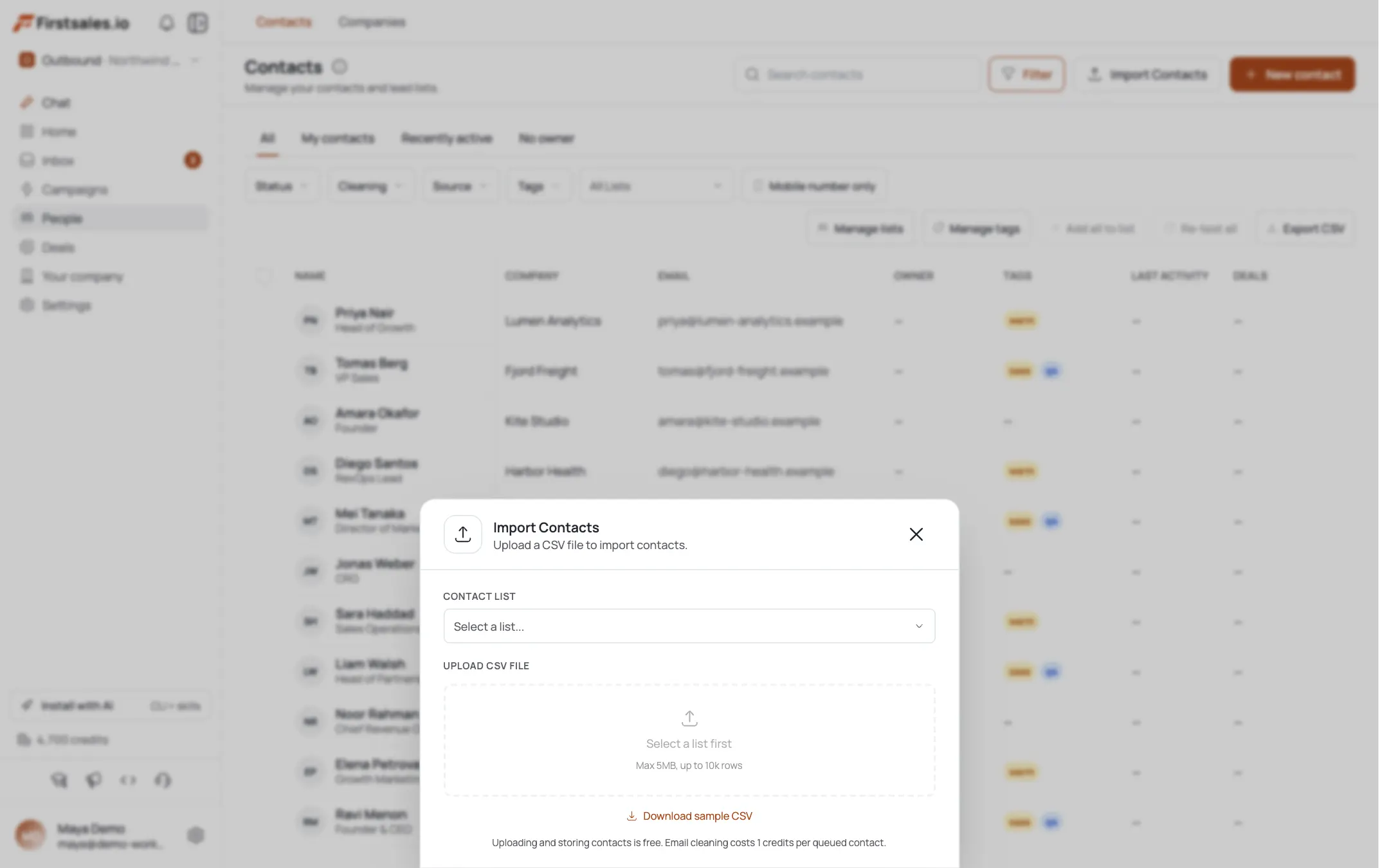
For this playbook, your best source is usually your own order history rather than a new AI Leads search, since these are existing relationships. Import your lapsed accounts as a CSV, or connect the list you already track in a spreadsheet or your order system. If you also want to expand the list with similar stockists you have not worked with yet, AI Leads can find and enrich those separately.
Include the original order details in your import where you have them, product line, last order date, and order size. Even if the campaign does not use every field directly, having them on hand makes it easier to spot-check that the AI is referencing the right history for each contact.
Let research find what changed since they last ordered
Contact research runs automatically before drafting, and the transparency view shows what it found for each contact and what it used in the email. For win-back outreach, the useful signals are changes since the last order: a new season or reset schedule, a location change, new ownership, or a social post about restocking their shelves.
Check the transparency view on a sample of contacts to confirm the research is finding something that has actually changed, rather than repeating facts from the original relationship. The strongest win-back emails reference a real reason the timing makes sense now.
A store that changed ownership since the last order needs a different email entirely, closer to a fresh pitch than a win-back, since the new owner may have no memory of the original relationship. Flag these contacts separately once research surfaces the ownership change.
Also watch for stores that closed a location or reduced their footprint since the last order. A store now running a smaller square footage may genuinely have less room for your product line, and pushing a win-back email at them anyway just wastes the touch. Research surfacing a location count drop is a signal to deprioritize that contact rather than push harder.
Set up your campaign with Describe, Teach, Practice
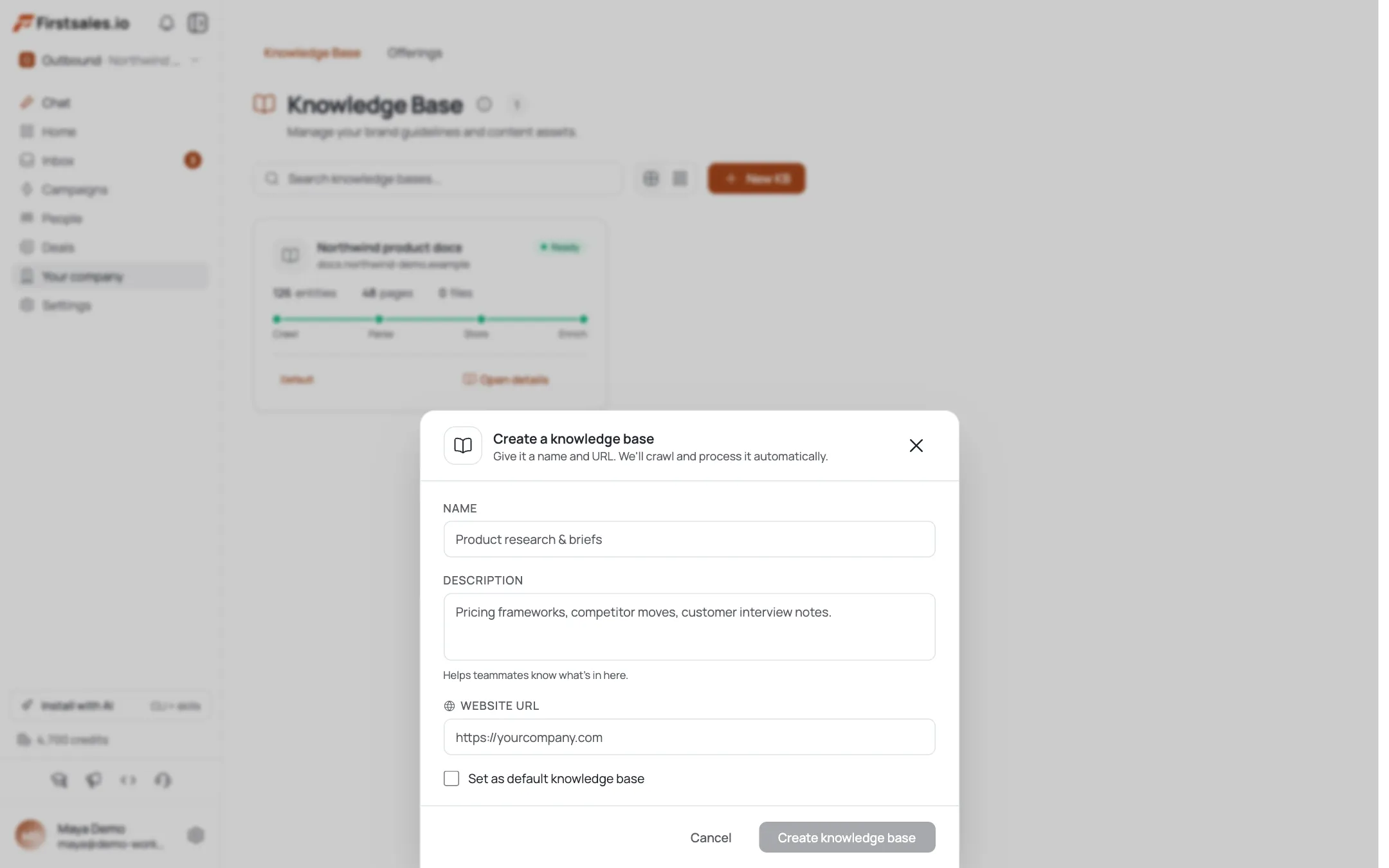
Create your campaign and choose a goal, usually get a reply, since the ask is a reorder or a short call rather than a first-time pitch. Campaign guidance walks you through Describe, Teach, and Practice.
In Describe, explain the trigger you are using, a seasonal reset or a new SKU launch, and instruct the AI to tie every email to that trigger plus the store's specific order history. Use Practice to check that the drafts reference the actual product line the store carried before, not a generic reintroduction.
Mention your reorder terms in Describe if they have changed since the store's last order, updated minimums, a new lead time, a different price tier, so the AI can flag the change honestly rather than assuming the old terms still apply.
Teach the AI to acknowledge the lapse honestly
Paste past win-back emails that worked, or write samples that open with something like "it has been a couple of seasons since your last order" rather than ignoring the gap. Retailers respond better to a direct, low-pressure check-in than to an email that pretends the relationship restarted from zero.
If you know why some accounts lapsed, a shipping delay, a slow-moving SKU, build that context into your samples so the AI can vary its acknowledgment. A store that lapsed after a fulfillment problem needs a different opening line than one that simply moved on to a different assortment.
Draft with AI Autopilot and time it to a real trigger
AI Autopilot drafts each email per contact using the research, and every draft passes quality gates for format, personalization, and claims before sending. Review drafts yourself or let Autopilot run once you are confident in the pattern.
A sample first email for this ICP:
Subject: new for [Store name]'s spring reset
Hi [First name],
It has been a couple of seasons since [Store name]'s last order with us. We just launched [new SKU], and a few of our stockists are adding it to their spring reset lineup alongside the line you carried before.
Want me to send over the new lineup and reorder terms in case it fits?
[Your name]The email names the gap directly, gives a real reason for the timing, and asks for one small next step. Notice it does not apologize or over-explain the gap, it states it plainly and moves straight to the reason to reconnect now.
Sequence a follow-up tied to the new SKU or reset
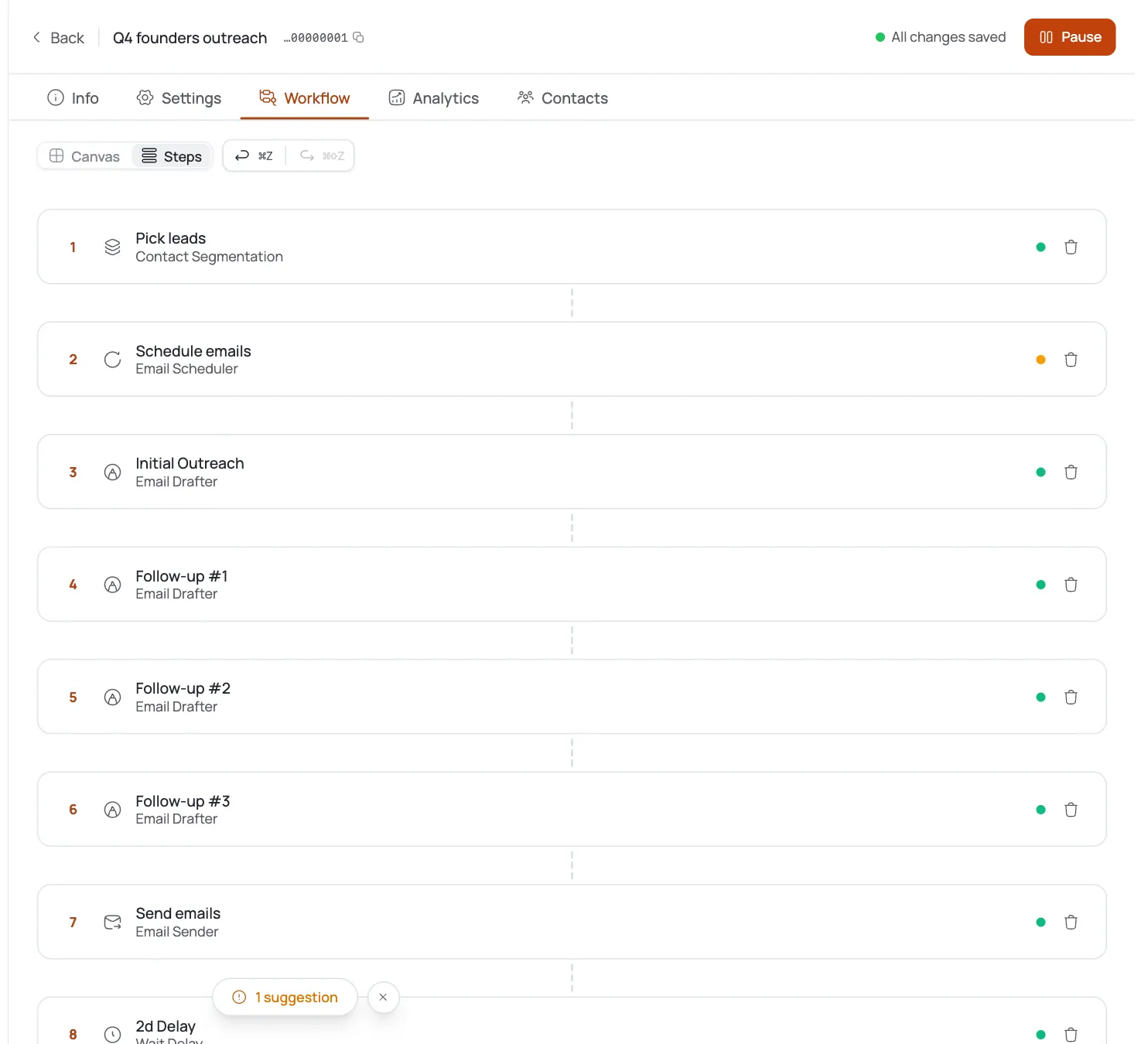
Sequences queue follow-ups with delays between steps, and each one stops automatically once the contact replies. For win-back outreach, a strong second step shares a photo or detail of the new SKU in another store's display, or a note about a reorder deadline tied to the seasonal reset. Keep the sequence short, two or three steps, since these are warm relationships and a long chase can undo the goodwill from the first email.
If a contact opened the first email but did not reply, a phone call or a note through a shared industry contact can work better than a third automated email for an account with real order history. Use the sequence for the first two touches, then decide manually on accounts worth that extra effort.
Handle replies and track what is converting
Replies land in your unified inbox, and AI reply handling responds based on the actual message, whether that is a reorder request, a question about terms, or a pass for this season. Bounce handling suppresses addresses that fail to deliver, which matters for older lists where contacts may have moved on.
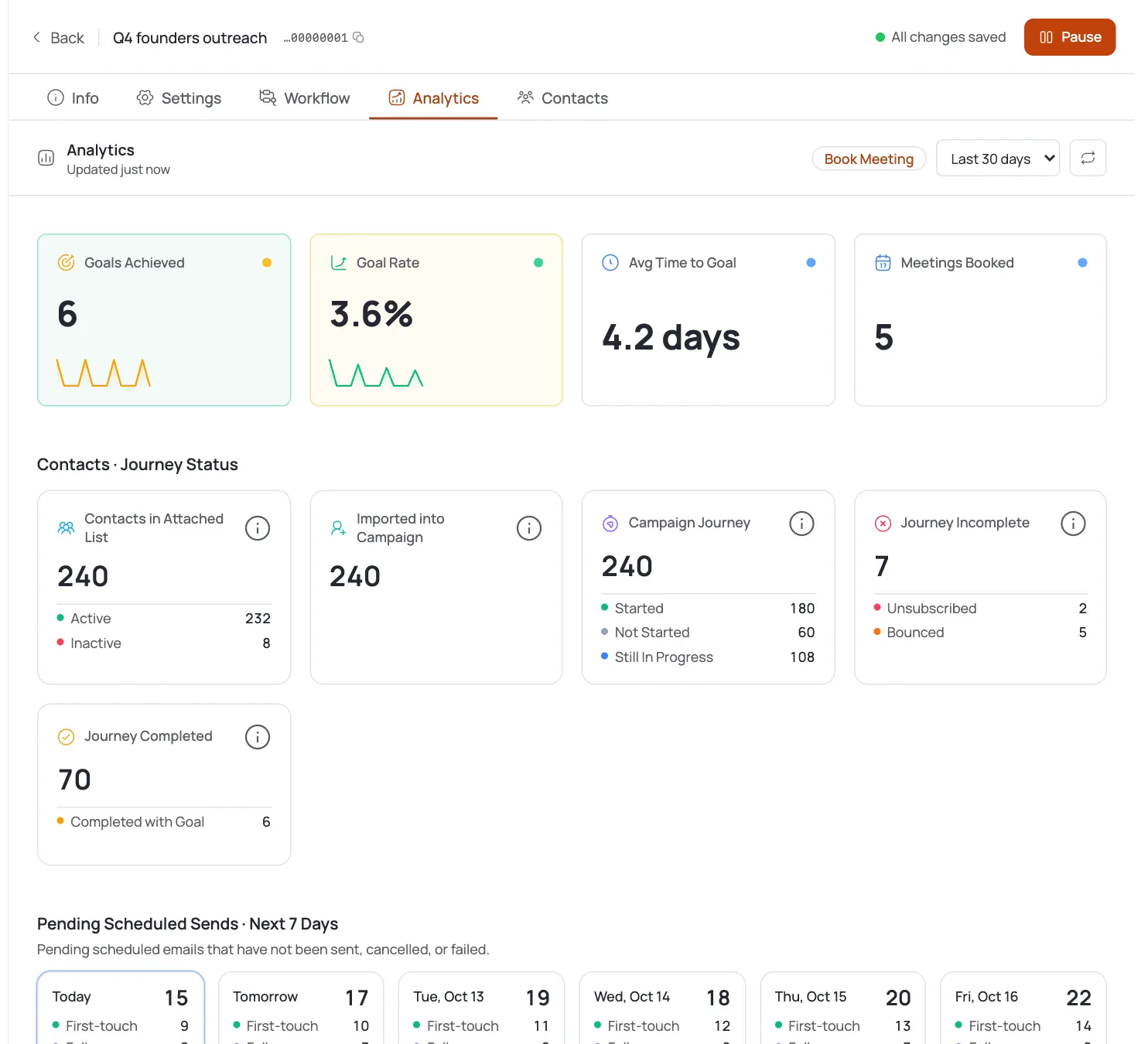
Check analytics for opens, replies, and meetings per campaign along with per-step performance. Win-back outreach to past customers often performs better than standard cold B2B, so use the 2 to 5 percent reply range as a floor rather than a ceiling and track whether your specific list beats it. If a segment of the list is not responding at all, check whether the trigger you used actually applies to those accounts before sending another round.
Keep a record of which accounts reorder after a win-back campaign and how long the lapse was before they came back. That history helps you decide, next season, how early to start the next round of win-back outreach for accounts approaching the same gap.
Dicas de especialista
Name the lapse up front
Acknowledge the lapse in the first line instead of writing around it. Retailers know they stopped ordering, and pretending otherwise reads as out of touch.
Segment by time since last order
Segment your lapsed list by how long it has been since the last order. A store that lapsed one season ago needs a different message than one that lapsed two years ago, since the second group may need a fuller reintroduction to what has changed about the product line.
Time sends before the reset window
Time the send to land a few weeks before the actual reset or restock window, early enough to act on, not so early that it gets forgotten. A buyer planning a reset a month out has room to add your reorder to that cycle; one planning next week likely does not.