Outbound stops when you ship
A launch week, a hiring push or a fundraise and the emails stop. When they stop, the pipeline dries up a month later.
Industries · Startups
You have a product and no sales team. FirstSales finds the people most likely to buy, writes each one a personal email in your voice and follows up until they reply, so outbound keeps running on the days you are shipping.
$1 for 3 days · Cancel anytime · No contract
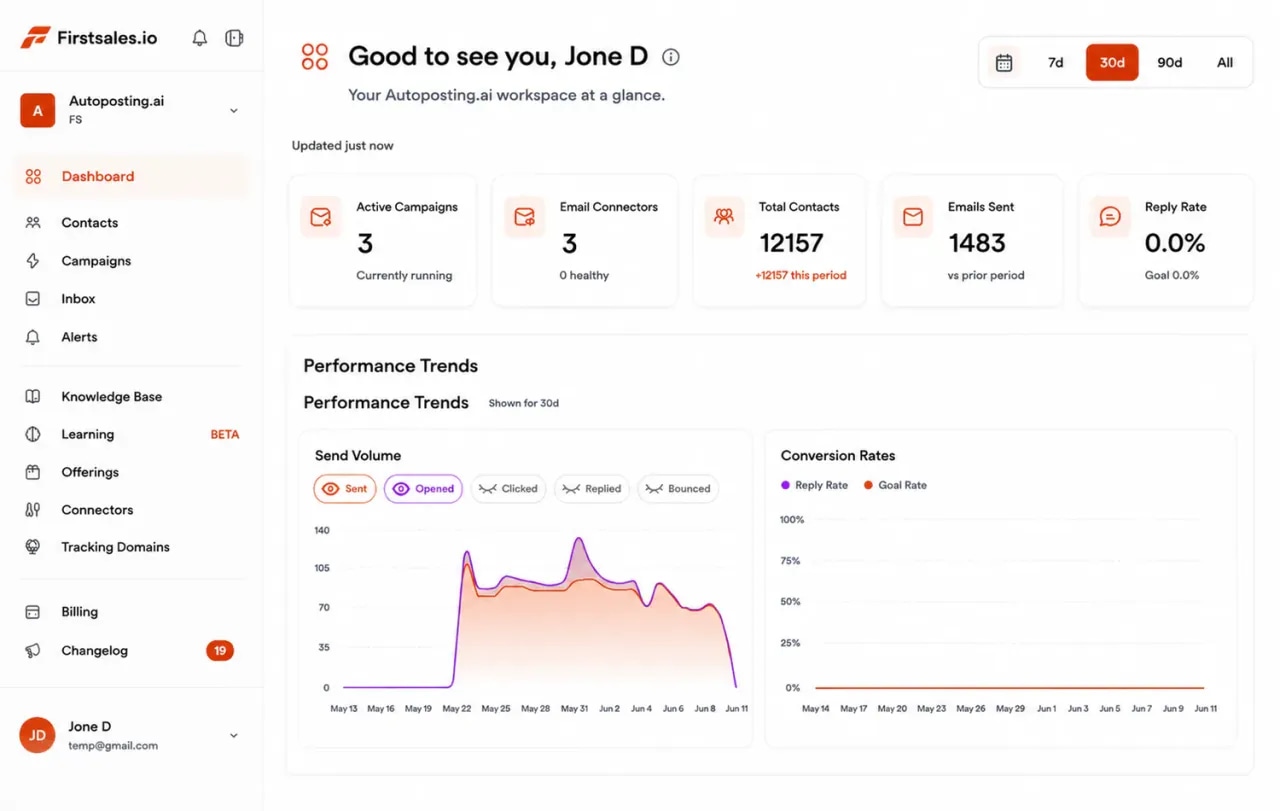
Your first lead list, built from a short description
Emails that sound like the founder wrote them
Follow-ups that run while you build
Start for $1 for 3 days, then from $29/mo
Most early teams know outbound works. They just cannot do it every day next to everything else.
A launch week, a hiring push or a fundraise and the emails stop. When they stop, the pipeline dries up a month later.
A first sales hire is costly and slow to ramp, and you still need to know what message works before you hand it over.
Blast from your main domain and investor updates, invoices and login emails start landing in spam too.
You describe your product and your buyer. FirstSales does the daily work and hands you the replies.
Paste your website and a few lines on who you help. Describe the companies and roles you want as early customers.
FirstSales builds the lead list, checks every address, writes each person an email in your voice and sends from warmed-up mailboxes.
Follow-ups go out on time and stop on a reply. Interested people get your meeting link, and you see every reply in one inbox.
You do not need a sales team or a long setup. This is the plain path most early teams follow, with the parts FirstSales does for you in the background.
Day 1
Add a Gmail, Outlook or SMTP mailbox on a separate domain. Paste your website and a few lines on who you help. SPF, DKIM and DMARC are checked and warm-up starts on its own.
Days 2 to 6
Describe the companies and roles you want as early customers. FirstSales builds the lead list and checks every address. Contacts marked Dirty are left out before anything sends.
Day 7
Set your tone, add a few instructions and let the AI draft one email per person. Read them in the approval queue. Fix what sounds wrong once and the next drafts follow.
Day 21
The 21-day warm-up has run its three phases. Add more mailboxes if you want more volume, since they are unlimited. Sending rotates across all of them.
After that
Replies land in one inbox. Interested people get your meeting link. A/B test subject lines, change the angle that is not landing and open a second segment.
Everything an early team needs to find first customers by email, in one app, on every plan.
Describe your ideal customer in plain words and FirstSales builds the list. Or upload the names you already have.
Set the tone and style once and add your own instructions. Emails read like a founder wrote them, because the AI writes from your words.
Every prospect is followed up on plan until they reply or opt out. You do not have to remember who to chase.
Send from separate domains. Each mailbox gets a 21-day warm-up, hourly inbox monitoring and a health grade.
Mailboxes, workspaces and team members are unlimited on every plan. Your first sales hire joins the same account.
Opens, replies, meetings and bounces per campaign. A/B test subject lines and keep the pitch that gets answers.
Four parts of the app do the outbound work a founder usually squeezes in late at night.
Add Gmail, Outlook or any SMTP mailbox. Keep cold email off the domain that sends your invoices and logins, and add more mailboxes when you want more volume.
Pick a tone and a writing style, then add instructions the way you would brief a new hire: what to say, what never to say, how to sign off. The AI writes inside those lines.
Each email starts from the prospect's company and role. Follow-ups can reference the last email and try a new angle, so a short sequence still feels like one conversation.
Replies from every mailbox land in one place, sorted by what needs you. Interested people are offered your meeting link, so a reply becomes a call without back-and-forth.
A startup rarely sells to one job title. These are the people founders most often reach first, what they want to hear and the angle that tends to start a conversation.
What works for founders selling their own product, in plain words.
Your first campaigns tell you who cares and which words land. Treat every reply, even a no, as research. Change one thing at a time: the segment, the problem you lead with or the ask. FirstSales shows replies per campaign and lets you A/B test subject lines, so you can see what moved.
"Heads of support at online stores with a small team" is a segment. "SMBs" is not. A narrow segment makes every email specific and every reply useful. Describe it in those plain words and FirstSales builds the list from that description.
Buyers answer people, not companies. A short note that says who you are, why you built this and one question is more honest than a polished pitch. Set your tone and instructions once and the AI keeps that voice in every draft.
A first email that asks for 30 minutes asks too much of a stranger. Ask if the problem is real for them. A yes opens the door, and your meeting link does the rest.
Buy a second domain for cold email and warm up each mailbox for 21 days. Keep volume per mailbox low and add mailboxes rather than pushing one harder. FirstSales gives you unlimited mailboxes and rotates sending across them.
Most replies come after the first email. Plan a few follow-ups, each with something new, and stop the moment someone answers or asks you to. FirstSales ends the sequence on any reply or opt-out.
Early-stage founders hear the same doubts again and again. Each one has a calm, honest reply. The AI writer can draft these replies for you to approve.
What they say
What you write back
“You're too early for us.”
Agree on what is true and offer a small, safe first step. Ask what would need to be true for them to try it.
“Who else uses this?”
Be honest about where you are. Share what early users have said only if it is real, and offer a short trial.
“We could build this ourselves.”
They might. Ask what it would cost their team in time and what they would stop building to do it.
“Not now, maybe next year.”
Ask what changes next year and offer to check in then. Add them to a later follow-up, not a weekly chase.
“What happens if you shut down?”
A fair worry. Explain how they can export their data and stop at any time. Clear exits make starting easier.
“Send me a deck.”
Send one short page and a single question about their situation, so the next reply is a real conversation.
Run through it before your first campaign goes out. FirstSales handles most of it for you.
“I have always struggled in cold outreach. However, Firstsales has provided an excellent tool for cold outreach.”
 Kaushal S.Founder, small business · G2
What changes when outbound keeps running on the days you cannot.
The week most founders know.
You spend your time on calls and product.
Many tools send what you give them. FirstSales also finds the leads, writes in your voice and protects your domain.
| What you get | Typical tool | FirstSales |
|---|---|---|
| Builds a lead list from a description | Varies | Included |
| Writes each email in your voice | Varies | Tone, style and your instructions |
| Follow-ups that stop on reply | Varies | Included |
| Mailboxes | Varies | Unlimited on every plan |
| 21-day warm-up | Varies | Included |
| Contact checks before each send | Varies | Every send, no add-on |
| Team members | Varies | Unlimited on every plan |
| Entry price | Varies | $29/mo |
| Start your $1 trial | ||
A startup has one brand and often one domain. These are general truths that keep it safe while you reach new people.
This is general information, not legal advice. FirstSales gives you the tools to send with care; you decide who to contact and are responsible for following the rules where you and your prospects are.
Real words from real users. No paid reviews.
“His honest and insightful feedback helped us transform @synchrowork when we started on LTD to what we are building now.”

Sushant Kumar
@sushantkr49
“One of the biggest pains in cold email is making sure that you have your DNS setup correctly. Firstsales has created a system to make sure you have done this correctly.”
Mike O
Trustpilot review
“One of the best email outreach tools I have ever seen in my 9 years of business experience. It has solved the problem of email outreach for my cold emails.”

Santhosh K.
Founder and CEO, small business
Can’t find yours? Write to us.
Often, yes. It lets you choose who hears about you, and every reply teaches you something about your market. It works best when it is narrow, personal and honest about where you are.
Yes. Describe the companies and roles you want in plain words and FirstSales builds the list. You can also upload names you already have. Every contact is checked before it sends.
They follow the tone, style and instructions you set, and they use the facts in your knowledge base. You can read every draft in the approval queue before it sends.
Most teams use a separate domain for cold email, so the domain that sends invoices and investor updates stays clean. FirstSales gives you unlimited mailboxes, each warmed up for 21 days.
Add them to the same account. Team members, mailboxes and workspaces are unlimited on every plan, and replies land in one shared inbox.
Plans start at $29/mo with warm-up, list cleaning and monitoring included. Try it for $1 for 3 days. No contract: cancel any time from your dashboard.
If you want to blast bought lists or need someone to promise inbox placement, FirstSales is not for you. It is for founders who want real, targeted cold email that reaches a person.
Connect unlimited mailboxes and let AI agents find leads, write each email and follow up. Or send your own templates in manual mode. From $29/mo.
$1 for 3 days · Cancel anytime · No contract