Buyers get pitched all day
A store buyer sees many brand emails a week. Generic ones that could go to any shop get deleted.
Industries · Ecommerce
FirstSales finds retailers, buyers and partner brands that fit your products, spots something real like a new category, a new store or a buying window, and writes each buyer a short email about it. It follows up until they reply, and stops the moment they do.
$1 for 3 days · Cancel anytime · No contract
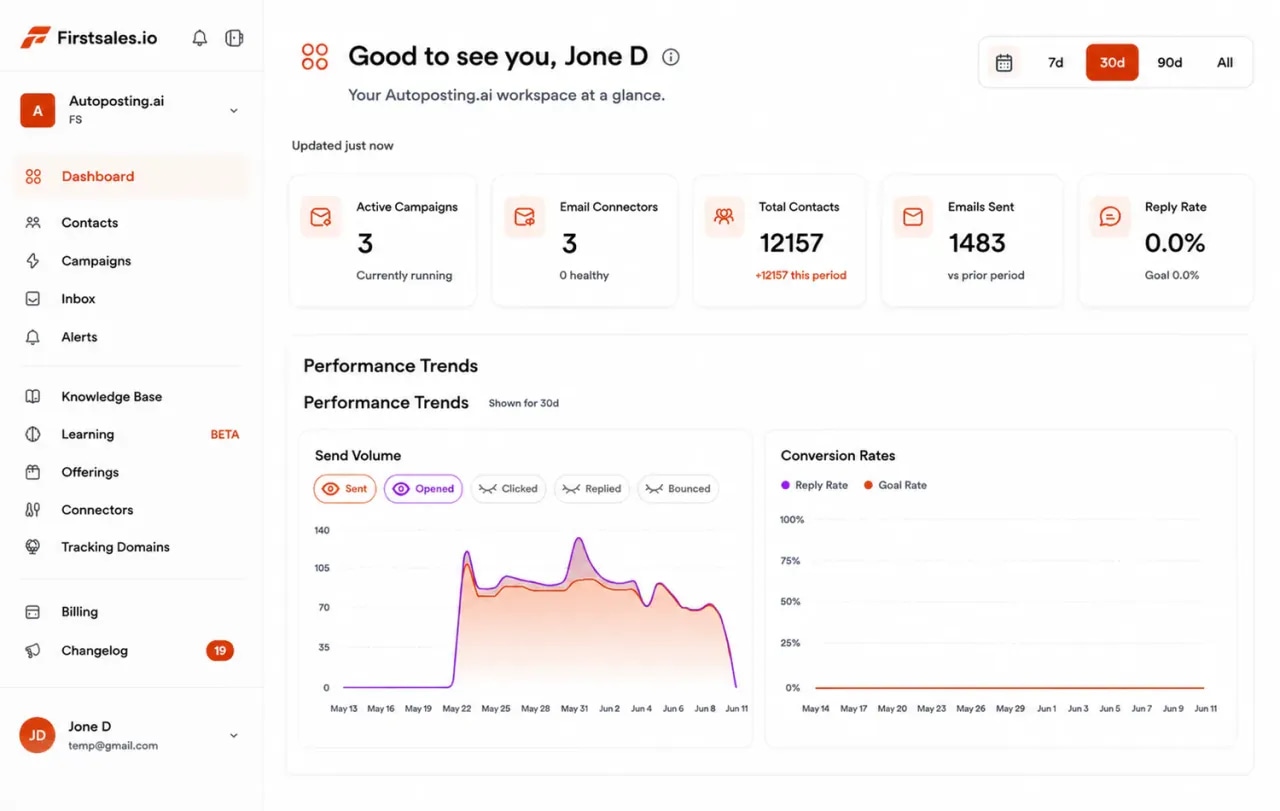
Written only from the catalog, terms and brand story you add to the knowledge base
Separate campaigns for wholesale buyers and partner brands
Unlimited mailboxes, with 21 days of warm-up
Start for $1 for 3 days, then from $29/mo
Trade shows and marketplaces help, but the buyers who would love your line are busy running their stores. The brands that grow wholesale write to the right stores at the right time and follow up until it fits.
A store buyer sees many brand emails a week. Generic ones that could go to any shop get deleted.
Buyers plan seasons ahead. Email after the order is set and you wait a whole season.
A buyer who likes your line may still need the terms, samples and a second nudge. Without follow-ups, they forget.
Set it up once, review as much as you like, and let FirstSales research, write and follow up.
Add mailboxes on a cold email domain, not your main store domain. SPF, DKIM and DMARC are checked and warm-up starts.
Add your catalog, wholesale terms, lead times and brand story. Describe the stores you want, and FirstSales builds the list.
Each email names something real about the store. Follow-ups stop on reply, and interested buyers get your meeting link.
Everything an ecommerce brand needs for steady wholesale and partner outreach, in every plan.
The AI writes only from your knowledge base, so it never quotes a price or product you do not have.
Every email starts with something true about the store, such as a new category, a new location or a buying window.
Run wholesale outreach and brand partnership outreach as separate campaigns, each with its own list and offer.
Every contact is checked before each send, and Dirty contacts are left out to protect your domain.
Follow-ups spaced over weeks, stopped as soon as someone replies or opts out.
Run each brand, region or sales rep in its own workspace. Unlimited workspaces and team members.
A cold email to a buyer lands when it names something real about their store. These are the moments that open a shelf for a new brand, with a sample first line for each.
A store that just added a category is still looking for the brands to fill it.
Saw you started stocking kitchen linen this month. Are you still building out the range?
A second or third store needs more stock and often a few new brands.
Congrats on the new store on Harbor Street. Are you adding brands for the opening?
Buyers plan seasons ahead. Write before they lock the order, not after.
Most shops plan holiday orders about now. Is there still room in yours for a gift line?
When a brand leaves a store, the shelf space is open for a fit.
Noticed the ceramics range left your site. Are you looking for something to replace it?
A retailer that just launched online needs more products to list.
Saw your new online shop went live. Do you plan to list more home goods there?
Stores that feature local, handmade or low-waste goods want brands that match.
Your shop leans into handmade and local. Our candles are poured in small batches near you.
Four parts of the app do the work a sales rep and a research assistant would do by hand.
Add Gmail, Outlook or SMTP mailboxes on a cold email domain, so your store emails and order emails stay safe. Mailboxes are unlimited, so spread volume across as many as you need with sending rotation.
Add your products, wholesale prices, minimum order, lead times and brand story. The AI writes only from what you add, so every detail matches what you can ship.
Each email starts with something true about the store, such as a new category or a new location, and asks one simple question. No blasts, no hype.
Replies land in the Unibox. Interested buyers get your meeting link, and the sequence stops on any reply or opt-out.
A wholesale buyer has to know the product fits, the terms work and the stock will arrive. A short sequence that answers one of those at each step reads like a good rep. FirstSales writes each step for each store and stops the moment they reply.
Email 1 · Day 1
Saw you added a candle shelf this season. Would a hand-poured line fit your spring buy?
Email 2 · Day 4
Here is our line sheet with wholesale prices, the first-order minimum and lead times.
Email 3 · Day 9
Happy to send a few samples so you can see and smell them before you order.
Email 4 · Day 16
If spring is already set, should I check back before you plan the summer buy?
What works when you write to busy people who run shops and buy for them.
Look at what they carry, how they display it and who shops there. One true detail beats a long brand story.
Buyers plan seasons ahead. Ask when they plan the next one, and write a few weeks before.
Have your line sheet, wholesale terms, minimum order and lead times ready to send in one reply.
Samples or a small first order lower the bar for a buyer who has never heard of you.
A store buyer and a partner brand want different things. Give each their own campaign and offer.
Keep cold outreach off the domain your store and order emails use, so customer email stays safe.
“One of the biggest pains in cold email is making sure that you have your DNS setup correctly. Firstsales has created a system to make sure you have done this correctly.”
Whether you sell to shops, chains or online retailers, the yes rarely comes from one person. These are the people, what they care about and the angle that gets a reply.
What changes when each email reads like it came from someone who knows the store.
Trade shows and brand blasts.
Store-by-store outreach.
Run through this before each new campaign. FirstSales handles most of it for you.
Most buyers are not planning an order the day your email lands. These are the objections you will hear most, with a calm reply for each.
What they say
What you say back
“Our buying for this season is done.”
Ask when they plan the next season and offer to write back a few weeks before.
“We already carry something like this.”
Agree, and point to the one thing that is different, such as size, price point or story.
“Your minimum order is too high.”
Offer a smaller first order or samples if you can, and say what the reorder looks like.
“Send me your line sheet.”
Send it with two or three products picked for their store and a line on why each fits.
“We only work with brands we know.”
Offer samples and a short note on where you are made and how you ship.
“How did you get my email?”
Say plainly that you found their store through public sources, and offer to take them off your list.
Many tools send one template to a list. FirstSales writes each email from your catalog and something real about the store.
| What you get | Typical tool | FirstSales |
|---|---|---|
| Emails written only from your catalog and terms | Varies | AI writes only from your knowledge base |
| Opens with a real detail about the store | Varies | Included |
| Separate buyer and partner campaigns | Varies | Unlimited workspaces |
| SPF, DKIM and DMARC check | Varies | Included, per domain |
| Mailboxes | Varies | Unlimited on every plan |
| 21-day warm-up | Varies | Included |
| Contact check before each send | Varies | On every send, no add-on |
| Starting price | Varies | $29/mo |
| Start your $1 trial | ||
Real words from real users. No paid reviews.
“I've been using FirstSales.io for several months now, and I can confidently say it has revolutionized how I approach lead generation and customer acquisition.”

Paweł Stelmach
Small business owner
“User Interface, Ease of Use, Able to hit the inbox in the first attempt.”

Sadashiv B.
Founder, small business
“His honest and insightful feedback helped us transform @synchrowork when we started on LTD to what we are building now.”

Sushant Kumar
@sushantkr49
Can’t find yours? Write to us.
Yes, for wholesale and partnerships: writing to store buyers, retailers and other brands. Each email names something real about the store, and FirstSales writes only from the catalog and terms you add.
Cold email fits business buyers, not private shoppers. Rules for emailing consumers are stricter and differ by country, so use FirstSales for wholesale and partner outreach. This is not legal advice.
Usually store owners, head buyers and category buyers at shops and retailers, plus partnership leads at other brands. Each role gets its own angle.
Not if the knowledge base is current. The AI writes only from what you add, so update it when a price, minimum order or product changes.
Yes. Give each audience, brand or market its own workspace with its own knowledge base, mailboxes and campaigns. Workspaces and team members are unlimited.
Send from a separate cold email domain. FirstSales checks SPF, DKIM and DMARC, warms each mailbox up for 21 days in three phases and gives it a health grade with hourly monitoring.
Start for $1 for 3 days. Connect a mailbox, add your catalog and terms, and read the first drafts in manual mode. No contract: cancel any time from your dashboard.
Connect unlimited mailboxes and let AI agents find leads, write each email and follow up. Or send your own templates in manual mode. From $29/mo.
$1 for 3 days · Cancel anytime · No contract